

 Veselin Stoyanov14 min read
How to Choose the Best Content Calendar Software for SEO
Learn how to choose content calendar software for SEO, including keyword tracking, scheduling, publishing integrations, and automation.

How to Choose the Best Content Calendar Software for SEO
A content calendar can be as simple as a spreadsheet with article titles and publishing dates. That may be enough for a small blog, but it quickly becomes limiting when your SEO strategy includes keyword targets, topic clusters, content briefs, approvals, multiple websites, or automated publishing.
The best content calendar software for SEO does more than show what you plan to publish. It connects the planning stage to the production and publishing stages, helping you decide what to create, when to create it, and how to move each article toward publication without losing strategic control.
This guide explains what to look for in a content planning tool, which features matter most for search-focused content, and when it makes sense to move beyond a static calendar.
What is content calendar software?
Content calendar software is a tool for planning, organizing, scheduling, and managing content production. Depending on the platform, it may help with editorial deadlines, keyword planning, content briefs, team assignments, approvals, publishing, or performance tracking.
For SEO, the calendar should act as more than a list of ideas. It should help connect each planned article to a search opportunity and a broader content strategy. A useful calendar lets you answer questions such as:
- Which keyword or topic does this article target?
- What stage of the funnel does it support?
- Is it part of a topic cluster?
- When should it be published?
- Who or what will produce it?
- Has it been reviewed and approved?
- How will it reach the website?
If the software only answers the publishing-date question, it is functioning as a scheduling tool rather than a complete SEO content planning tool.
Why standard calendars often fall short for SEO
Spreadsheets, project boards, and general-purpose calendars are useful because they are flexible and familiar. However, they often require manual work at every stage of the content workflow.
You may need one document for keyword research, another for article briefs, a task board for production, and a separate process for uploading finished posts. As the number of articles grows, these disconnected systems create several problems:
- Strategy gets separated from execution. Keywords and topic priorities may not be visible when articles are scheduled.
- Updates become difficult to maintain. A change to a topic, deadline, or priority may need to be copied across several tools.
- Publishing remains manual. Even after an article is approved, someone still has to format and upload it.
- Weak topics stay on the schedule. A calendar can preserve an idea simply because it was added earlier.
- Automation lacks oversight. Fully automated systems may generate content without giving you a practical review point before production begins.
A stronger system combines planning with controlled execution. It should automate repetitive steps while allowing you to change the plan when your priorities change.
The most important features in content calendar software for SEO
1. Keyword and topic alignment
The calendar should make it easy to connect planned articles to keyword targets and broader topics. This does not mean every row needs a long list of keywords. It means the tool should support intentional planning instead of treating article ideas as isolated tasks.
Look for features that help you organize content around:
- Primary and secondary keywords
- Search intent
- Topic clusters
- Supporting and foundational articles
- Customer questions and business priorities
- Existing content that should be updated or expanded
A good content calendar helps you see whether your publishing plan is building depth around important subjects or simply collecting unrelated ideas.
2. Flexible scheduling
SEO publishing schedules should be consistent, but they should not be rigid. Priorities change because of product launches, seasonal demand, new customer questions, business developments, or changes in your available resources.
Choose software that lets you set publishing dates, reorder planned articles, and adjust the schedule without rebuilding the entire plan. The ability to move one article should not require editing multiple unrelated documents.
Also consider whether the tool supports recurring production. A calendar is more valuable when it can help you maintain a realistic publishing rhythm instead of serving as a one-time planning exercise.
3. A review step before generation or publication
Automation should not remove strategic judgment. Before content is generated or published, you should have a chance to review the topic, priority, instructions, and timing.
This review step is especially important when content is produced at scale. It gives you a way to remove weak ideas, clarify the intended audience, adjust the angle, or add requirements for a specific article.
The best workflow is not necessarily fully manual or fully automatic. For many website owners, controlled automation is more useful: the system handles repeatable work, while the human remains in control of important decisions.
4. Article-level instructions
A content plan may define the general audience and style for a website, but individual articles often need additional guidance. One topic may require a comparison format, another may need a practical tutorial, and a third may need a stronger focus on a particular customer segment.
Article-level instructions let you preserve those differences without changing the rules for every article in the project. This is a valuable feature when your content calendar includes different formats, audiences, or search intents.
When evaluating a content planning tool, check whether instructions are stored with the article itself. If they live in a separate note or chat thread, they are easier to overlook during production.
5. Content generation connected to the calendar
A static calendar tells you what should happen. An integrated workflow can help make it happen.
If the software connects planned articles to content generation, you can reduce the handoffs between strategy and production. The calendar becomes the source of truth for the next pieces of content rather than a document that someone must manually interpret.
This does not mean every article should be generated without review. Instead, look for a workflow where you can approve the plan first, then allow the system to work through the approved schedule.
6. Publishing integrations
Publishing is one of the most important differences between a planning tool and an SEO content workflow. If your team still needs to copy each article from one system into your website, a large amount of operational work remains.
Before choosing software, confirm that it supports the publishing environment you already use. Depending on your setup, relevant integrations may include:
- WordPress publishing
- Next.js or another headless website workflow
- Direct API connections
- Webhooks for custom automation
- Metadata and image handoff
- Draft or scheduled publication states
The right integration depends on your technical stack and how much control you need. A small WordPress site may benefit from a direct publishing connection, while a custom application may need an API or webhook-based workflow.
7. Clear status management
A useful SEO calendar should make the state of every article easy to understand. At minimum, you should be able to distinguish between planned, ready, in progress, generated, reviewed, scheduled, and published content.
Clear statuses reduce duplicate work and make bottlenecks visible. If ten articles are planned but none have a defined next step, the calendar is not providing enough operational information.
Avoid tools that rely on color alone or use vague statuses such as “active.” Status labels should tell you what has happened and what needs to happen next.
8. Support for images and metadata
SEO content production includes more than the body copy. Titles, meta descriptions, featured images, inline visuals, and formatting all affect the publishing workflow.
A content planning tool does not necessarily need to perform every task itself, but it should make the handoff clear. If article metadata and image requirements are managed separately, the final publishing process becomes slower and more error-prone.
For websites publishing regularly, integrated handling of these supporting assets can save time and make the output more consistent.
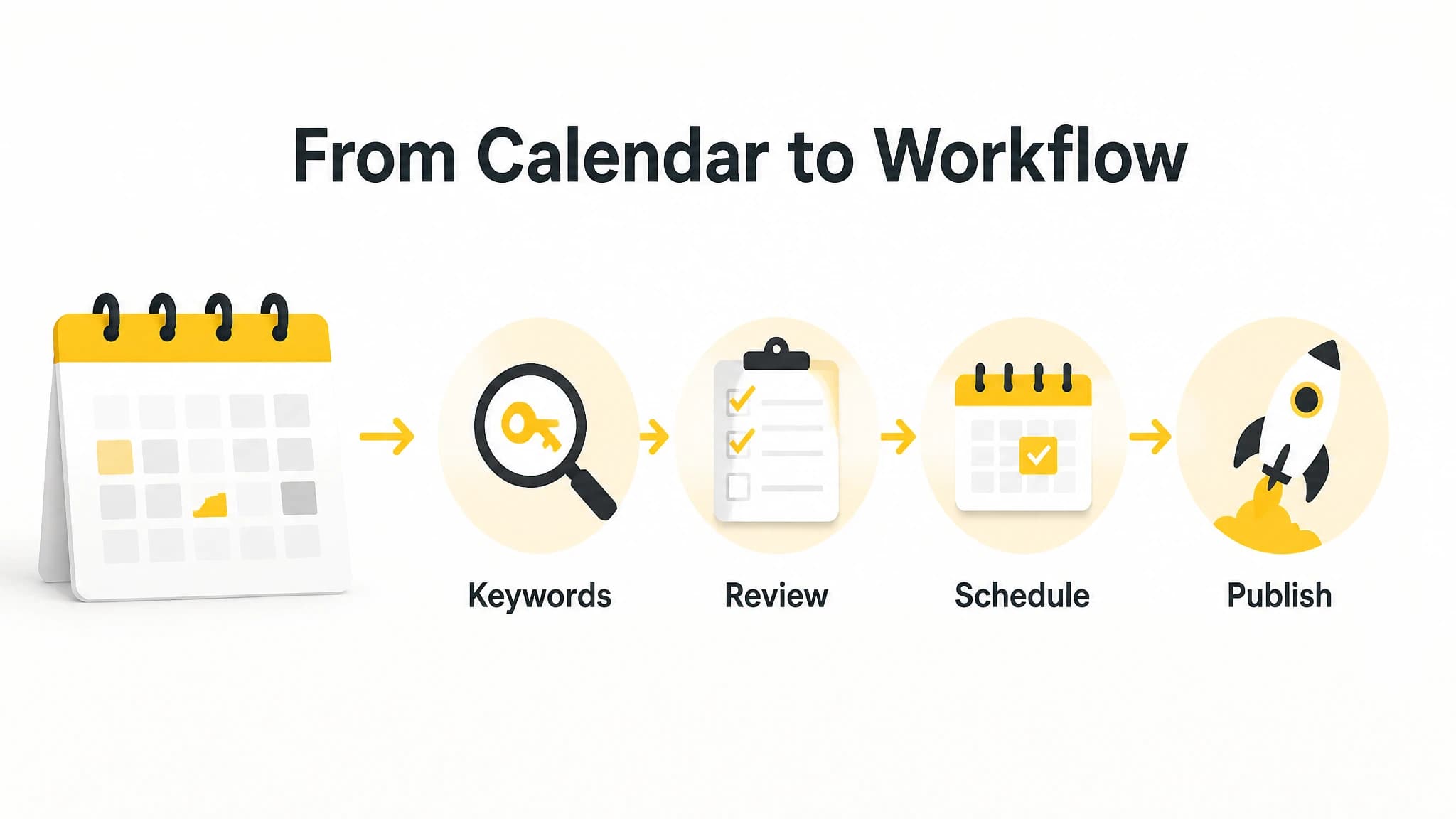
For SEO, the most useful calendar connects planning decisions to execution.
Content calendar software vs. a content planning tool
The terms are often used interchangeably, but there is a useful distinction.
A content calendar primarily organizes content by date, status, or channel. It answers questions about timing and workflow.
A content planning tool goes further by helping you decide what to publish and why. It may connect keyword targets, audience needs, topic coverage, and business goals to the editorial schedule.
For SEO, you ideally want both capabilities. Planning without scheduling can leave good ideas stuck in a backlog. Scheduling without strategy can produce a steady stream of content that does not build topical relevance or support meaningful business goals.
When comparing platforms, ask whether the product helps you create the plan, manage the calendar, or both.
How to compare content calendar software
Use the following process to evaluate different tools without getting distracted by long feature lists.
Step 1: Map your current workflow
Write down what happens from keyword selection to publication. Include the tools, people, approvals, and manual handoffs involved.
This exercise will show whether your main problem is planning, production capacity, publishing, or coordination. It also prevents you from buying software that solves a problem you do not actually have.
Step 2: Define your required level of automation
Decide which steps should remain manual and which should be automated. For example, you may want to approve every topic but automate article generation and scheduling afterward.
Other businesses may prefer to create their own briefs and use the tool only for calendar management. There is no single correct automation level. The important point is to choose a system that matches your preferred degree of control.
Step 3: Test the calendar with real topics
Do not evaluate the software only with sample data. Add several real keyword targets, supporting topics, and time-sensitive articles.
Then test whether you can reorder priorities, remove a weak topic, add instructions, and change publication dates without friction. A tool that looks simple in a demo may become cumbersome once your actual workflow is involved.
Step 4: Check the publishing path
Confirm what happens after an article is ready. Can the system publish directly to your website, create a draft, send content through an API, or trigger a webhook?
Also check what happens to metadata, images, and scheduling information. The goal is to understand the complete path from approved idea to live article.
Step 5: Measure operational value
The value of content calendar software is not only the number of features it includes. Consider whether it helps you:
- Spend less time moving information between tools
- Keep your publishing schedule consistent
- Reduce missed deadlines
- Make strategic changes quickly
- Maintain quality control as output increases
- Connect content planning to measurable business goals
A simpler tool that removes several repetitive handoffs may be more useful than a complex platform with features your team will not use.
When should you upgrade from a static calendar?
A spreadsheet or basic project board may be enough when you publish occasionally, have a small backlog, and manage every article yourself. An upgrade becomes more useful when your workflow starts showing signs of operational strain.
Consider dedicated content calendar software if:
- You are planning content several weeks or months ahead
- Multiple websites or contributors are involved
- Keyword targets are difficult to track consistently
- Articles require different instructions or formats
- Publishing manually consumes significant time
- Your calendar changes frequently
- You want to automate production without giving up review control
The strongest reason to upgrade is usually not the size of your content library. It is the number of repeated decisions and handoffs required to keep the system moving.
How RankWorker fits an SEO content calendar workflow
RankWorker is designed for businesses that want to plan, generate, schedule, and publish SEO content through a repeatable workflow. Its content calendar provides a review point before generation: you can review planned articles, reorder the plan, add or remove pieces, and provide article-level instructions before the schedule is followed.
That makes it different from a static calendar that only records deadlines. The calendar remains connected to the production workflow, while you decide how hands-on you want to be.
You can review RankWorker's content calendar to see how the process works. The feature page describes a three-step flow: review the calendar, adjust only what needs changing, and let the system follow the schedule once the plan is ready.
RankWorker also supports publishing workflows through native WordPress, Next.js, Direct API, and Webhook integrations, according to the project context. Those options matter because the best content planning tool is one that fits the way your website actually receives content.
A practical setup might look like this:
- Define your audience, style, and SEO priorities.
- Build or review a monthly content plan.
- Inspect the proposed calendar before generation.
- Reorder articles based on business or search priorities.
- Add article-specific instructions where needed.
- Let approved content move through the scheduled workflow.
- Review the resulting articles before or after handoff, depending on your process.
The benefit is not automation for its own sake. It is a clearer connection between SEO planning and consistent execution.
Common mistakes when choosing a content planning tool
Choosing a tool based only on calendar views
A polished calendar view is useful, but it does not prove that the platform supports SEO planning or publishing. Evaluate the workflow behind the interface.
Automating before defining priorities
Automation can increase the speed of a weak plan. Establish your audience, topics, keyword targets, and publishing priorities before deciding what should run automatically.
Ignoring integrations
A tool may be excellent at planning but still create work if it does not connect to your website. Confirm the publishing path before committing to a platform.
Removing human review entirely
SEO content benefits from editorial judgment. Keep a review step for topic quality, factual accuracy, brand fit, and business relevance, especially when content is generated at scale.
Tracking output instead of outcomes
Publishing more articles is not the same as building a stronger SEO program. Track whether the workflow supports useful coverage, qualified traffic, leads, signups, or sales.
Final checklist
Before choosing content calendar software, confirm that it can support the following:
- Keyword and topic alignment
- Search-intent-based planning
- Flexible scheduling and reordering
- Article-level instructions
- Review before generation or publication
- Clear content statuses
- Metadata and image workflow support
- Publishing integrations for your website
- Automation that matches your preferred level of control
- Reporting or processes that connect content activity to business goals
The best content calendar software for SEO is not necessarily the platform with the most features. It is the one that helps you turn a thoughtful content plan into consistent, reviewable, and publishable work.