

 Veselin Stoyanov13 min read
How to Build an Automated Content Workflow for SEO
Learn how to build an automated content workflow for SEO, from keyword targeting and planning to content generation, review, scheduling, and publication.

Publishing SEO content consistently is difficult when every article depends on a series of disconnected manual tasks. Someone has to find keywords, choose topics, create a brief, write the article, prepare metadata, add images, upload the post, and schedule publication. As your content library grows, small delays at any stage can stop the entire process.
An automated content workflow connects those stages into a repeatable system. Instead of treating every article as a one-off project, you create a production workflow with clear inputs, quality checks, and automated handoffs.
The goal is not to publish content without oversight. The goal is to remove avoidable bottlenecks so your team can spend more time on strategy, editing, and business priorities.
What Is an Automated Content Workflow?
An automated content workflow is a structured process that uses software and predefined rules to move content through multiple stages with minimal manual intervention.
For SEO, the workflow commonly includes:
- Keyword targeting
- Topic selection and prioritization
- Content planning and briefing
- Article generation or drafting
- SEO metadata preparation
- Image creation or selection
- Review and approval
- Scheduling and publication
- Performance monitoring and content updates
A manual process may still include all of these steps, but each one is handled separately. An automated process connects them. When a keyword is approved, it can move into a content plan. When an article is ready, its metadata and image requirements can move with it. Once approved, the article can be scheduled for publication through the appropriate website integration.
This creates a scalable content production workflow: a system that can handle more content without requiring the same increase in administrative effort.
Why SEO Content Workflows Become Bottlenecks
Before automating, identify where work is slowing down. Common bottlenecks include:
- Unclear ownership: No one knows who approves a topic, edits an article, or publishes the final draft.
- Scattered tools: Keywords live in one spreadsheet, briefs in another document, and publishing tasks in a CMS.
- Repeated data entry: Teams copy titles, slugs, descriptions, and article content between systems.
- Inconsistent briefs: Writers receive different levels of guidance for every article.
- Approval delays: Content is complete but waits for a review that has no defined deadline.
- Unplanned publishing: Articles are published whenever someone remembers rather than according to a content calendar.
- Low visibility: Managers cannot quickly see which articles are planned, in progress, blocked, or published.
Automation is most useful when it addresses these operational problems. It should not be added simply because a process contains many tools. A good workflow makes the next action obvious and reduces unnecessary handoffs.
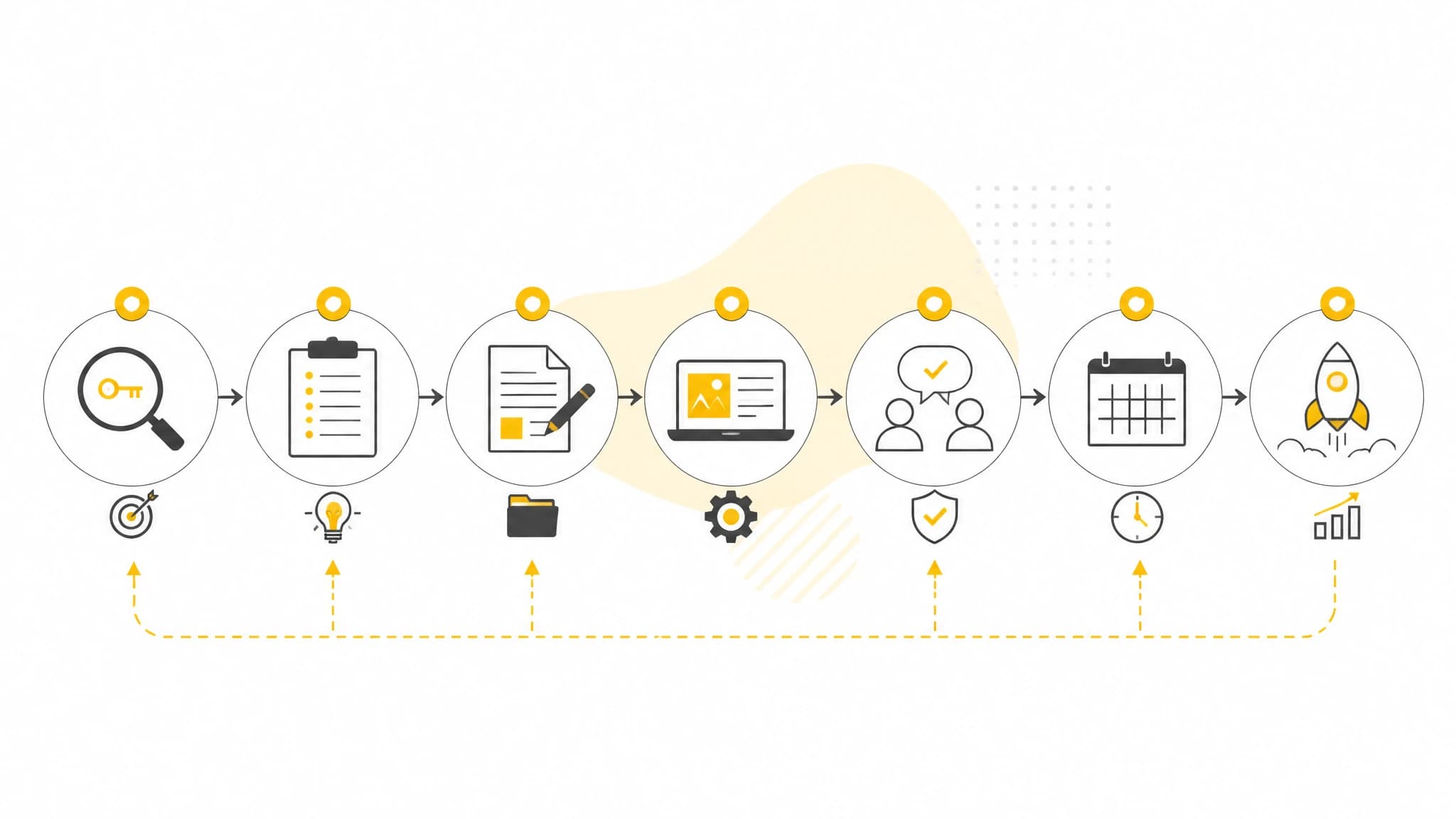
A repeatable workflow makes each stage of SEO content production visible and manageable.
Step 1: Define Your SEO Content Goals
Start with the business outcome your content should support. Your goal might be to attract qualified organic traffic, build authority around a topic, generate leads, support product education, or create a consistent publishing rhythm.
Then define the audience and search intent for each content group. A workflow designed for informational articles will look different from one built around product-led content or commercial comparison pages.
Useful planning questions include:
- Who is the target reader?
- What problem are they trying to solve?
- Which products, services, or business outcomes are relevant?
- Which topics are closest to the company’s area of expertise?
- How will content success be evaluated?
These answers become workflow rules. For example, you may require every article to have a defined audience, primary keyword, search intent, suggested action, and review owner before it can enter production.
Step 2: Create a Keyword Targeting System
An automated workflow needs reliable inputs. For SEO content, that usually means a structured keyword and topic database.
Organize keywords by attributes such as:
- Primary keyword
- Search intent
- Topic or content cluster
- Business relevance
- Funnel stage
- Priority
- Existing page targeting the term
- Content status
Avoid selecting topics based only on keyword volume. A keyword can attract visitors but still be a poor fit if it has little connection to your audience or business.
A useful prioritization model considers three factors:
- Relevance: Does the topic match your audience and offer?
- Opportunity: Is there a realistic chance to create a useful, competitive page?
- Value: Could the topic contribute to awareness, leads, signups, or sales?
Once keywords are organized, establish a rule for moving them into production. For instance, high-priority terms may require a brief and review before generation, while lower-priority topics may enter a predefined publishing queue.
Step 3: Build Topic Clusters Instead of Isolated Articles
A scalable workflow should connect individual articles to a larger content strategy. Topic clusters help prevent random publishing and make it easier to identify gaps.
A typical cluster contains:
- A broad pillar topic
- Several focused supporting articles
- Clear relationships between related subjects
- A consistent audience and search-intent theme
For example, an SEO automation cluster might include articles about keyword planning, content briefs, publishing workflows, content calendars, and measuring organic performance.
Planning clusters in advance also improves automation. The system can help you identify the next logical topic, maintain a balanced publishing schedule, and reduce the risk of covering the same keyword repeatedly.
Step 4: Standardize the Content Brief
Automation works best when every article begins with the same minimum information. A content brief should give the writer or generation system enough context to produce a focused draft.
At minimum, include:
- Target audience
- Primary keyword
- Secondary keywords or related concepts
- Search intent
- Recommended title or angle
- Key questions to answer
- Desired call to action
- Brand or product context, where relevant
- Internal review requirements
You can also define formatting rules, preferred reading level, article type, and guidance for examples or supporting evidence.
Standardization does not mean every article should sound identical. It creates a reliable foundation while leaving room for subject-specific insight and editorial judgment.
Step 5: Automate Draft Production Carefully
The drafting stage is often where content teams spend the most time. Automation can help create first drafts, outlines, metadata, and other production elements, but quality controls remain essential.
A practical automated drafting process should require the system to:
- Follow the approved keyword and search intent
- Address the reader’s main problem early
- Use a logical heading structure
- Avoid unsupported claims
- Match the brand’s tone and audience
- Include useful examples or steps
- Produce a clear title and meta description
The objective is not to remove human expertise. It is to move repetitive preparation work earlier in the process so editors can focus on accuracy, usefulness, differentiation, and clarity.
Set a clear status such as Draft, Needs Review, or Approved. Do not allow an automatically generated article to move directly to publication unless your process includes appropriate checks for your subject matter and risk level.
Step 6: Include SEO Metadata and Supporting Assets
An article is not finished when the body copy is complete. The production workflow should also account for the elements required to publish and present the page effectively.
These may include:
- SEO title
- Meta description
- URL slug
- Excerpt
- Featured image
- Inline images where useful
- Image alt text
- Captions, if needed
- Author or category information
- Publication date
Preparing these elements as part of the same workflow reduces last-minute publishing tasks. It also creates consistency across your site.
Images should support comprehension rather than fill space. Use them when they clarify a process, show an example, or improve the reading experience. For operational articles, a workflow diagram, planning board, or content pipeline illustration can be more useful than a generic stock photo.
Step 7: Define Review and Approval Gates
Automation should make review more predictable, not eliminate it. Create explicit approval gates for the parts of content that require human judgment.
A useful review checklist covers:
- Search intent alignment
- Factual accuracy
- Originality and usefulness
- Brand voice
- Product or service references
- Claims and supporting evidence
- Links and calls to action
- Metadata and image details
- Formatting and accessibility
Assign one clear owner for final approval. If multiple people are involved, define their responsibilities so the article does not circulate indefinitely between reviewers.
You can also separate review types. A subject-matter expert may verify accuracy, while an editor checks structure and clarity. This division is especially useful when the content covers technical, financial, legal, or otherwise sensitive topics.
Step 8: Connect the Workflow to Your Publishing System
The final handoff is where many content operations lose efficiency. If approved articles must be copied manually into a CMS, the workflow still contains a significant bottleneck.
Choose a publishing connection that matches your website and technical setup. RankWorker supports native WordPress, Next.js, Direct API, and Webhook integrations for managing automated content publishing workflows. This allows teams to connect planning and production with the system where content is ultimately published, using the integration that fits their environment.
Before automating publication, define:
- Which status triggers publishing
- Whether articles publish immediately or enter a scheduled queue
- Who can approve a publication
- How failed publishing attempts are handled
- Where the final URL and publication status are recorded
A controlled schedule is usually better than publishing everything as soon as it is generated. It gives your team a predictable cadence and creates time for final checks.
Step 9: Track Workflow Performance
An automated content workflow should be measured at two levels: production efficiency and SEO or business outcomes.
Operational metrics can show where the process needs improvement:
- Time from keyword approval to draft
- Time spent in review
- Number of revision cycles
- Percentage of articles published on schedule
- Manual steps per article
- Number of blocked or failed handoffs
SEO and business metrics help evaluate whether the content is worth producing:
- Organic impressions and clicks
- Rankings for target queries
- Engaged visits
- Leads, signups, or other conversions
- Performance by topic cluster
- Content refresh opportunities
Do not optimize only for publishing volume. If the workflow produces more articles but weakens quality or relevance, the system is creating activity rather than value.
Step 10: Improve the Workflow Through Regular Reviews
Your first workflow will not be perfect. Review it after the first group of articles and look for recurring friction.
Ask:
- Which stage takes longer than expected?
- Where do reviewers find the most issues?
- Which fields are missing from briefs?
- Are topics being selected consistently?
- Are publishing failures easy to identify and fix?
- Which manual tasks could be removed safely?
Make one improvement at a time and document the change. Over time, your workflow becomes a set of operating procedures that can be repeated by a team or managed by a founder without relying on memory.
A Simple Automated Content Workflow Template
You can begin with this sequence:
- Add a keyword and assign search intent.
- Group the keyword into a topic cluster.
- Set priority, audience, and desired outcome.
- Generate a standardized content brief.
- Create the article draft and SEO metadata.
- Add or generate relevant image assets.
- Send the article through editorial review.
- Approve the final version.
- Schedule publication in the connected website system.
- Record the published URL and monitor performance.
- Refresh, merge, or improve content based on results.
The exact tools may vary, but the principles remain consistent: centralize information, define statuses, automate repeatable handoffs, and preserve quality gates.
Common Mistakes to Avoid
Automating Before Defining the Process
Software cannot fix an unclear workflow. Document the steps, owners, inputs, and approval rules before automating them.
Treating Every Keyword the Same
Different search intents require different content formats and levels of review. Use intent and business relevance to guide production decisions.
Publishing Without Quality Controls
Automation can accelerate mistakes as easily as it accelerates good work. Keep review gates for accuracy, usefulness, and brand alignment.
Measuring Only Output
A high article count does not prove that the workflow is working. Connect production metrics with organic visibility and business outcomes.
Creating Too Many Exceptions
If every article follows a different process, the workflow becomes difficult to manage. Use a standard path for most content and define only a small number of justified exceptions.
Conclusion
A strong automated content workflow turns SEO publishing from a collection of disconnected tasks into a repeatable production system. Start with clear goals, organize keywords by intent and value, standardize briefs, automate routine drafting and metadata work, add explicit review gates, and connect approved content to your publishing system.
The best workflow is not the one with the most automation. It is the one that removes unnecessary manual work while preserving strategic judgment and editorial quality. With that balance, busy founders and lean teams can maintain a more consistent content production workflow without allowing every article to become a new project.