

 Veselin Stoyanov10 min read
Automated Internal Linking: Build Links Between Posts
Learn how to automate internal linking without creating irrelevant or over-optimized links. Build a useful link structure with a practical review process.

Internal links connect pages on your website. Automating the process can help you maintain those connections as your content library grows, but automation should support editorial judgment, not replace it. The goal is to add relevant links that help readers navigate, help search engines discover pages, and guide people toward a useful next step.
A good system starts with a clear topic structure, sensible anchor text, and rules for where links belong. Then it uses automation to find likely connections and leaves you with a quick review before publication. That balance is more dependable than adding links everywhere just because a tool can.
Why internal links matter
Internal links create paths between pages on the same website. They help readers find related information and give search engines routes for discovering and understanding your pages. They can also guide visitors from an introductory article to a more detailed guide, product page, or other relevant next step.
Their value depends on context. A link that answers the reader’s next question is useful; one that interrupts a sentence or points to an unrelated page is not. Internal links are not a shortcut to rankings or conversions. They are part of a site structure that makes important content easier to find and use.
Crawling and discovery
Search engines can discover pages by following links. A clear set of links between related pages can make it easier to reach content that might otherwise sit several clicks away from the homepage or from any well-linked page. This matters especially for newer posts and large sites with many URLs.
Topic relationships
Links help readers move between pages that cover connected subjects. A cluster of useful, descriptive links can make the relationship between a broad topic and its more specific subtopics clearer. The links do not prove expertise on their own; the content still needs to be accurate, distinct, and useful.
Reader journeys and conversions
A relevant link can offer a natural next step: a beginner guide can point to an implementation checklist, and a comparison article can link to a detailed explanation of one option. This gives readers a way to continue without relying on a generic call to action.
Build a hub-and-spoke structure
A hub-and-spoke model organizes related pages around a main subject. The hub covers the broad topic; spoke pages answer narrower questions. Link spokes to the hub when it helps readers return to the overview, and link between spokes when one genuinely supports the other.
A small example for a website about email marketing:
                 [Email marketing guide]
                  /         |          \\
                 /          |           \\
        [List growth]  [Welcome emails]  [Deliverability]
                 \\          |           /
                  \\         |          /
                   [Relevant cross-links]
Do not force every spoke to link to every other spoke. The diagram shows possible relationships, not a quota. Add a cross-link when it helps someone who is reading one page understand or use another. If the connection is weak, leave it out.
To start a cluster:
- Choose a meaningful hub. It should explain the broad topic and help readers find the subtopics.
- Group related pages. Use search intent and subject matter, not just words that happen to appear on multiple pages.
- Set link directions. Decide which spoke pages should point to the hub and where cross-links would answer a likely follow-up question.
- Check for gaps. Find important pages that have few relevant links pointing to them, then look for natural places to introduce them.
- Review as the cluster changes. New pages can create useful connections, while updated or removed pages can make old links stale.
For help shaping the content plan behind a cluster, explore our content planning guidance. A plan makes it easier to spot which pages should support one another before you start adding links.
Rules for useful automated links
An internal linking tool can scan a site and suggest connections faster than a person can inspect every article. The quality of its suggestions still depends on relevance and placement. Use rules such as these to keep the output helpful.
Match the link to the reader’s next question
Ask what someone reading the source page might reasonably want to know next. Link only if the destination answers that question or adds useful detail. Similar keywords are not enough: two pages can use the same phrase while addressing different intents.
Make anchor text descriptive
Anchor text should give readers a fair idea of what they will find. Use a concise phrase that fits the sentence and describes the destination, such as “email deliverability checklist.” Avoid vague anchors like “read more,” and do not repeat an exact-match keyword unnaturally across every link to a page.
Place links where they make sense
Put links in the sentence or paragraph that introduces the related idea. Avoid inserting links into headings, lists of unrelated links, or places where they disrupt the flow. A link should read naturally aloud and should not make the sentence confusing if the reader ignores it.
Keep links and destinations healthy
Check that each link points to the intended page and that the destination loads. When pages move or are removed, update or remove links that no longer serve readers. Review links to important pages for clarity and relevance, not only for their total number.
A safe workflow for automating internal links
A reliable process treats automation as a way to find candidates, then applies editorial checks before those links become part of a published article.
- Start with a clean page inventory. Use your sitemap or another current URL list. Exclude duplicate, outdated, or irrelevant URLs where possible.
- Group pages by topic and intent. A page about choosing email software may relate to a tool comparison, but not necessarily to an article explaining how email authentication works. Check what each page actually helps the reader do.
- Set a reasonable link limit. Decide how many contextual links an article should consider based on its length and subject. A limit prevents an automation rule from filling paragraphs with links just because matches exist.
- Generate candidates from context. Look for places where a destination directly supports a statement or gives the reader a useful next step. Do not rely on keyword overlap alone.
- Review the sentence and destination together. Confirm that the anchor accurately describes the destination, the link belongs in that paragraph, and the destination is the best match.
- Publish, then audit. Check links in the rendered page and revisit the cluster when publishing or substantially updating related content.
With RankWorker, generated articles can include a configurable number of contextual internal links chosen from your sitemaps. That can reduce the work of finding candidate pages while keeping the link count under editorial control. For an end-to-end publishing workflow, see our WordPress scheduling workflow.
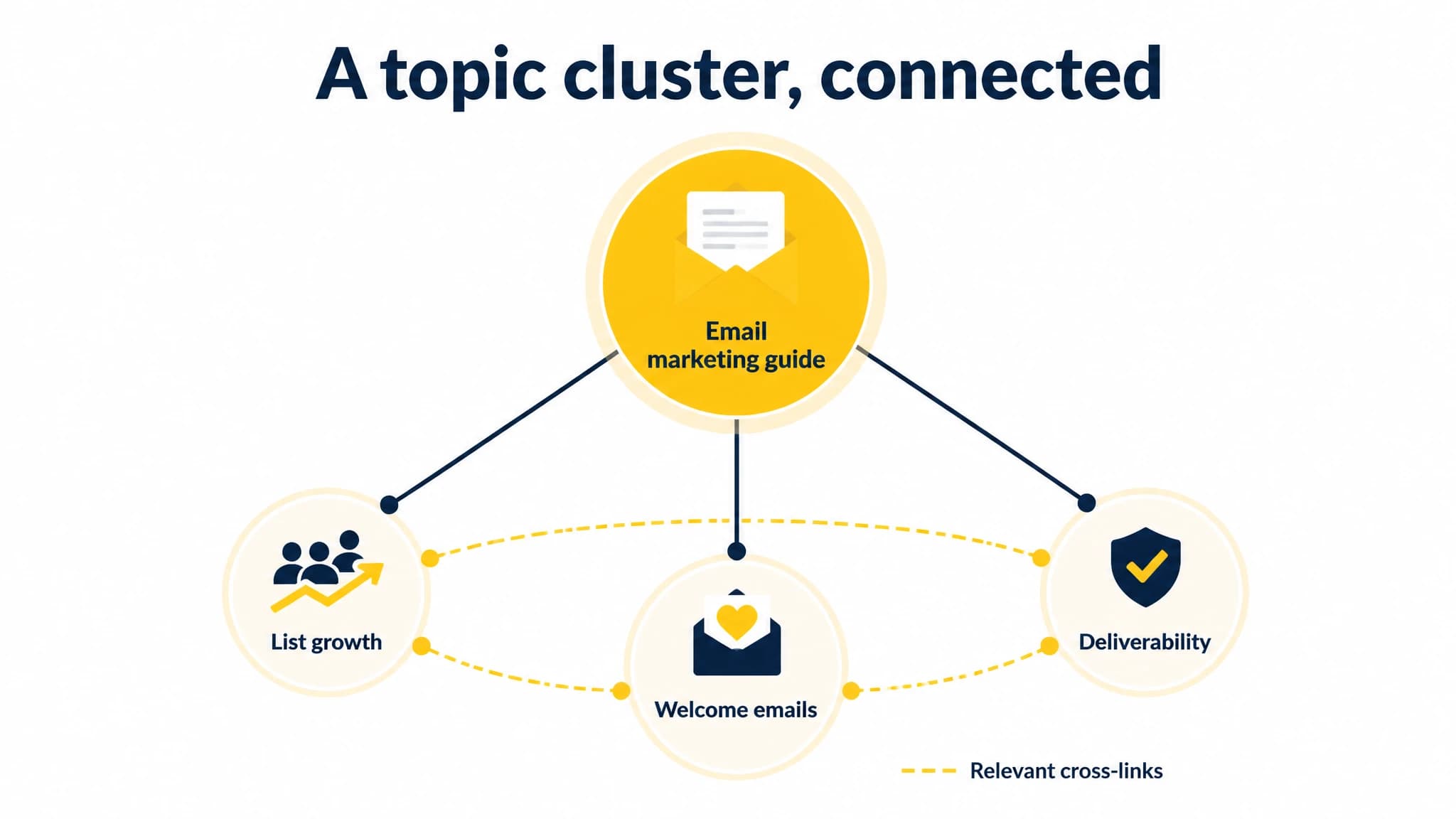
Use the hub as an overview and connect related spoke pages only when the link helps the reader.
Risks of automated internal linking and how to avoid them
Automation can create more links while making the reading experience worse. The common failure modes are predictable, and a few practical checks help catch them.
| Risk | What it looks like | How to reduce it |
|---|---|---|
| Irrelevant destinations | A link shares a keyword with the sentence but does not answer the same question | Review the destination’s subject and purpose, not only its words |
| Over-optimized anchors | The same exact phrase is used repeatedly, even where it sounds unnatural | Vary concise, accurate anchors and prioritize readability |
| Awkward placement | A link appears in a heading, an unrelated list, or mid-thought | Place it in the paragraph that explains why the destination matters |
| Excessive linking | Several links compete for attention in a short passage | Set a sensible limit and remove links that add little value |
| Stale destinations | The target page has moved, changed substantially, or is no longer useful | Check destination status and relevance during content reviews |
Make human review part of the workflow rather than an emergency fix. Review the actual sentence, anchor, and destination together. A link can look plausible in a report but feel misleading when read in context.
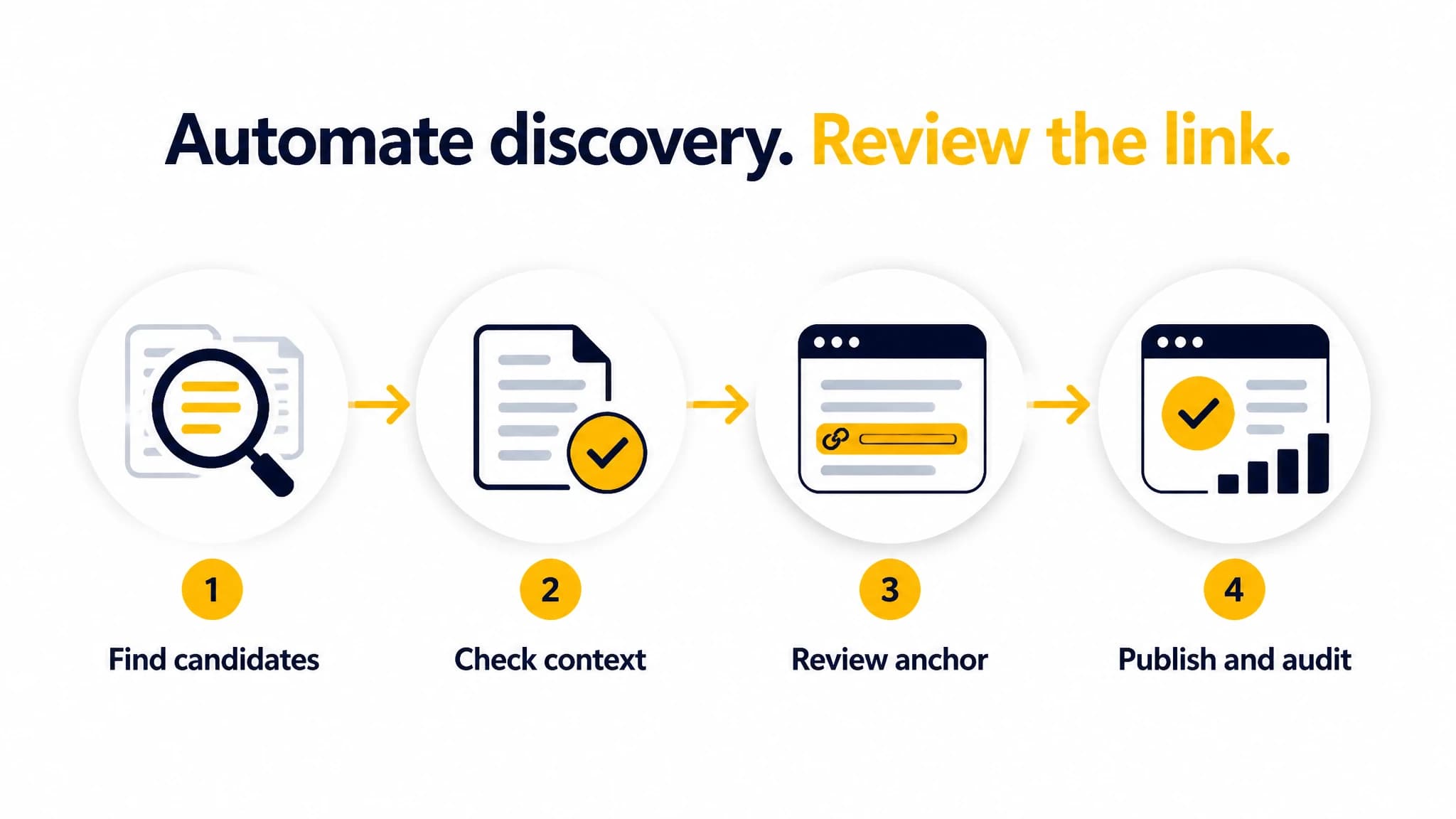
Treat automation as a way to find candidates, then review each link before publication.
How to measure whether your link system helps
Do not judge an internal linking process by the number of links it produces. Check whether it improves navigation and makes useful pages easier to reach.
- Coverage: Are important pages connected to relevant pages in their topic cluster?
- Relevance: Do the linked destinations help answer the question raised by the source paragraph?
- Findability: Can a reader reach key pages through sensible paths from related content?
- Maintenance: Are links still accurate after articles are updated or URLs change?
- Reader behavior: If you track analytics, compare how visitors move through related pages. Treat those patterns as clues, not proof that a link caused a conversion.
Use the findings to improve the structure. If a useful page has no natural incoming links, consider whether it needs a clearer place in your content plan, a better supporting article, or a stronger explanation of its value. Avoid adding a link solely to satisfy a reporting target.
When to automate and when to review manually
Automation is most helpful when you publish frequently, maintain a large library, or need a repeatable way to identify possible connections. It can help surface candidate URLs and reduce the time spent searching through old articles.
Manual attention matters most when topics overlap, a link could change the meaning of a sentence, or a page is commercially important. Keep a person in the loop for those decisions. A simple rule is to automate discovery and drafting, then review the links that will appear to readers.
The right internal linking strategy is not “automate everything.” It is to use automation for repeatable discovery and apply human judgment to relevance, wording, and placement. Start with one topic cluster, review the suggestions, and expand the process only when the links consistently make sense.