

 Veselin Stoyanov9 min read
IndexNow for Blogs: When and How to Notify Search Engines
Learn when to notify participating search engines about blog updates, how IndexNow works, and what it can and cannot do for indexing.

IndexNow gives blog owners a way to tell participating search engines that a URL has changed, instead of waiting for those engines to discover the change on their own. It is most useful when a post is newly published, substantially updated, or removed. A notification can prompt discovery, but it does not guarantee a crawl, indexing, or higher rankings.
The practical approach is to treat IndexNow as one part of publishing: publish a page that is accessible and ready for readers, then notify participating search engines of the changed URL. Keep your sitemap and normal technical SEO practices in place as well.
What IndexNow does for a blog
IndexNow is a protocol for notifying participating search engines about URLs that have been added, updated, or deleted. A website verifies that it controls the URLs it submits, commonly by making a key file available on its domain. After verification, a site or its publishing tools can send notifications when relevant changes happen. The IndexNow protocol documentation describes the submission and verification process.
For a blog, the useful unit is the URL that changed. A notification might follow the publication of a new article, a meaningful revision to an existing article, or the removal of a page. It is not a request to repeatedly submit every post in your archive. Bing advises submitting URLs that have changed since you started using IndexNow, rather than resending unchanged older pages. (bing.com)
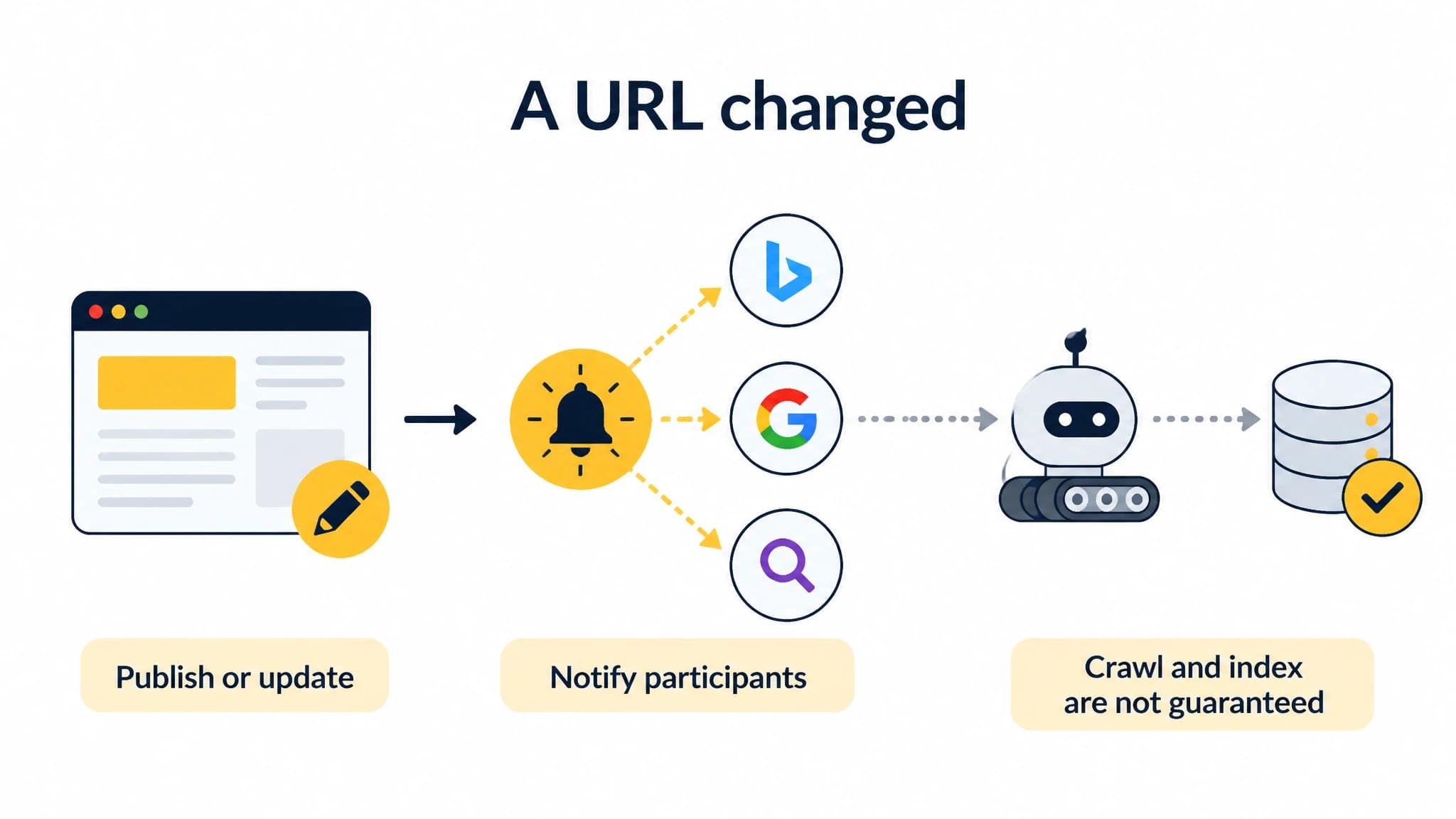
A notification signals a URL change, but search engines decide whether to crawl and index the page.
A successful notification only confirms that a search engine received the URL. It does not mean the page has been crawled or added to an index. Search engines decide what to crawl and index based on their own processes and assessment of the page. Bing's IndexNow guidance explicitly cautions that using the protocol does not guarantee crawling or indexing. (bing.com)
When should you send a blog indexing notification?
Notify participating search engines after a change that matters to users or search engines. Typical cases include:
- A new article goes live. Send the notification after the final URL is available and returns the expected page, not while the post is still a draft or preview.
- An existing post has been substantially updated. For example, you have refreshed outdated guidance, corrected important information, or added material that changes what the page offers.
- A page is removed or its URL changes. Notify for the affected URL, and check that your redirect or removal behavior is intentional.
Avoid sending repeated notifications for cosmetic edits, unchanged URLs, or each minor content save. A useful rule is to notify when the published page has meaningfully changed, not whenever your CMS records activity. This keeps the workflow focused on real updates and reduces redundant requests.
A practical workflow for new and updated posts
Use a short publishing sequence so the notification supports a sound page rather than trying to compensate for a broken one.
1. Finish the page and choose its final URL
Before publication, confirm that the post answers its intended query, has a clear title and useful metadata, and uses the URL you plan to keep. Avoid notifying search engines about a draft URL and then changing it immediately afterward.
2. Check that the published page is accessible
Open the live URL and confirm it loads as intended. Check that it is not accidentally blocked from crawling and that it does not carry a noindex instruction if you want it considered for indexing. Confirm that any canonical URL points where you expect. A notification cannot fix access or indexing directives that prevent a search engine from using the page.
3. Send the notification for the changed URL
Your implementation needs to verify ownership of the site and submit the changed URL through an IndexNow-supported endpoint. If you maintain your own integration, follow the protocol's current key-file and request requirements. If you use a platform or publishing tool that supports IndexNow, use its setup instructions and verify that the correct site is connected.
4. Check delivery and continue monitoring
Where your tools provide submission status, use it to distinguish a successful notification from a failed request. Receipt is not the same as indexing. Check the search engine's available webmaster tools or URL inspection features if you need to investigate whether a page was crawled, indexed, or excluded.
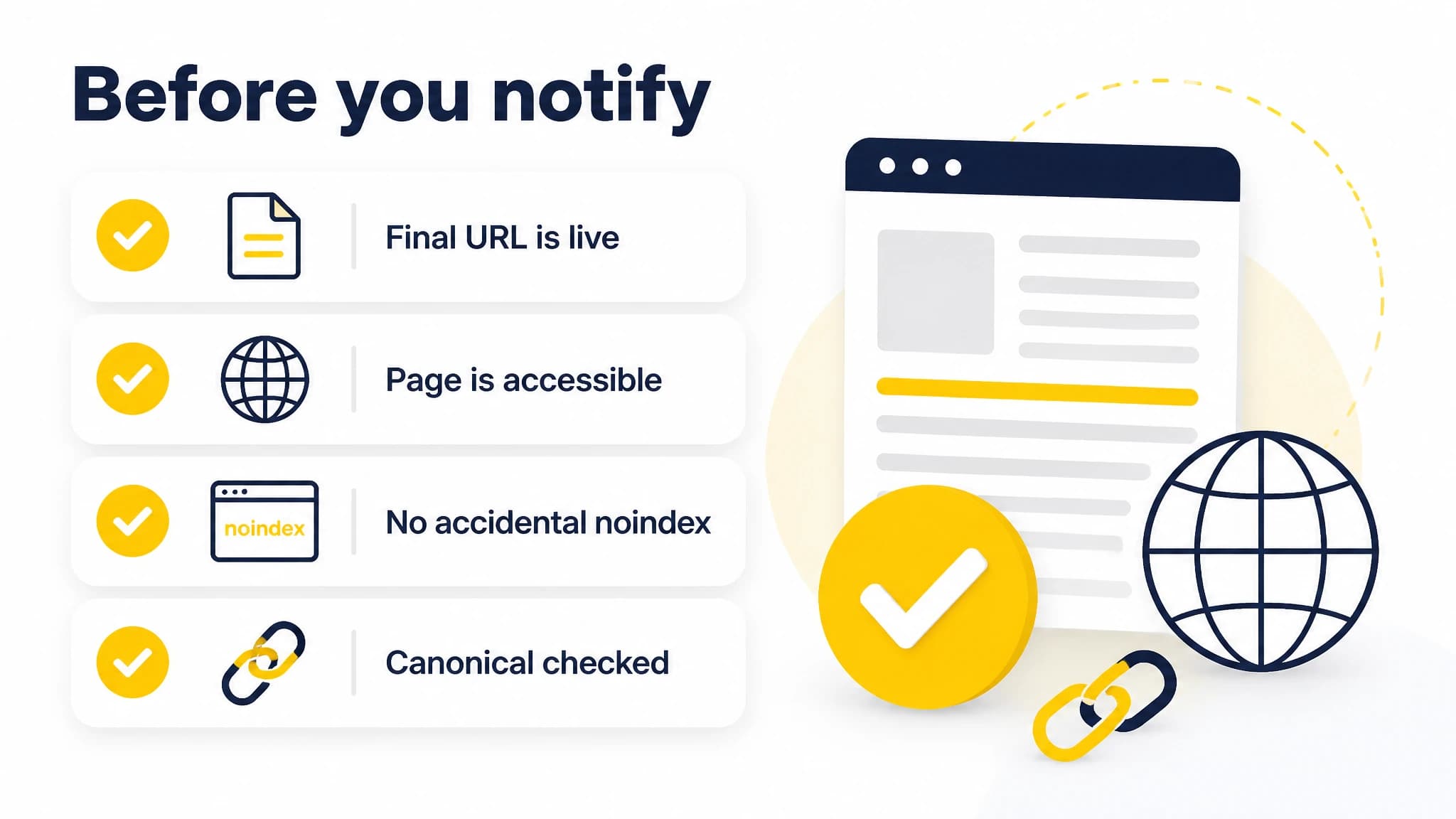
Check the live URL and basic indexing signals before notifying search engines.
Keep your XML sitemap current too. Sitemaps help search engines discover and understand URLs across your site, while IndexNow provides a way to signal that specific URLs changed. They complement each other; one is not a substitute for the other.
Common IndexNow mistakes to avoid
Submitting before the page is ready. Publish and verify the canonical, public URL before you notify search engines. A notification for a temporary preview or incorrect URL adds noise to the workflow.
Assuming receipt means indexing. A successful response is an acknowledgement that a request was received, not a promise that the page will be crawled or appear in results. Review the page itself and use webmaster tools to investigate indexing questions.
Resubmitting unchanged posts in bulk. Focus on newly added, updated, or deleted URLs. Repeatedly sending the same unchanged pages is not a replacement for making the content useful, accessible, and technically sound.
Treating IndexNow as a ranking tactic. The protocol communicates URL changes. It does not improve the article's relevance, expertise, usefulness, or ability to satisfy a search. Keep content quality and technical checks central.
Forgetting to check your publishing setup. If a workflow sends a URL before it is live, uses the wrong site, or fails to deliver the notification, the expected signal may not reach the endpoint. Test the path with a real, eligible page change and review the available status information.
Where RankWorker fits in a blog workflow
If you publish articles through a repeatable content process, URL notification is one more step to coordinate after publication. With RankWorker, we support IndexNow as an extension of the publishing workflow: complete the guided setup for your website, then our integration automatically submits eligible new and updated pages. The RankWorker IndexNow integration guide explains how to turn it on and follow the setup steps in your project dashboard.
A simple example: plan and prepare an article, publish it to your connected website, then let the supported workflow submit its eligible URL through IndexNow. If you later make a meaningful update, the integration can submit that eligible change as well. You still control the content and should review the live page; automation handles the repetitive notification step, not editorial judgment or search engine decisions.
This is a good fit if you publish regularly and want fewer manual steps between publishing and notifying participating search engines. If you only publish occasionally, or already have a reliable IndexNow workflow through your CMS or hosting platform, a separate automation may not be necessary. First check what your current setup already submits and whether it covers the URLs you care about.
For other parts of the publishing process, our automated publishing checklist can help you think through destination setup, metadata, scheduling, and review. Whatever tools you use, make sure the workflow sends notifications only for pages that are actually eligible and live.
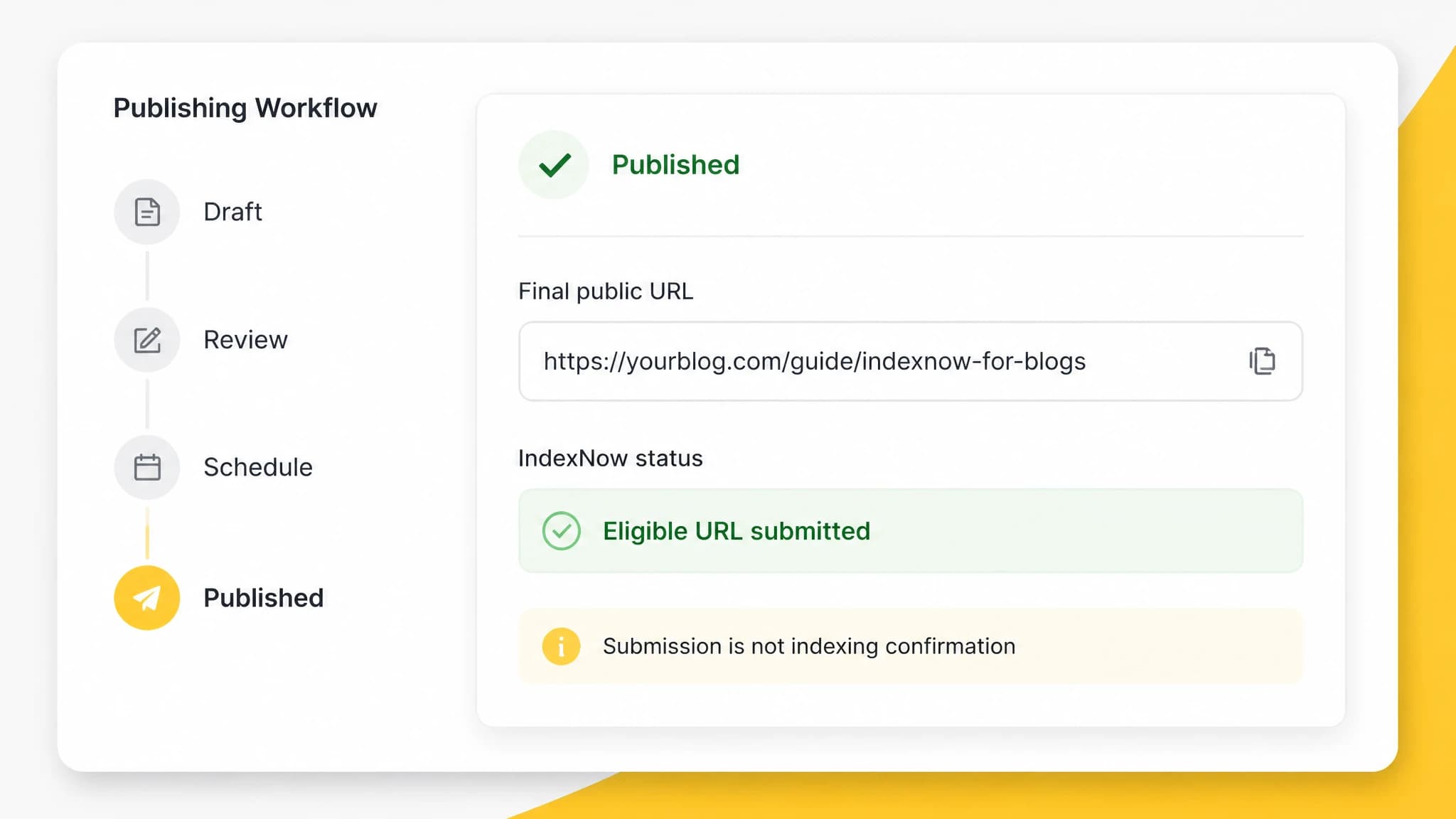
A publishing workflow can separate successful URL submission from indexing confirmation.
Put IndexNow in its proper place
An IndexNow integration for blogs is a practical way to notify participating search engines when important URLs change. Use it after publishing, substantial updates, and removals; keep your sitemap current; and verify that the page is accessible and configured for indexing. Do not treat submission as proof of indexing or as a ranking shortcut.
For founders and website owners who publish consistently, automating the notification step can remove repetitive work from an already busy publishing process. With RankWorker, we provide a guided IndexNow setup and automatically submit eligible page updates in supported workflows. If that matches your process, start a free trial and configure IndexNow for your website.