

 Veselin Stoyanov12 min read
How to Implement Next.js JSON-LD for Better Search Visibility
Learn how to implement Next.js JSON-LD safely, choose the right schema type, validate structured data, and improve eligibility for rich search results.

How to Implement Next.js JSON-LD for Better Search Visibility
Search engines need more than visible page text to understand what a web page represents. A blog post, product, organization, event, or breadcrumb trail may be obvious to a human visitor, but structured data gives search engines explicit context about those entities.
For Next.js websites, JSON-LD is a practical way to add that context without mixing schema properties into every visible HTML element. When implemented accurately, it can make pages eligible for enhanced search appearances such as article details, breadcrumbs, product information, and other rich results. It does not guarantee that Google will display a rich result or improve rankings, so the goal is better machine-readable communication, not a shortcut around useful content and technical SEO.
This guide explains how to implement next js json ld in a modern Next.js application, how to select the correct schema type, and how to validate the result before and after deployment.
What is JSON-LD?
JSON-LD stands for JavaScript Object Notation for Linked Data. It is a format for describing entities and relationships in a structured JSON object. On a web page, JSON-LD is typically placed inside a script element with the application/ld+json type.
A basic JSON-LD object looks like this:
{
  "@context": "https://schema.org",
  "@type": "Article",
  "headline": "How to Improve Technical SEO",
  "author": {
    "@type": "Person",
    "name": "Example Author"
  }
}
The @context identifies the vocabulary, while @type tells search engines what kind of entity you are describing. The remaining properties provide details about that entity.
Google supports JSON-LD, Microdata, and RDFa, but recommends JSON-LD when a site setup allows it. JSON-LD is usually easier to maintain because the structured data is separate from visible markup and can be generated from the same content model used to render the page. See Google’s introduction to structured data for the broader concepts and supported formats.
Why JSON-LD matters for Next.js SEO
Next.js gives developers control over rendering, routing, metadata, and data fetching. That flexibility is useful for SEO, but it also means structured data needs to be deliberately connected to each page’s content.
A strong next js seo implementation usually combines:
- Crawlable, canonical URLs
- Useful and indexable page content
- Accurate title and description metadata
- Fast, accessible rendering
- XML sitemaps and appropriate internal links
- Structured data that matches the visible page
JSON-LD supports the last item. It helps search engines interpret the page, but it does not replace the other parts of the SEO foundation. Structured data that describes content users cannot see, or that contains inaccurate information, can make a page ineligible for rich results.
For a broader technical checklist, review these Next.js SEO best practices before adding schema markup.
Choose the correct schema type first
The most common implementation mistake is starting with code before deciding what the page actually represents. Schema.org includes many types, but Google Search only supports specific structured data features and has feature-specific requirements.
Choose a type based on the primary purpose of the page:
- Article for blog posts, news articles, and editorial content
- BreadcrumbList for navigational hierarchy
- Organization for information about a company or organization
- Person for an author or profile page
- Product for pages describing a product
- FAQPage only where the page genuinely contains qualifying frequently asked questions
- Event for a specific event with relevant event details
Do not add every possible type to every page. A focused, complete object is generally more useful than a large graph containing incomplete or irrelevant properties.
Google’s structured data search gallery lists the supported search features and links to the requirements for each one.
Implement JSON-LD in a Next.js App Router page
The Next.js App Router supports rendering JSON-LD directly in a page or layout component. The key is to build the object from trusted page data and serialize it safely.
Here is a simple Article example for app/blog/[slug]/page.tsx:
import type { Metadata } from 'next'

type Article = {
  title: string
  description: string
  slug: string
  publishedAt: string
  updatedAt?: string
  authorName: string
  image?: string
}

export async function generateMetadata({
  params,
}: {
  params: Promise<{ slug: string }>
}): Promise<Metadata> {
  const { slug } = await params
  const article = await getArticle(slug)

  return {
    title: article.title,
    description: article.description,
  }
}

export default async function ArticlePage({
  params,
}: {
  params: Promise<{ slug: string }>
}) {
  const { slug } = await params
  const article: Article = await getArticle(slug)
  const siteUrl = 'https://example.com'
  const articleUrl = `${siteUrl}/blog/${article.slug}`

  const jsonLd = {
    '@context': 'https://schema.org',
    '@type': 'Article',
    headline: article.title,
    description: article.description,
    datePublished: article.publishedAt,
    ...(article.updatedAt && { dateModified: article.updatedAt }),
    mainEntityOfPage: {
      '@type': 'WebPage',
      '@id': articleUrl,
    },
    author: {
      '@type': 'Person',
      name: article.authorName,
    },
    ...(article.image && { image: [article.image] }),
  }

  return (
    <article>
      <script
        type="application/ld+json"
        dangerouslySetInnerHTML={{
          __html: JSON.stringify(jsonLd).replace(/</g, '\\u003c'),
        }}
      />

      <h1>{article.title}</h1>
      {/* Render the article content here */}
    </article>
  )
}
The getArticle function is intentionally left as an application-specific function. Your content source might be a database, CMS, local MDX file, or API. The important principle is that the JSON-LD and visible page should use the same source of truth.
Why sanitize the serialized output?
Next.js documents a potential cross-site scripting concern when untrusted strings are placed into JSON-LD with JSON.stringify. Replacing the less-than character with its Unicode escape prevents a string from prematurely closing the script context if content contains HTML-like input.
The example uses:
JSON.stringify(jsonLd).replace(/</g, '\\u003c')
Do not copy content from user input into structured data without considering validation and escaping. The exact sanitization approach should match your application’s security model.
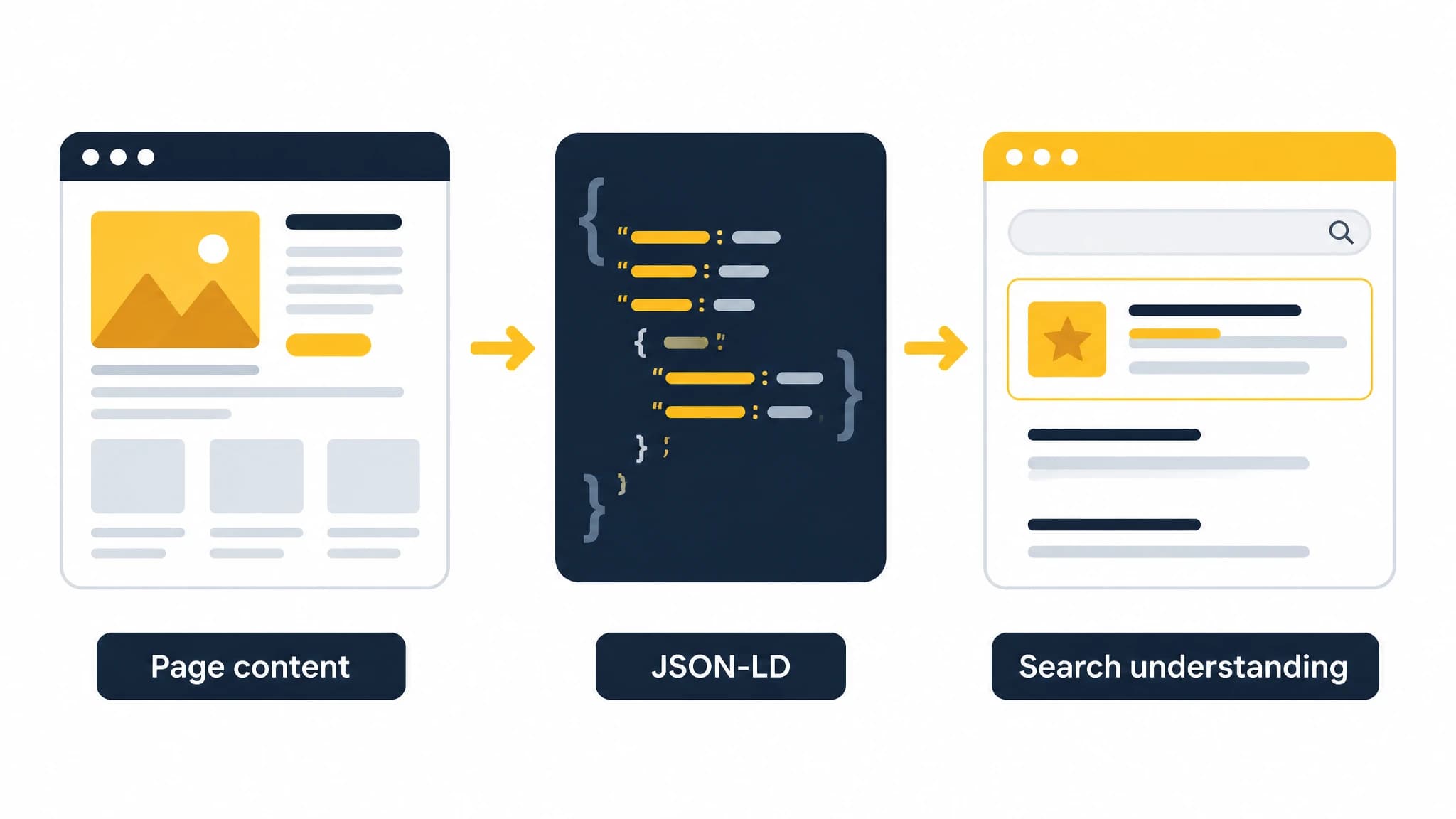
Structured data should describe the same content users can see.
Add BreadcrumbList JSON-LD for hierarchical pages
Breadcrumb structured data can help search engines understand where a page sits within your site hierarchy. It is especially useful for blogs, documentation, ecommerce catalogs, and other websites with multiple navigational levels.
const breadcrumbJsonLd = {
  '@context': 'https://schema.org',
  '@type': 'BreadcrumbList',
  itemListElement: [
    {
      '@type': 'ListItem',
      position: 1,
      name: 'Home',
      item: 'https://example.com',
    },
    {
      '@type': 'ListItem',
      position: 2,
      name: 'Blog',
      item: 'https://example.com/blog',
    },
    {
      '@type': 'ListItem',
      position: 3,
      name: article.title,
      item: articleUrl,
    },
  ],
}
You can render multiple JSON-LD script elements on a page, or combine related entities in a carefully constructed @graph. Separate objects are often easier to debug at first. Whichever approach you choose, ensure the URLs, names, and hierarchy match the visible navigation.
Add Organization or Person data where appropriate
Organization and Person markup can provide additional context about the site or content author. Use it when the relevant information is present on the page and can be maintained accurately.
For example, an organization object might include a name, canonical URL, logo, and official social profiles. An author object might include the author’s name and profile URL. Avoid adding fabricated credentials, review scores, awards, or social accounts just to make the entity appear more complete.
A blog article can reference an author like this:
const author = {
  '@type': 'Person',
  name: 'Example Author',
  url: 'https://example.com/authors/example-author',
}
If the author is an organization rather than an individual, use the type that accurately reflects the visible byline and author page.
Generate JSON-LD from reusable data functions
Hardcoding schema inside every page quickly creates maintenance problems. A better approach is to create small functions that transform your content model into schema objects.
export function buildArticleJsonLd({
  title,
  description,
  url,
  publishedAt,
  updatedAt,
  authorName,
}: {
  title: string
  description: string
  url: string
  publishedAt: string
  updatedAt?: string
  authorName: string
}) {
  return {
    '@context': 'https://schema.org',
    '@type': 'Article',
    headline: title,
    description,
    url,
    datePublished: publishedAt,
    ...(updatedAt ? { dateModified: updatedAt } : {}),
    author: {
      '@type': 'Person',
      name: authorName,
    },
  }
}
This pattern makes it easier to apply consistent rules across dynamic routes. It also gives you one place to handle optional fields, date formatting, canonical URLs, and sanitization.
When building these functions, keep the following rules in mind:
- Use the canonical URL for the page.
- Use valid ISO 8601 date values for publication and modification dates.
- Include only properties supported by the selected schema type.
- Keep structured data synchronized with visible content.
- Do not generate empty strings or placeholder values for required properties.
- Treat content from external systems as untrusted until validated.
Connect metadata and JSON-LD consistently
A common Next.js SEO problem is inconsistency between metadata, page content, and structured data. For example, the title in JSON-LD may differ from the visible H1, or the dateModified value may claim a recent update when the page was not meaningfully changed.
Create a shared page data object and use it for the rendered content, generateMetadata, Open Graph fields, canonical URL, and JSON-LD. This reduces the chance of contradictory signals.
RankWorker’s Next.js integration is relevant for teams that want a repeatable publishing workflow. According to the integration documentation, its official @rankworker/nextjs-blog library includes article and tag pages, canonical metadata, Open Graph tags, JSON-LD, and blog and image sitemaps. It can use local MDX or connect through the RankWorker Direct API and webhooks for automated publishing. See the RankWorker Next.js integration for the documented setup and supported workflow.
Validate Next.js JSON-LD before deployment
Valid JSON is only the first check. A page can contain syntactically valid JSON-LD and still fail to qualify for a rich result because the schema type, properties, or visible content do not meet Google’s guidelines.
Use this validation workflow:
1. Check the rendered page source
Open the deployed page and confirm that the application/ld+json script is present in the rendered HTML or DOM. Test dynamic routes, not only the homepage or one hardcoded example.
2. Run the Rich Results Test
Use Google’s Rich Results Test to check whether Google can detect eligible structured data. Review errors first, then warnings and missing recommended properties.
3. Use the Schema Markup Validator when needed
Google’s Rich Results Test focuses on Google-supported rich result features. For broader Schema.org validation, use the Schema Markup Validator. This is useful when you want to inspect a type or property that is not tied to a Google rich result feature.
4. Inspect the URL after publishing
After deployment, use Google Search Console’s URL Inspection tool to confirm that Google can access and process the page. A local test may pass while production fails because of routing, caching, blocked resources, authentication, or deployment differences.
5. Monitor changes over time
Structured data can break when content fields, templates, or routes change. Add schema checks to your content QA process and review Search Console reports for affected pages.
Common JSON-LD mistakes in Next.js
Marking up invisible content
Do not add structured data for information that visitors cannot find on the page. The markup should describe the main visible content, not an idealized version of the page.
Using the wrong schema type
A blog post should not be labeled as a Product simply because you want product-style search features. Choose the type that accurately represents the page.
Duplicating conflicting objects
Multiple components may accidentally output different Article or Organization objects. Audit shared layouts, page components, CMS plugins, and third-party scripts before adding another schema block.
Leaving placeholder values in production
Values such as Example Author, fake image URLs, empty dates, or test domains can make structured data inaccurate. Fail safely by omitting optional properties rather than publishing fabricated data.
Treating validation as a guarantee
A valid implementation may make a page eligible for a rich result, but Google decides whether and how to display search features. Continue improving the content, page experience, internal linking, and technical accessibility.
A practical implementation checklist
Before considering your Next.js JSON-LD implementation complete, confirm that:
- The schema type matches the page’s purpose.
- The JSON-LD is generated from current page data.
- The visible content supports the structured claims.
- URLs use the canonical production domain.
- Dates are valid and accurate.
- Required properties are present.
- Optional properties are complete before being included.
- Script output is safely serialized.
- Dynamic routes render the expected JSON-LD.
- The page passes the relevant validation tools.
- Production URLs are accessible to search engines.
- Changes are monitored after deployment.
Conclusion
Implementing next js json ld is less about adding a large block of schema and more about creating a reliable connection between your content model, rendered page, and search engine interpretation. Start with the correct schema type, generate the object from trusted data, escape serialized output safely, and validate the deployed result.
For content-heavy Next.js websites, consistency matters just as much as the initial implementation. A repeatable workflow for metadata, structured data, sitemaps, and publishing can reduce technical errors as your site grows. JSON-LD can support richer search appearances, but accurate content and a technically accessible website remain the foundation.