

 Veselin Stoyanov11 min read
How to Scale WordPress SEO Automation Safely
Learn how to scale WordPress SEO automation without publishing spammy content. Use quality controls, pacing, internal links, and safer workflows.
How to Scale WordPress SEO Automation Safely
WordPress SEO automation can make content production more consistent, but publishing more articles is not the same as building a better website. If automation increases output without improving topic selection, editorial quality, pacing, and maintenance, your site may become harder to manage and less useful to readers.
The safest approach is to automate repeatable work while keeping strategic decisions and quality checks under human control. That means using automation for planning, drafting, metadata, scheduling, and delivery, while reviewing whether each article deserves to exist and fits the site around it.
This guide explains how to scale WordPress blog automation without making your website look spammy or disconnected from its audience.
What WordPress SEO automation should actually do
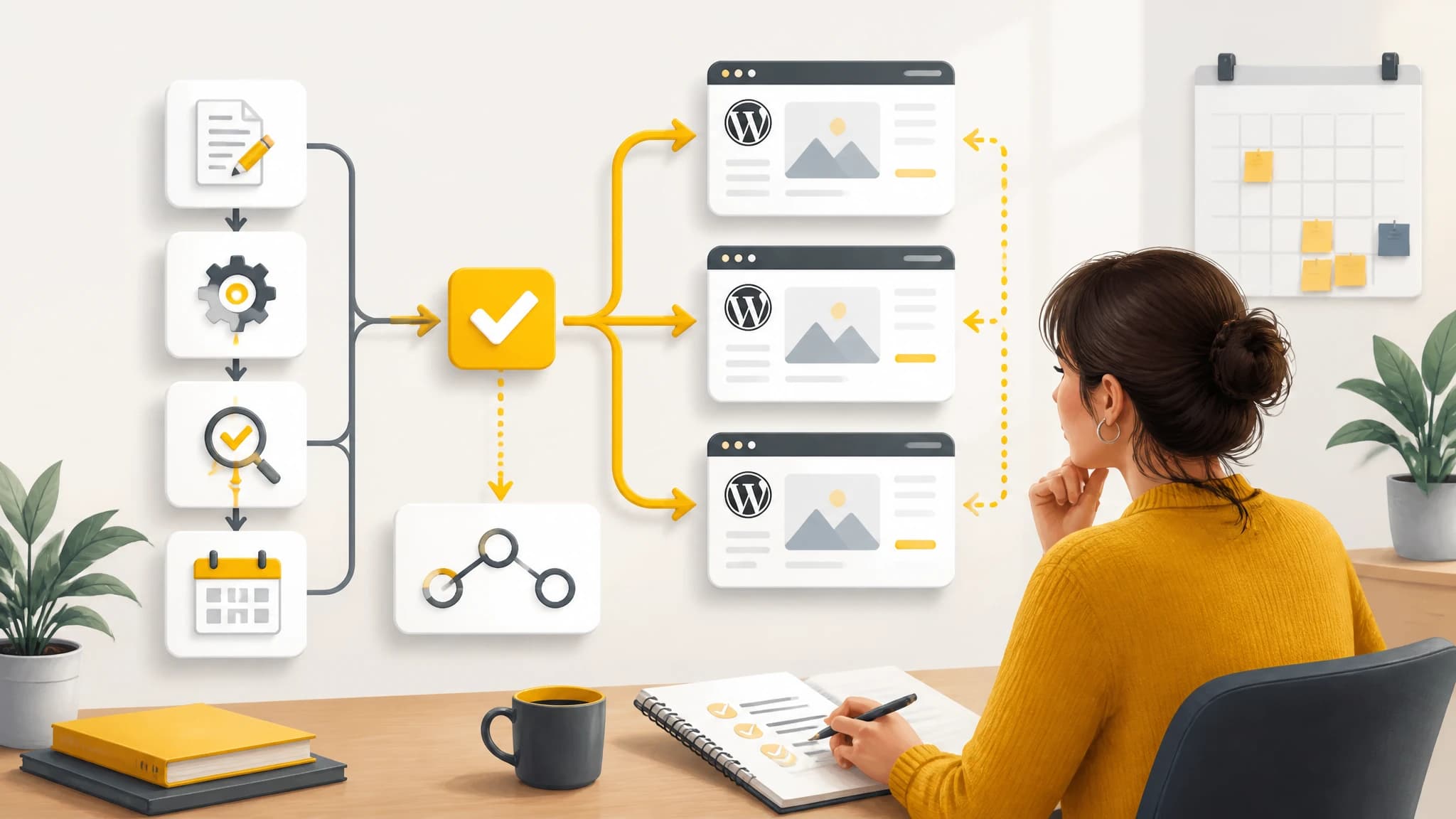
WordPress SEO automation is best understood as a workflow, not a single feature. A useful system can help coordinate tasks such as:
- Finding and organizing relevant topics
- Mapping topics to search intent
- Creating repeatable briefs and outlines
- Drafting articles for editorial review
- Preparing metadata and images
- Scheduling publication
- Adding internal links and maintaining content relationships
- Sending approved content to WordPress
The goal is not to remove judgment from the process. The goal is to reduce repetitive work so that you can spend more time on positioning, accuracy, differentiation, and improving the reader experience.
A reliable automation workflow should answer five questions before publication:
- Who is this article for?
- What specific problem does it solve?
- How is it different from existing pages on the site?
- What evidence or expertise does it need?
- Where does it fit in the site's broader topic structure?
If your system cannot answer these questions, scaling output will usually scale inconsistency as well.
The rewards of automating WordPress SEO
When it is designed carefully, WordPress blog automation can create several operational advantages.
More consistent publishing
A defined workflow makes it easier to maintain a realistic publishing schedule. Instead of starting from a blank page every time, your team can work from documented steps for research, briefing, drafting, editing, scheduling, and updating.
Consistency also makes performance easier to evaluate. When articles follow a repeatable process, you can compare topics, formats, and outcomes more meaningfully than when every post is produced differently.
Less repetitive administration
Moving content between spreadsheets, writing tools, image folders, and WordPress can consume time without improving the article itself. Automation can reduce copying, formatting, uploading, and scheduling tasks that are predictable and rules-based.
Easier management across websites
If you manage multiple WordPress sites, a centralized process can help you keep each site's topics, instructions, voice, and publishing limits separate. This matters because scaling should not mean publishing the same generic content everywhere.
Use shared operating procedures where they make sense, but keep site-level controls for audience, subject areas, tone, review requirements, and publication cadence. For related guidance, see this practical guide to manage multiple WordPress sites.
Better visibility into the content pipeline
A content calendar can show what is planned, in progress, ready for review, scheduled, published, or due for an update. This reduces duplicate topics and makes gaps easier to identify.
The important distinction is that automation should make the workflow more visible, not turn it into a black box.
The risks of scaling too quickly
Automation creates risk when volume becomes the primary success metric. Before increasing output, understand the most common failure modes.
Thin or repetitive content
Articles that repeat the same advice, examples, and structure may technically target different keywords while offering little additional value. This can happen when a workflow creates many pages from minor keyword variations without a clear reason for each page.
A simple safeguard is to require a unique content angle for every article. The angle might be a specific audience, use case, workflow, comparison, implementation problem, or level of experience. If two planned pages answer the same question in nearly the same way, combine them or improve the scope of one page.
Inaccurate claims
Automated drafts can present assumptions as facts, especially when a topic involves software features, regulations, pricing, technical specifications, or changing industry practices. Human review is essential wherever accuracy affects trust or decisions.
Create a fact-checking rule that identifies claims requiring verification. Do not let a draft move directly to publication simply because it is grammatically polished.
Unnatural publishing patterns
Publishing dozens of articles at once can make the site difficult for readers to navigate and difficult for editors to maintain. It can also create a backlog of pages that have not received adequate review, linking, or promotion.
A steady schedule is usually easier to manage than sudden bursts. Set a daily or weekly limit based on your ability to review, improve, link, and maintain the content after it goes live.
Weak internal linking
Automated articles often fail to connect with the rest of the site. Without useful internal links, new pages may remain isolated, and readers may have no clear next step.
Internal linking should be based on meaning, not a fixed number of links per article. Link to prerequisite explanations, related how-to guides, category pages, and useful next steps. Use descriptive anchor text that tells readers what they will find.
Duplicate intent across the site
Scaling content without a keyword and topic map can lead to several pages competing for the same intent. This creates editorial confusion and makes it harder to decide which page should serve as the primary resource.
Before adding a new article, check existing URLs, titles, headings, and search intent. Decide whether the new page should target a genuinely different need, expand an existing page, or replace an outdated one.
A safe framework for WordPress blog automation
Use the following framework before increasing publishing volume.
1. Define site-level rules first
Document the rules that automation must follow for each website:
- Target audiences and locations
- Core topics and excluded topics
- Preferred tone and terminology
- Content types and recommended lengths
- Review requirements
- Publishing days and maximum frequency
- Internal linking conventions
- Image and metadata standards
These rules prevent a general automation system from producing content that is technically acceptable but strategically wrong for the site.
2. Build a topic map before a publishing queue
A queue answers what to publish next. A topic map explains why the page belongs on the site.
Group planned articles into topic clusters. Identify the main resource for each cluster, then define supporting pages that answer narrower questions. This structure helps prevent random publishing and gives each new article a clear relationship to existing content.
For every proposed topic, record the primary intent, target reader, unique angle, related pages, and reason the article is worth publishing now.
3. Separate generation from publication
Do not treat article generation as automatic approval. Create a workflow with distinct states such as planned, drafted, reviewed, approved, scheduled, published, and needs updating.
This separation gives editors a chance to remove unsupported claims, improve examples, adjust the angle, and confirm that the article belongs on the site before it becomes public.
4. Use pacing controls
Set a publishing cadence that your team can realistically support. A practical schedule considers more than writing capacity. It also includes time for:
- Reviewing drafts
- Checking links
- Validating metadata
- Reviewing images
- Monitoring indexation and performance
- Updating older pages
- Responding to changes in the business
If your workflow can produce more content than your team can maintain, the system is running too fast.
5. Add a pre-publication checklist
A short checklist can prevent many avoidable errors. Before publishing, confirm that:
- The article satisfies a clear search intent
- The introduction gives readers a useful answer quickly
- The content contains specific, original guidance
- Claims and examples are accurate
- The title and metadata match the page
- Headings form a logical structure
- Internal links are relevant and functional
- Images have useful alt text
- The article does not duplicate another page
- The call to action fits the reader's stage
The checklist should be easy to complete and strict enough to stop low-quality pages from being published automatically.
6. Schedule maintenance, not just new articles
A scalable SEO system needs an update queue. Review pages periodically for outdated information, broken links, declining relevance, weak examples, and opportunities to connect them with newer content.
Refreshing an existing article can be more valuable than adding another page on a similar topic. Automation can help identify review dates and organize the work, but editorial judgment should determine what changes are necessary.
Choosing push or pull delivery for WordPress
Once the content workflow is ready, delivery to WordPress should match the site's hosting and security requirements.
RankWorker's WordPress integration uses an official plugin and supports two delivery modes. Push mode sends signed article events directly to the plugin when the site is publicly reachable. Pull mode lets the plugin securely fetch new articles when the site is private or cannot accept inbound requests. You can connect WordPress with RankWorker and choose the mode that fits your setup.
This distinction is useful when managing multiple sites with different access rules. You do not need to force every website into the same network configuration, but you should document which delivery mode each site uses and who can change its credentials or settings.
Keep access project-scoped where possible, review connection status and diagnostics, and revoke or rotate access when a site changes ownership, hosting, or administrators. Delivery automation should reduce manual work without weakening operational control.
How to know when you are ready to scale
You are ready to increase output when the existing workflow is stable, not merely when you have more topics available. Look for evidence that:
- Articles pass quality review consistently
- Editors understand and use the same standards
- New pages receive relevant internal links
- Publishing schedules are predictable
- Site-specific instructions remain accurate
- Older content is being maintained
- Duplicate topics are identified before drafting
- You can investigate delivery failures quickly
If these foundations are missing, add process before adding volume. More automation cannot compensate for unclear ownership, weak topic selection, or an absent review stage.
A practical operating model
For many businesses, a simple operating model is enough:
Plan: Select topics from defined clusters and assign a clear intent.
Prepare: Create the brief, audience guidance, required sources, and internal-link targets.
Generate: Produce the draft, metadata, and supporting assets according to site rules.
Review: Check accuracy, usefulness, originality, links, formatting, and brand fit.
Schedule: Choose a realistic publication date and confirm the delivery method.
Maintain: Review performance and update the page when its information or search intent changes.
Automation can connect these stages, but the quality standard must remain consistent from planning through maintenance.
Final thoughts
WordPress SEO automation is most effective when it scales discipline rather than just output. The safest systems use automation for repetitive execution while preserving human control over strategy, accuracy, pacing, and reader value.
Start with a focused topic map, site-specific rules, a review gate, sensible publishing limits, and a maintenance schedule. Then automate the parts of the workflow that are genuinely repeatable. Done this way, WordPress blog automation can help you publish consistently without turning your site into a collection of thin, disconnected pages.