

 Veselin Stoyanov11 min read
Automated Keyword Research Software: How to Evaluate Opportunity Discovery Tools
Learn how to evaluate automated keyword research software, validate keyword opportunities, and choose a target page. Use this practical workflow to make better decisions.

Automated keyword research software helps you find, organize, and prioritize possible search topics faster than building every list by hand. But software cannot decide whether a phrase fits your business, whether its search intent matches your page, or whether you can create a better result for the reader. Use tools to generate and structure opportunities, then apply human checks before choosing a target page.
The best tool for your workflow makes it easy to move from a keyword idea to a validated content decision. Evaluate how it discovers and organizes suggestions, what information it gives you to assess them, and whether you can act on the results without creating a disconnected spreadsheet of ideas.
What automated keyword research software should help you do
A useful tool should support several stages of keyword opportunity research:
- Discover ideas: Surface related queries or topics that could be relevant to your site.
- Assess opportunities: Provide useful information for comparing ideas, while making clear that tool estimates are inputs rather than guarantees.
- Organize related terms: Group overlapping queries so you can consider whether one page could serve several searches.
- Plan next steps: Help you turn selected opportunities into a content plan instead of leaving them in an export.
No single feature proves that a keyword is worth targeting. A large list can still contain irrelevant topics, mismatched search intent, or phrases that belong on the same page. Look for a workflow that keeps discovery separate from the final editorial decision.
How to evaluate keyword opportunity tools
Compare tools against the decisions you actually need to make, not just the number of suggestions they return.
1. Check where suggestions come from and what they mean
Before relying on a tool, find out what information it provides for each suggestion and how it describes that information. Can you inspect related terms, compare opportunities, and distinguish estimates from observed results? Are important fields explained clearly enough for your team to use consistently?
Treat every score, volume figure, or difficulty estimate as a clue to investigate, not a verdict. Estimates from different tools may use different methods, so avoid assuming their numbers are directly comparable. If you have access to your own site’s search performance data, use it as another input rather than assuming a third-party estimate reflects your actual results.
2. Separate topical relevance from apparent opportunity
A phrase can look attractive in a report and still be a poor fit. Ask whether the topic connects to what your business does, what your audience needs, and what you can credibly explain. If the connection requires several leaps, the idea may not belong on your site.
Use a simple relevance check:
- Who would search for this phrase?
- What problem or question are they trying to resolve?
- Does that audience overlap with the people your site serves?
- Can your organization provide a useful, accurate answer?
If you cannot answer these questions, keep researching instead of promoting the idea to your content calendar.
3. Look for ways to group overlapping queries
Keyword lists often contain near-duplicates, variations, and related questions. Publishing a separate page for every phrase can create unnecessary work and make it harder to decide which page should serve a topic. Look for a tool that helps you identify related terms and consider them together.
Clustering is a useful aid, not an automatic publishing instruction. Review the proposed groups and check whether the queries share a common need and likely page format. Our guide to keyword clustering software explains what grouping can and cannot tell you when shaping a content plan.
4. Evaluate the path from research to action
A research tool is more useful when selected opportunities can feed into the next planning step. Check whether you can keep notes, organize topics, compare ideas, and move chosen opportunities into a content workflow. If research always ends in an export that someone must manually rebuild elsewhere, account for that extra work when comparing options.
Also consider who will use the tool, how often research needs updating, and whether a small team can maintain the process. A detailed platform is not automatically a better fit if its workflow is too heavy for your publishing needs.
A practical workflow: from keyword idea to target page
Here is a repeatable way to validate an idea before it becomes an article assignment. The example is illustrative: a company that sells invoicing software for freelancers is considering whether to write about “how to invoice a client.” The phrase is only a hypothesis, not proof of demand or a recommendation to publish.
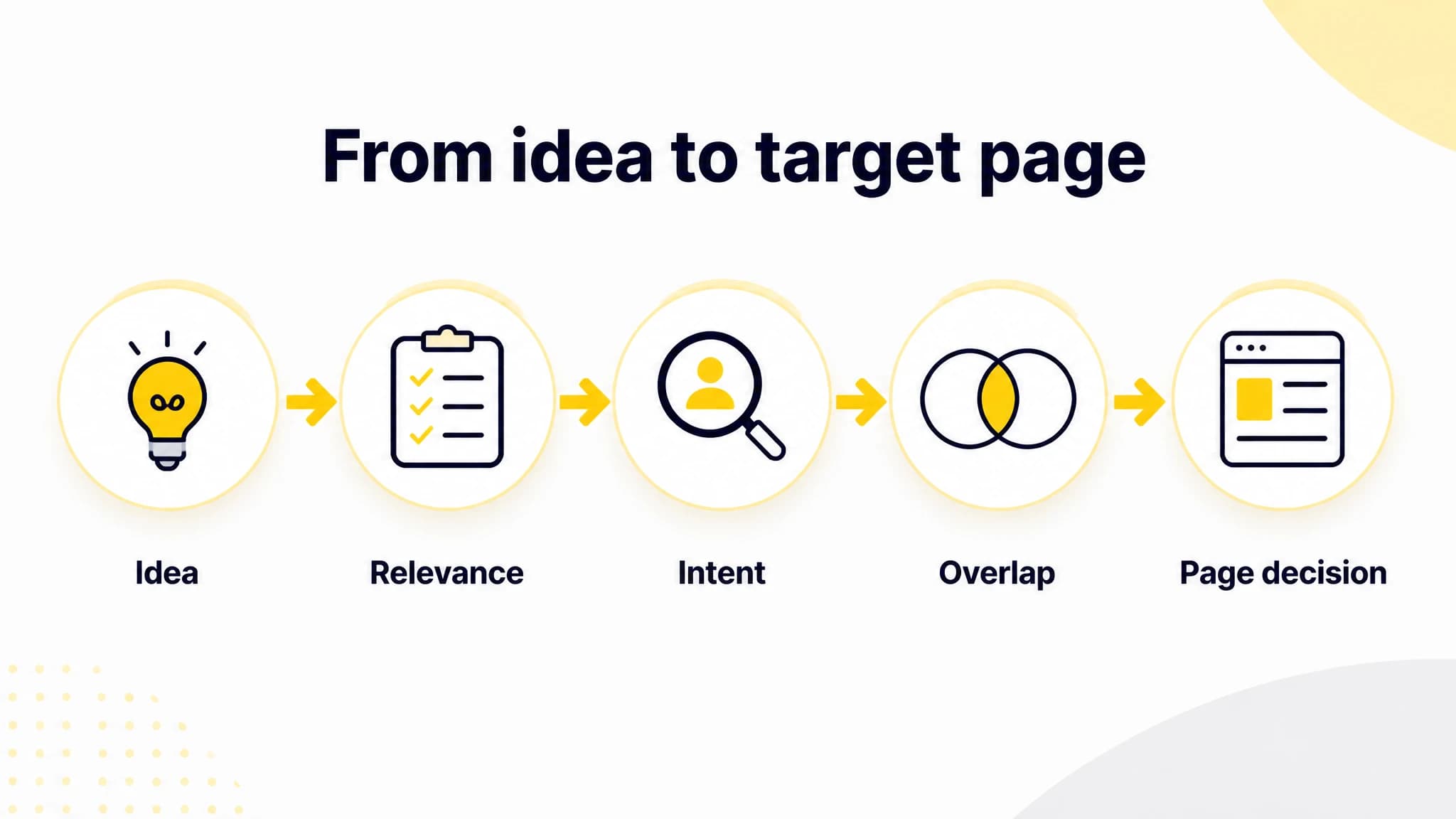
Use discovery as a starting point, then validate relevance, intent, and overlap.
Step 1: Start with a real audience question
Write down the customer question or problem behind the idea. In this example, the question might be: “What should a freelancer include when sending an invoice to a client?” This gives you a reader need to test against the keyword suggestion.
Step 2: Check relevance and intent
Ask whether the topic serves the audience and relates naturally to the site. Then decide what kind of result would satisfy the searcher. Are they looking for an explanation, a checklist, a template, a product, or something else? Do not assume the keyword wording alone tells you what to create. Inspect the results and pages that currently appear for the query, and note the common purpose and format. Search results can change, so verify them when you make the decision.
If the searcher needs a general how-to guide and your site can produce a useful, accurate one, an informational article may fit. If the results point toward a different need than your proposed page, revise the idea or set it aside.
Step 3: Check whether another page already covers the topic
Search your own site for related pages. If a page already answers the question, consider improving it or expanding its coverage before creating a competing URL. If several proposed keywords appear to serve the same need, assess them as one potential page topic rather than assuming each deserves a separate article.
Step 4: Compare the opportunity with your ability to serve it
Review the evidence available in your research tool, then weigh it against your own constraints. Consider whether you can produce something meaningfully useful, whether the topic supports your site’s goals, and whether a competing page format would require expertise or resources you do not have. You do not need a perfect score. You need a clear reason to prioritize the idea over other work.
Step 5: Record the decision and page direction
For each candidate, write down the selected audience, likely intent, proposed page type, existing-page check, and decision: publish, revise, combine, or defer. For the invoicing example, a decision might be to create one practical guide only if it answers the freelancer’s question clearly and does not duplicate an existing page.

A practical review checklist keeps tool suggestions separate from editorial decisions.
A lightweight scorecard can make these decisions easier to review later. Rate each item using your own consistent scale, or record a short explanation instead of a number:
| Check | Question to answer |
|---|---|
| Relevance | Does this topic serve our audience and business? |
| Intent | Can we identify the searcher’s likely need and a fitting page type? |
| Coverage | Do we already have a page that should be updated or expanded? |
| Feasibility | Can we produce an accurate, useful result? |
| Priority | Is this a stronger next step than the other ideas we could pursue? |
The scorecard is a decision aid, not a substitute for judgment. A weak result on relevance or feasibility is a good reason to pause, even if a tool reports promising metrics.
Where RankWorker fits in the workflow
With RankWorker, we bring keyword research together with content opportunities, clustering, and content planning. That can help when you want to move from a selected keyword hypothesis toward an organized article idea without treating every generated suggestion as approved.
A practical workflow is to use our research capabilities to find possible topics, review the candidates for audience fit and intent, and then use clustering and planning to organize the opportunities you choose. Before an idea becomes an article, a person should still check the search results, existing site coverage, factual requirements, and whether the proposed page can genuinely help the reader. Explore our keyword research workflow to see how research and opportunity discovery fit into our content process.
For example, a user might select “how to invoice a client” as a hypothesis, check that it matches the site’s audience, inspect the current results, and look for existing pages that cover the same question. Only after those checks would the user decide whether to place it in the content plan. The tool can help organize research; the user makes the editorial call.
RankWorker is a good fit for founders and teams who want keyword research connected to clustering and article planning, rather than a research list that must be converted into a plan separately. If you need deep, specialized analysis outside that content workflow, compare the specific research data and methods you need before choosing any platform.
Common evaluation mistakes to avoid
- Choosing by suggestion count: More ideas do not necessarily mean better-fit opportunities.
- Treating estimates as promises: Tool metrics can guide research, but they do not guarantee rankings, traffic, or business results.
- Skipping intent checks: A relevant phrase can still call for the wrong page type or a different answer than you planned.
- Creating a page for every variation: Related queries may belong on one strong page rather than multiple thin or overlapping pages.
- Automating editorial approval: Use automation to speed up research and organization, but keep human review for relevance, intent, and what your site can deliver.
Choosing the right tool for your team
Before you commit, test your leading candidates against a small set of real topics. Can you understand why each suggestion appeared? Can you quickly reject irrelevant ideas, group related searches, and record a clear next step? Does the workflow suit your team’s research habits and publishing capacity?
For a solo founder, reducing manual handoffs may matter more than an extensive reporting setup. For a larger team, shared organization and consistent review criteria may be more important. In either case, choose software that supports the decisions you need to make, and keep a human responsible for approving the target page.
Automated keyword research software is most useful when it makes discovery and organization faster without disguising uncertainty. Start with ideas, validate relevance and intent, check for overlap, and document why a topic deserves a page. With RankWorker, we connect keyword research to content opportunities, clusters, and planning, while leaving the final editorial decision with you.