

 Veselin Stoyanov13 min read
Blog Automation: How to Build a Reliable Recurring Publishing System
Learn how to build a reliable blog automation system for research, creation, review, scheduling, and publishing without sacrificing quality.

Blog Automation: How to Build a Reliable Recurring Publishing System
Blog automation is the process of connecting recurring content tasks into a repeatable system. Instead of starting from a blank document every time, you create a workflow for research, topic selection, article production, review, scheduling, and publishing.
The goal is not to publish as many posts as possible. The goal is to produce useful, search-focused content consistently while keeping human control over strategy, accuracy, and quality.
A reliable blog automation system usually follows this sequence:
- Find relevant search opportunities.
- Group topics into a logical content plan.
- Create briefs and articles around search intent.
- Prepare metadata and supporting images.
- Review the content using clear quality checks.
- Schedule approved posts.
- Publish them automatically to the website.
- Monitor results and improve the workflow.
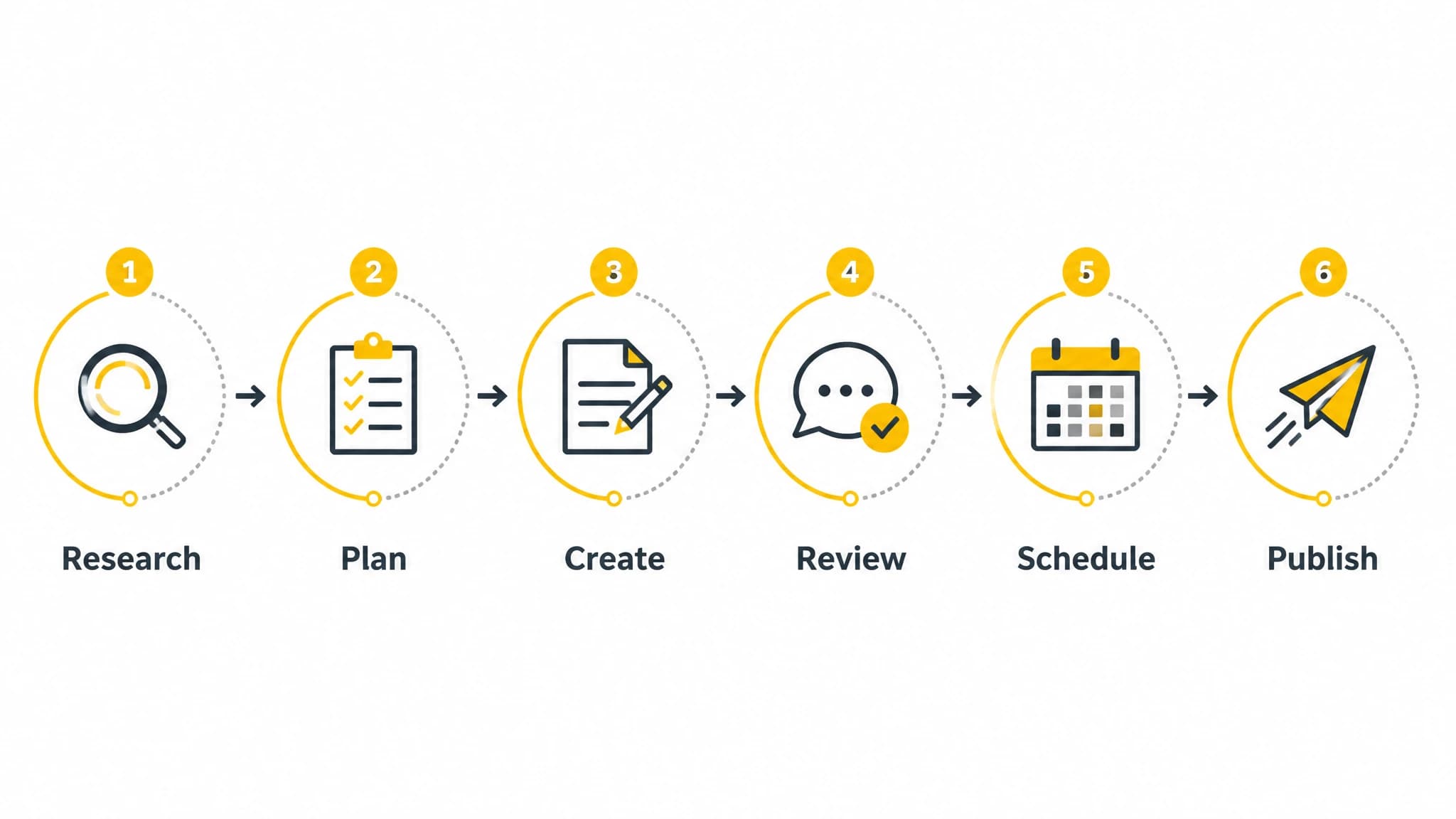
The strongest systems automate the handoffs between recurring publishing stages.
What blog automation should and should not do
Blog automation should remove repetitive production work. It can help move information from keyword research to content planning, transform a brief into a draft, prepare SEO metadata, schedule posts, and publish approved content to a connected website.
It should not replace editorial judgment. Automated output can still be inaccurate, repetitive, poorly matched to search intent, or inconsistent with your brand. A publishing system without safeguards may create more work by forcing you to repair weak articles after they go live.
The most useful approach is controlled automation:
- Automate repeatable steps.
- Define quality standards before publishing.
- Keep approval points for important decisions.
- Use a consistent publishing cadence.
- Review performance and update the process.
This distinction matters whether you are a solo founder managing your own website or a team producing content for several business priorities.
Step 1: Start with a defined publishing goal
Before choosing automatic blog publishing software, decide what the system is supposed to accomplish. A vague goal such as “publish more content” is difficult to manage because it does not define what good output looks like.
A stronger goal might be:
- Publish two search-focused articles each week.
- Build coverage around three priority customer problems.
- Create supporting content for a core service page.
- Maintain a predictable publishing schedule without manual uploads.
Your goal should connect content activity to a business purpose. For example, a website owner may want to answer common pre-purchase questions, while a software company may want to build topical coverage around a specific category.
Set a few operating rules at the beginning:
- Which topics are in scope?
- Which audiences should each article serve?
- How often should posts be published?
- Who reviews content before it goes live?
- Which articles require subject-matter approval?
- What happens when a draft fails review?
These rules become the foundation for every later automation decision.
Step 2: Automate research without losing focus
Research is often the first bottleneck in a recurring publishing workflow. Without a process, people collect disconnected keywords, chase attractive ideas, or write articles that overlap with existing pages.
A more reliable research workflow evaluates each opportunity against a consistent set of questions:
- Is the topic relevant to the business?
- Does it match a real audience problem?
- What search intent does it represent?
- Does the website already cover the topic?
- Can the business provide a useful, differentiated answer?
- Where does the topic fit in the wider content plan?
Automation can make this evaluation easier by collecting keywords, identifying content opportunities, and grouping related subjects. However, relevance still matters more than volume. A long list of keywords is not a strategy unless you know which topics deserve attention first.
Use a simple prioritization model. Score each topic for business relevance, audience value, search intent, content gap, and production effort. You do not need a complicated formula. The purpose is to make trade-offs visible and reduce random topic selection.
Step 3: Build topic clusters and a publishing calendar
Recurring publishing becomes easier when individual articles belong to a larger structure. Topic clusters help you plan related posts instead of treating every article as an isolated project.
A basic cluster can include:
- One broad pillar topic.
- Several narrower questions or use cases.
- Comparison or decision-stage articles.
- Practical implementation guides.
- Internal links connecting the related pages.
For example, a broad topic about content automation could support articles about keyword research, article workflows, quality control, scheduling, and website publishing. Each post has a distinct purpose, but the group gives the website a clearer topical direction.
Create a calendar that records the target keyword, search intent, article type, responsible reviewer, planned publication date, and status. Include space for updates and revisions. A calendar should control the workflow, not merely display a list of ideas.
If your publishing process is focused on WordPress, our guide to automating WordPress blog posts explains how planning, writing, metadata, scheduling, and publishing can fit together.
Step 4: Generate briefs before generating articles
A content brief is one of the most important safeguards in blog automation. It gives the writing process a clear destination and reduces the risk of producing generic content.
A useful brief can include:
- Primary keyword.
- Related keywords and concepts.
- Intended reader.
- Search intent.
- Recommended article angle.
- Questions the article must answer.
- Suggested heading structure.
- Internal linking opportunities.
- Required examples or procedures.
- Review requirements.
The brief should explain what the reader needs, not just which keywords to mention. Search-focused writing is stronger when it solves a specific problem in a clear format.
For example, an article targeting “how to publish blog posts automatically” should explain the workflow, the tools involved, the approval process, common failure points, and how to verify that the final post is published correctly. Repeating the keyword without answering those questions will not make the article useful.
Step 5: Create content with controlled automation
Once the brief is ready, automation can assist with outlining, drafting, metadata, and supporting assets. The important word is assist. The workflow should produce a reviewable draft, not bypass every editorial decision.
Use a standard article structure when appropriate:
- Direct answer or definition.
- Explanation of the problem.
- Step-by-step process.
- Examples and trade-offs.
- Quality checks.
- Practical next steps.
- Frequently asked questions.
Give the system clear instructions about audience, tone, scope, and prohibited claims. If the article discusses a product, use only verified capabilities. If it includes technical or regulated information, route it through the appropriate reviewer before publication.
You should also establish rules for repetitive or low-value output. Examples include rejecting articles that only paraphrase existing pages, use vague introductions, make unsupported claims, or fail to address the intended search intent.
With RankWorker, we support a connected workflow for keyword planning, content opportunities, clustering, content planning, article generation, article images, SEO metadata, scheduling, and automated publishing. Use only the parts that match your process, and keep review requirements appropriate to your subject and audience.
Step 6: Add a review gate before scheduling
The review gate is what separates responsible blog automation from uncontrolled publishing. Every article should pass a checklist before it enters the schedule.
Content quality checks
Confirm that the article:
- Answers the primary question directly.
- Matches the intended audience and search intent.
- Provides specific and practical information.
- Uses clear headings and readable paragraphs.
- Avoids unnecessary repetition.
- Includes accurate examples.
- Does not make unsupported claims.
SEO checks
Confirm that the article:
- Has one clear primary topic.
- Uses the primary keyword naturally.
- Includes a useful title and meta description.
- Has a logical heading hierarchy.
- Links to relevant existing pages.
- Does not compete unnecessarily with another article.
Brand and compliance checks
Confirm that the article:
- Uses the correct voice.
- Follows approved terminology.
- Does not make promises the business cannot support.
- Handles sensitive claims carefully.
- Includes the correct author or organization information.
Not every article needs the same level of review. A routine educational post may need a standard editorial check, while a post involving legal, medical, financial, or technical risk may need specialist approval.
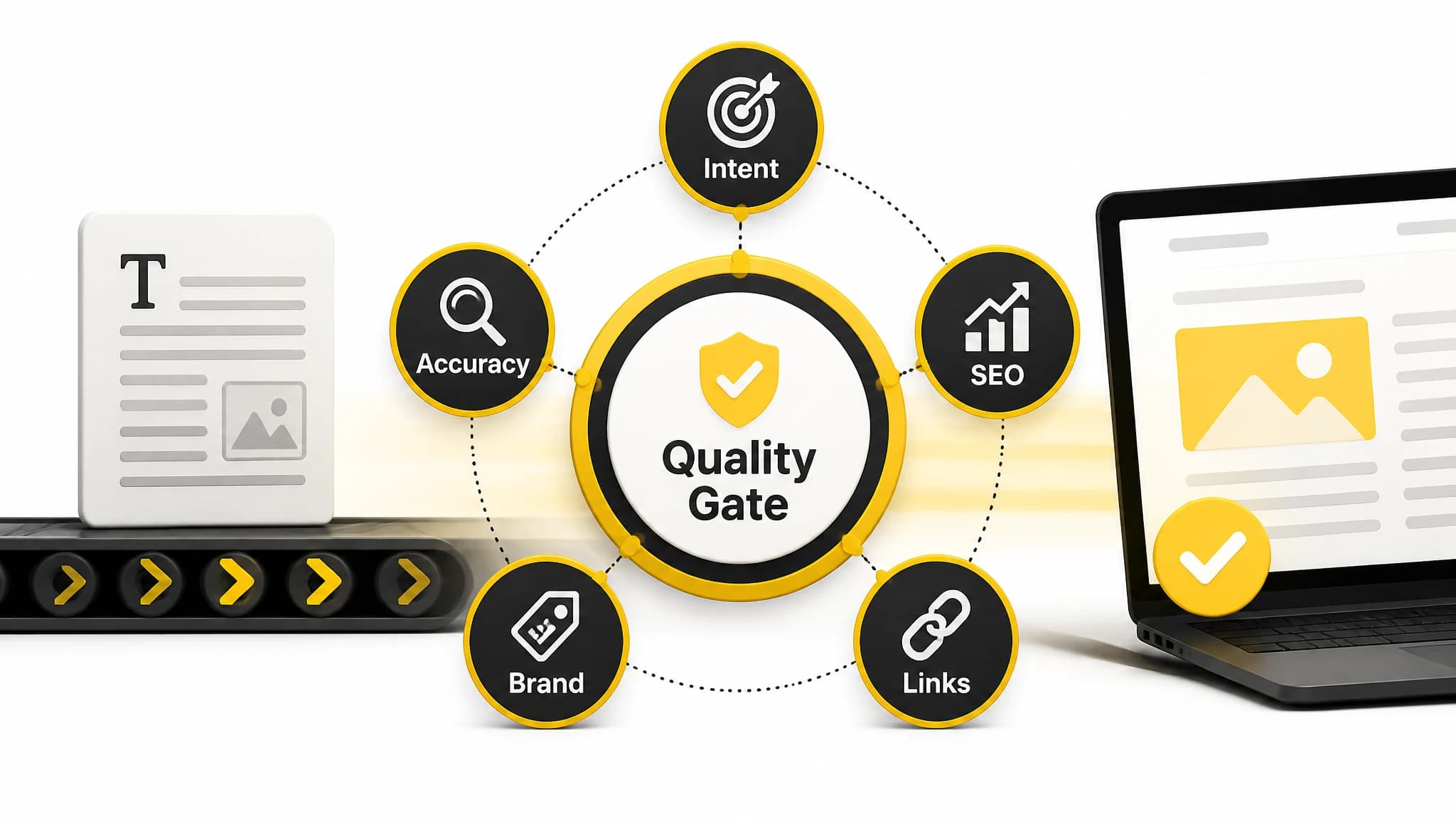
A review gate helps prevent inconsistent or low-quality content from going live.
Step 7: Schedule content at a sustainable pace
Scheduling gives your content operation a predictable rhythm. It also creates distance between production and publication, which makes it easier to catch errors before readers see them.
Choose a cadence you can maintain. Publishing one useful article every week is often more manageable than creating a large batch and then stopping for several months. A sustainable schedule also gives you time to review performance and refresh older pages.
Use a buffer when possible. Instead of creating an article the day it must be published, prepare it earlier and place it in a queue. The buffer can absorb delays caused by revisions, approvals, unavailable subject-matter experts, or changes in business priorities.
Your schedule should also include different content types. A balanced plan may combine educational guides, problem-solving articles, comparison content, and updates to existing posts. This creates a more useful content library than publishing the same format repeatedly.
Step 8: Automate publishing, then verify the result
Publishing automation can transfer approved content to your website, apply metadata, attach images, set the publication date, and make the post live according to the schedule. That removes repetitive uploading and formatting work.
However, the workflow should include post-publication verification. Check that:
- The article is publicly accessible.
- The title and meta description are correct.
- Headings display properly.
- Images load and have useful alternative text.
- Internal links work.
- The canonical URL is correct when applicable.
- The post appears in the intended category or feed.
- The scheduled date and timezone are correct.
This verification can be partly automated, but someone should still own the exception process. If a post fails to publish, has formatting errors, or contains a serious mistake, the system needs a clear way to pause, correct, and reschedule it.
Our SEO publishing workflow can help you think through the stages between content production and publication, including the checks that keep automation under control.
Common blog automation mistakes
Automating volume instead of value
Publishing more often does not compensate for weak topic selection or shallow content. Start with audience problems and business priorities, then automate the repeatable work around them.
Removing every human approval point
A fully unattended workflow may be unsuitable for content that affects trust, compliance, or important business decisions. Keep approval gates where accuracy and judgment matter most.
Ignoring content overlap
Several articles can target nearly identical questions and compete for the same audience. Review your existing content before adding a new topic, and consolidate or improve pages when appropriate.
Using the same workflow for every topic
A simple educational article and a technical implementation guide may require different research and review standards. Build a baseline process, then add topic-specific checks where needed.
Measuring only publishing output
Track more than the number of articles produced. Review whether the content earns impressions, attracts relevant visitors, supports conversions, answers user questions, and remains accurate over time.
A practical example of a recurring system
Imagine a small business that wants to publish two SEO articles each week without assigning every task to the founder.
On Monday, the team reviews priority topics and confirms the next two briefs. The system then prepares outlines and drafts based on the approved intent, audience, and structure. On Tuesday, a reviewer checks accuracy, usefulness, internal links, metadata, and brand fit.
Approved articles receive images and publication dates. They are added to the schedule for Thursday and the following Monday. After publication, the team verifies the live pages and records any issues. At the end of the month, the team reviews which topics need updates, stronger internal links, or a different angle.
With RankWorker, we can support this type of recurring process by connecting research, planning, article creation, metadata, images, scheduling, and automated publishing. The practical benefit is not simply fewer clicks. It is a clearer operating system for keeping content work moving while preserving editorial control.
How to choose automatic blog publishing software
When comparing tools, evaluate the complete workflow rather than one isolated feature. Ask whether the software can support the stages you actually need:
- Keyword and opportunity research.
- Topic clustering and planning.
- Brief and article creation.
- Metadata and image preparation.
- Review and approval.
- Scheduling.
- Publishing to your website.
- Monitoring and maintenance.
Also check how the tool fits your technical setup. Your publishing system may need WordPress, Next.js, a direct API, webhooks, IndexNow, or another connection. The right choice depends on your website, team, review process, and desired level of automation.
Our guide to SEO content automation provides a broader framework for connecting research, writing, optimization, scheduling, and publishing into one system.
Final checklist for reliable blog automation
Before you put a recurring workflow into production, confirm that:
- Your audience and business goals are defined.
- Topics are selected using clear priorities.
- Content clusters reduce overlap.
- Every article starts with a useful brief.
- Automated drafts pass a human or rules-based review.
- Metadata, images, and links are checked.
- Publishing dates use the correct timezone.
- Failed jobs have an exception process.
- Live posts are verified after publication.
- Performance informs future topics and updates.
Blog automation works best when it is treated as an operating system rather than a content shortcut. Define the standards first, automate the repetitive steps second, and keep improving the workflow based on what your readers and business need.