

 Veselin Stoyanov14 min read
How to Automate Content Creation Without Losing Quality
Learn how to automate content creation with quality gates, human review, reusable standards, and a reliable SEO publishing workflow.

How to Automate Content Creation Without Losing Quality or Editorial Control
The best way to automate content creation is not to publish everything an AI system produces. It is to automate repeatable production tasks while keeping human control over strategy, accuracy, brand standards, and final approval.
A reliable content production workflow connects six stages:
- Discover content opportunities.
- Plan topics and assign search intent.
- Generate a structured draft.
- Apply automated and human quality gates.
- Prepare metadata, images, and publishing details.
- Schedule and publish only approved content.
This approach helps you increase publishing consistency without turning your website into a stream of generic, unchecked articles.
What content automation should and should not do
Content automation is most useful when it removes repetitive work. It can help research keywords, group related topics, create briefs, produce first drafts, generate metadata, prepare images, and move approved articles toward publication.
It should not replace the decisions that determine whether content deserves to exist. Someone still needs to decide whether a topic fits the business, whether the advice is accurate, whether the article reflects the brand, and whether the finished page is genuinely useful to the reader.
A simple rule is:
Automate execution. Keep ownership of judgment.
This distinction prevents two common mistakes. The first is treating automation as a way to publish more pages regardless of quality. The second is keeping so many manual steps that automation saves very little time.
Step 1: Start with opportunity discovery
A weak workflow begins with random topic ideas. A stronger one begins with evidence that a topic is relevant to the audience and connected to a business objective.
For each potential topic, record:
- The primary keyword or query.
- The likely search intent.
- The audience problem behind the query.
- The product, service, or business area it supports.
- Existing pages that already address the subject.
- Whether the topic belongs in an existing content cluster.
Do not automatically approve every opportunity. Filter out topics that are too broad, irrelevant to your audience, duplicates of existing pages, or difficult to support with accurate information.
A content automation tool can speed up discovery and organization, but your editorial criteria should determine which opportunities enter the production queue. This is the first quality gate because a well-written article on the wrong topic is still a poor investment.
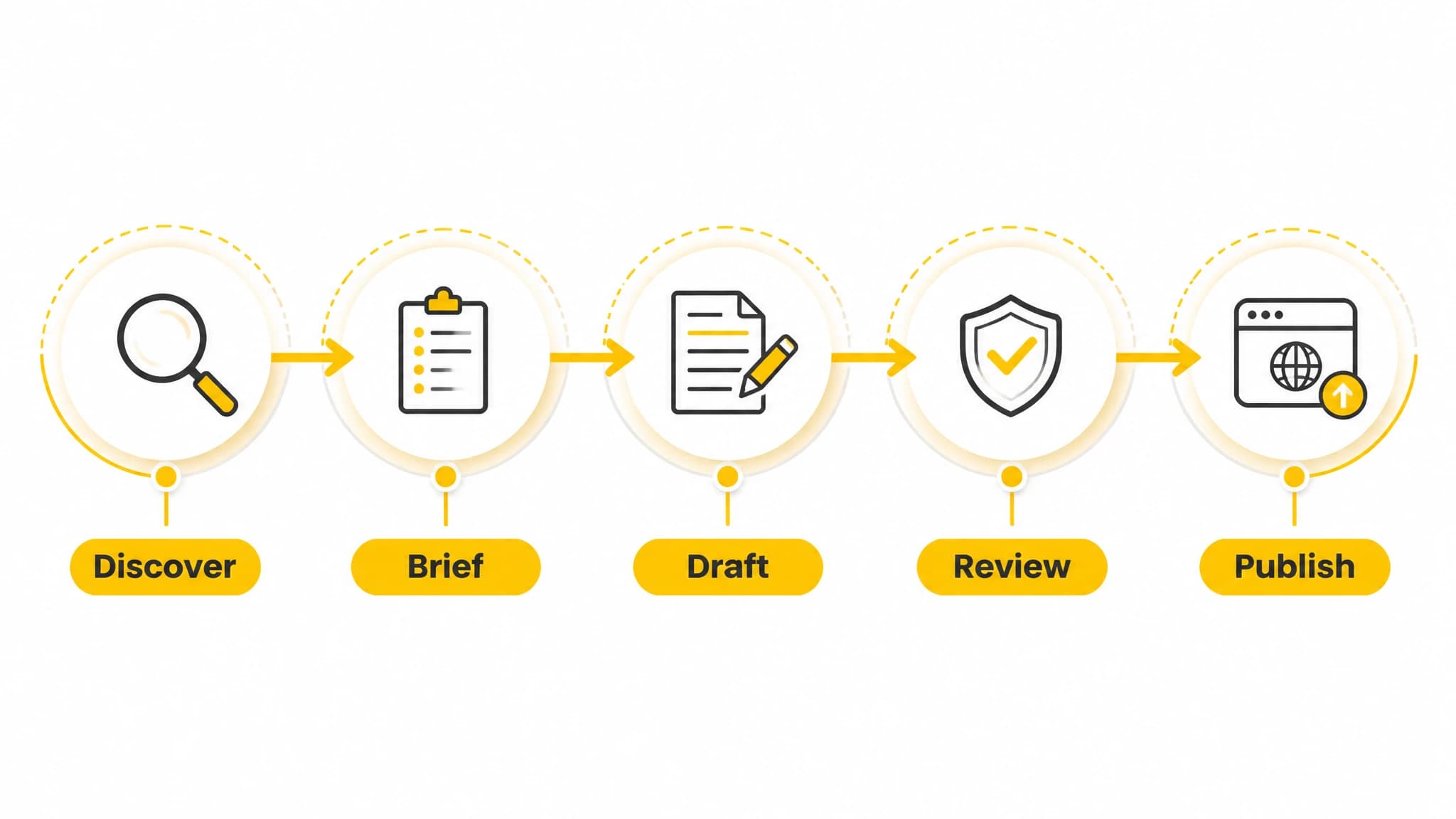
A dependable workflow connects opportunity discovery, planning, drafting, review, and publishing.
Step 2: Turn each opportunity into a clear brief
Automation works better when the input is specific. Before generating an article, create a brief that defines what the page must accomplish.
A useful SEO content brief includes:
- Primary keyword.
- Secondary terms and related questions.
- Search intent.
- Target reader.
- Recommended title and angle.
- Required sections.
- Facts, examples, or source material to verify.
- Internal links to consider.
- Call to action, if appropriate.
- Content boundaries, such as claims to avoid or topics outside scope.
The brief should answer one central question: what will the reader understand or be able to do after reading this page?
For example, a brief for an article about automating content creation might require a step-by-step workflow, quality gates, human review, reusable standards, and common failure modes. That direction is much more useful than simply asking for “a detailed article about content automation.”
We use planning and content opportunity workflows in RankWorker to help turn SEO ideas into organized production tasks. The goal is not to remove editorial direction. It is to make that direction repeatable across every article.
Step 3: Create reusable editorial standards
If every article is judged from scratch, automation will not solve your consistency problem. Create standards that can be applied repeatedly.
Your standards may cover:
Voice and audience
Define the tone, reading level, preferred terminology, point of view, and words to avoid. Explain whether the content should sound instructional, analytical, conversational, technical, or commercial.
Structure
Set expectations for introductions, heading hierarchy, examples, summaries, calls to action, and FAQs. Structure should support the reader’s task rather than exist only to include keywords.
Search optimization
Document how your team handles titles, meta descriptions, URL slugs, keyword placement, internal links, image alt text, and schema where relevant.
Factuality
Specify which claims require verification, which sources are acceptable, and when a subject-matter expert must review the draft. Do not allow an automated system to fill missing facts with assumptions.
Brand and legal boundaries
List unsupported claims, prohibited comparisons, regulated language, privacy requirements, and approval rules. These boundaries are especially important when content is generated at scale.
Reusable standards act as a production specification. They make it easier to review drafts consistently and easier to identify where a process needs improvement.
Step 4: Generate the first draft in a controlled way
The purpose of an automated draft is to create a useful starting point, not a finished publication. Give the system the brief, standards, and source material it needs, then require a structure that makes review easier.
A controlled draft should generally include:
- A direct answer near the beginning.
- Clear sections that match the reader’s intent.
- Practical steps or examples.
- Relevant limitations and trade-offs.
- A concise conclusion.
- Metadata suggestions.
- Image guidance where visuals improve comprehension.
Avoid asking for unsupported statistics, invented customer stories, fabricated quotes, or claims about capabilities that have not been verified. If the workflow lacks a fact, it should flag the gap for review instead of guessing.
The same principle applies to SEO. A draft should cover the topic naturally and completely. Repeating the primary keyword in every heading or paragraph can make the article less readable without making it more useful.
Step 5: Add automated quality gates
Automated checks are valuable because they catch predictable issues before a human spends time on detailed editing. They should support editorial review, not pretend to replace it.
Useful automated checks include:
- Required sections are present.
- The primary topic is addressed directly.
- The title and meta description are within your standards.
- Headings follow a logical hierarchy.
- Internal links use approved destinations.
- Links are not duplicated or broken.
- Images have descriptive alt text.
- The article includes the required call to action, if applicable.
- Unsupported placeholders or generation notes are removed.
- The content does not contain obvious repetition.
You can also check whether the article matches the intended format. A how-to article should contain actionable steps. A comparison should explain trade-offs. A glossary page should define terms clearly. Format and intent are quality criteria, not cosmetic details.

Automated checks catch predictable issues so human reviewers can focus on judgment.
Step 6: Keep human review focused on judgment
Human review becomes more effective when editors are not spending all their time fixing formatting and repetitive phrasing. Let automation handle predictable checks, then focus people on decisions that require context.
A practical review pass asks:
Is the article accurate?
Check factual claims, examples, product details, dates, technical instructions, and citations. Remove anything that cannot be supported.
Is the advice useful?
Look for vague recommendations such as “create high-quality content” without explaining what to do. Add steps, decision criteria, examples, or warnings where the reader needs them.
Does it match search intent?
Compare the article’s promise with the actual content. A reader looking for instructions should not have to work through a long sales introduction before finding the process.
Does it sound like the brand?
Edit terminology, tone, examples, and calls to action. Consistency matters even when multiple people or systems contribute to production.
Is the scope appropriate?
Remove tangents and unsupported claims. More words do not automatically create a better page.
Is the recommendation responsible?
Review any advice that could lead to financial, legal, medical, security, or operational risk. These topics need stronger verification and sometimes specialist review.
With RankWorker, we position automation as a controlled path from planning to production. Our workflow can support keyword planning, content opportunities, clustering, article generation, metadata, images, scheduling, and publishing, while your team retains responsibility for approval.
Step 7: Prepare the complete publishing package
An article is not ready when the body copy is finished. The publishing package should include everything required for a consistent page.
Review the following elements:
- Final title.
- URL slug.
- Meta title and description.
- Featured image and relevant inline images.
- Image filenames and alt text.
- Internal links.
- Author and publication details.
- Category and editorial tags.
- Call to action.
- Canonical and indexing settings where applicable.
- Mobile presentation and formatting.
Separating content generation from publishing preparation often creates bottlenecks. A better workflow carries the article and its supporting assets together through review.
We support article images, SEO metadata, scheduling, and automated publishing as part of the RankWorker workflow. That can reduce the number of disconnected handoffs between a draft, a CMS, and a publishing calendar.
Step 8: Schedule publishing, then monitor the system
Once an article passes review, schedule it according to your editorial calendar. Automation is most valuable when it creates a dependable rhythm rather than a one-time burst of output.
After publication, monitor both content performance and process performance.
Content metrics may include:
- Organic impressions and clicks.
- Rankings for target queries.
- Engagement with the page.
- Conversions or assisted conversions.
- Internal-link clicks.
- Pages that need refreshing or consolidation.
Process metrics may include:
- Time from opportunity to approved draft.
- Percentage of drafts requiring major rewrites.
- Common errors found during review.
- Publishing delays.
- Topics that repeatedly fail quality gates.
These measurements help you improve the system. If editors repeatedly correct the same problem, update the brief, standards, or automated checks instead of solving the issue manually every time.
Common content automation failure modes
Publishing at maximum volume
More output is not automatically better. Publishing irrelevant or repetitive pages can consume review capacity and weaken the usefulness of the site. Set a quality threshold and stop production when the queue exceeds your ability to review it properly.
Treating generated text as verified information
AI-generated drafts can contain confident errors. Require source checks for factual claims and make uncertainty visible during review.
Automating before defining standards
If the team has not agreed on audience, tone, structure, and approval rules, automation will produce inconsistent results faster. Establish the operating rules first.
Optimizing for keywords instead of readers
Keyword coverage is useful, but it is not the same as satisfying intent. Start with the reader’s problem, then use search terms to make the page discoverable.
Creating disconnected tools and handoffs
When research, briefs, writing, images, metadata, scheduling, and publishing live in separate systems, information gets lost. Connect the steps or define clear handoff fields between them.
Removing humans from final approval
Editorial control is not a temporary obstacle to automation. It is what protects accuracy, trust, differentiation, and business relevance.

A feedback loop turns content automation into a repeatable operating system.
A practical operating model for recurring production
For a small team, assign ownership at three levels:
- Strategy owner: approves topics, priorities, audiences, and business relevance.
- Production workflow: manages briefs, drafts, metadata, images, links, and scheduling.
- Final reviewer: approves accuracy, usefulness, brand fit, and publication readiness.
One person may hold all three roles, but the responsibilities should still be explicit.
Use a simple status flow such as:
Opportunity identified -> Brief approved -> Draft generated -> Automated checks passed -> Human review -> Scheduled -> Published -> Reviewed
Each status should have a clear entry and exit condition. For example, “human review” should mean the draft has already passed formatting and completeness checks, not that an editor must begin by finding missing headings.
This is where a content production workflow becomes an operating system rather than a collection of shortcuts. The goal is to make good decisions easier to repeat.
How to choose a content automation tool
When evaluating a content automation tool, look beyond text generation. Ask whether it supports the full workflow you actually need:
- Can it help identify and organize opportunities?
- Can it preserve search intent and editorial instructions?
- Can it support clustering and content planning?
- Can it generate drafts without hiding uncertainty?
- Can it prepare metadata and images?
- Can it support review before publishing?
- Can it schedule content consistently?
- Can it publish through your website workflow?
- Can your team improve standards over time?
For a practical overview of the broader process, read our SEO content automation guide. If your immediate challenge is connecting planning, review, and publishing, our guide to an automated content workflow provides a useful next step. You can also explore our content automation resources for related workflows and examples.
The right tool should reduce repetitive work while making the approval process clearer. If it only creates drafts but leaves research, metadata, images, scheduling, and publishing disconnected, you may still have the same operational problem in a different form.
Conclusion
Learning how to automate content creation is mainly a workflow design problem. The strongest systems do not ask AI to make every decision. They define the decisions, automate the repeatable steps, and reserve human attention for accuracy, usefulness, originality, and editorial control.
Start with one content type and document its process. Add opportunity filters, reusable briefs, automated quality gates, focused human review, publishing standards, and a feedback loop. Then expand only when the system can maintain quality at the pace your team can responsibly approve.
That is the practical role of RankWorker for recurring SEO content production: we help connect the operational steps while you remain in control of what your business publishes.