

 Veselin Stoyanov10 min read
Search Intent Tools: Match Keywords to the Right Page Type
Learn how to use a search intent tool, validate results manually, and choose the right page type for each keyword. Try the workflow with RankWorker.

Search Intent Tools: Match Keywords to the Right Page Type
A search intent tool helps you understand what people likely want when they search a keyword, then choose a page type that can satisfy that need. Use its classification as a starting point, not a final verdict: check the live search results, identify the pages Google favors, and plan a page that fits the query.
That distinction matters. A guide targeting a comparison query may not answer the searcher’s main question. A comparison page aimed at a broad informational query can feel premature. The workflow below helps you classify intent, validate it manually, and turn the result into an appropriate article plan.
What search intent tools help you identify
Search intent is the goal behind a search. A useful tool can surface likely intent categories and, in some cases, a recommended page type. Common categories include:
- Informational: The searcher wants to learn, understand, or solve something. A guide, explainer, or how-to article may fit.
- Commercial investigation: The searcher is researching options before deciding. A comparison, roundup, or evaluation guide may fit.
- Transactional: The searcher is ready to take an action, such as buying or signing up. A product or service page may fit.
- Navigational: The searcher is looking for a particular brand, site, or destination. A relevant brand page may fit.
- Local: The searcher wants a nearby business or service. A local landing page or location information may fit.
- Mixed: Results suggest more than one goal. You may need to narrow the query or make the page serve the dominant intent clearly.
Classification is useful for prioritizing and sorting keyword ideas. It cannot tell you everything about the reader, your business, or the page that already exists on your site. Review the evidence before committing to a format.
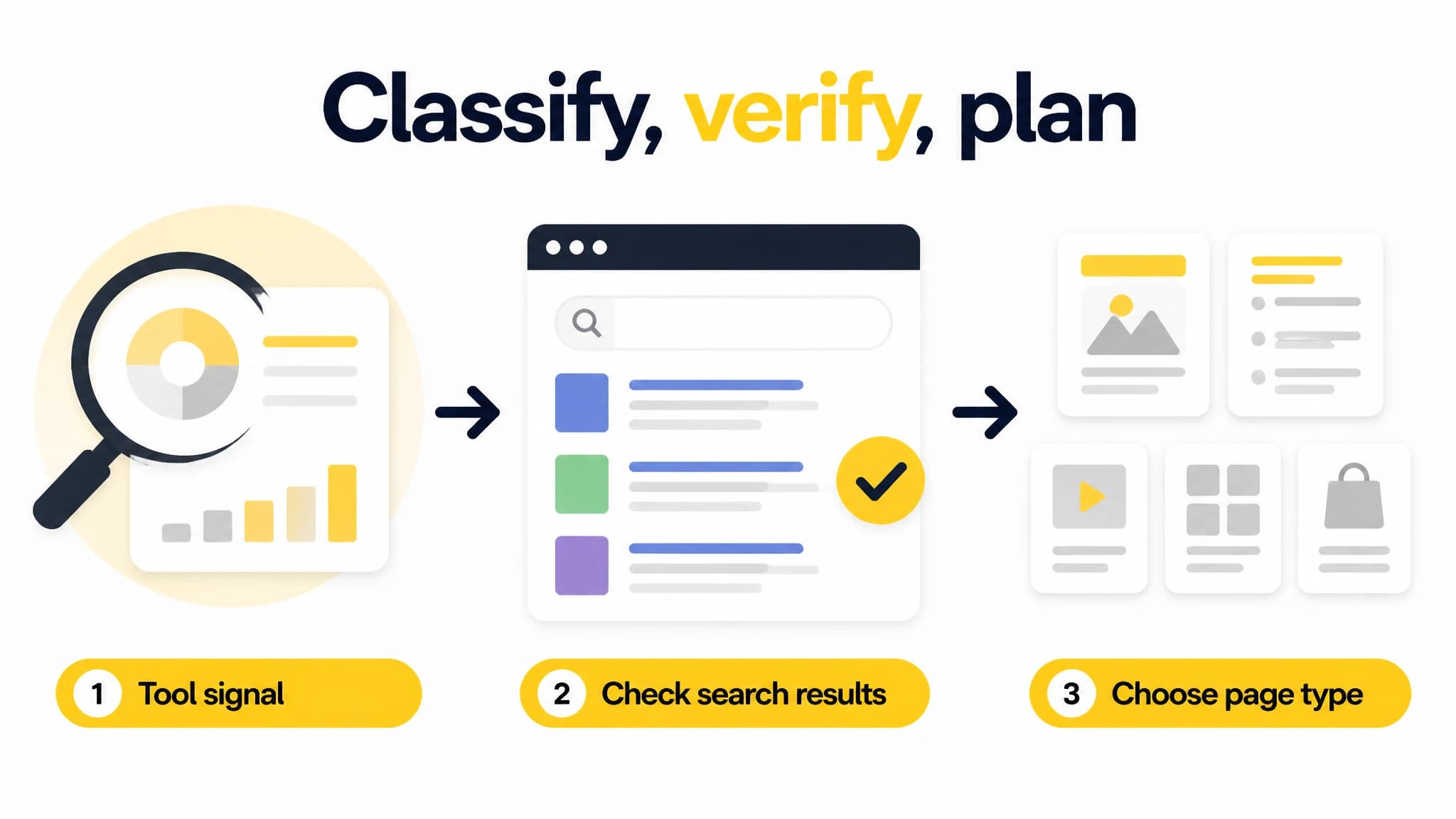
Use tool output to guide a manual review, not replace it.
A quick way to start is to test keyword intent for a short list of candidate queries. Treat the output as a shortlist for review, especially when a term could reasonably signal more than one goal.
How to validate intent manually
Before drafting, inspect the search results for the exact query and the location you care about. Results are practical evidence of what searchers are being offered, though they are not a guarantee that every result is the right model for your site.
Use this checklist:
- Search the exact phrase. Check the main query, not just a broad topic or a close synonym. If your audience is in a specific country, check results relevant to that market.
- Look at the dominant page formats. Are the top results mostly guides, product pages, comparisons, category pages, videos, or local listings? Note the pattern rather than relying on one result.
- Read titles and snippets. Look for the promise being made: learn a process, compare options, find a provider, or complete an action.
- Open several relevant pages. Check what they actually contain. A title may say “guide,” while the page is mainly a product list or a step-by-step tutorial.
- Identify the main question. Write down what a searcher would expect to know or do after visiting the page.
- Check for mixed intent. If results split between formats, decide which audience and goal your page will serve. If the query is too broad, consider a more specific phrase.
- Compare with your existing pages. Ask whether a current page already meets the need. A new article is not automatically the right answer.
- Choose the format that fulfills the need. Build around the reader’s likely task, not a tool label alone.
Keep a brief note of your decision: query, likely intent, observed result formats, chosen page type, and reason. This makes the choice easier to review later and helps prevent a classification from being mistaken for proof.
Guide or comparison? A practical example
Consider the query “best project management software for small teams.” The wording “best” and the search for software options suggest commercial investigation. If the live results also feature roundups, product comparisons, or evaluation criteria, a comparison-style article is a plausible fit. It should help readers assess options against useful criteria, rather than merely define project management.
Now compare it with “how to manage a small team project.” The phrasing points more toward learning a process. If results are largely tutorials and practical guides, a how-to article is likely a better match than a software comparison.
The distinction is not the topic - both queries relate to team projects. It is the job the searcher is trying to do. Validate each query independently, because a small change in wording can signal a different need.
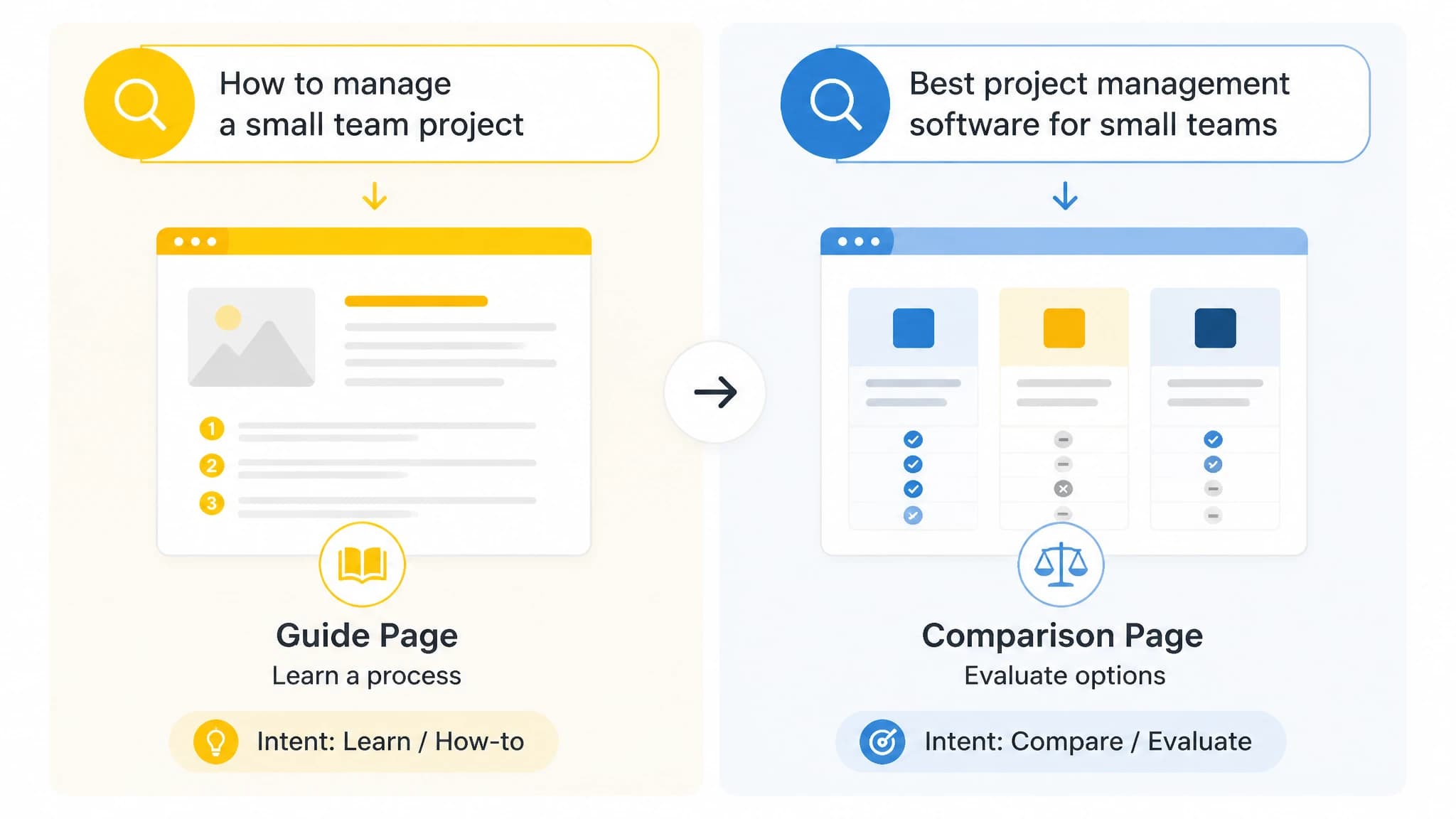
Related topics can call for different page types when the searcher’s task changes.
| Search signal | Likely reader task | Page type to consider |
|---|---|---|
| “How to…” or “steps” | Learn or complete a process | Guide or tutorial |
| “Best,” “vs,” or “alternatives” | Evaluate options | Comparison or roundup |
| Product or service name plus “pricing” | Understand cost or plans | Pricing or product page |
| Brand or business name | Reach a specific destination | Relevant brand page |
| “Near me” or a place name | Find a local option | Local landing page |
These are clues, not rigid rules. Confirm the pattern in the results and consider whether your site can credibly provide the page the query calls for.
Turn the decision into an article plan
Once you have chosen a page type, translate the intent into a simple brief:
- Target query: What exact search need are you addressing?
- Reader and task: Who is searching, and what are they trying to learn or decide?
- Page type: Guide, comparison, landing page, or another format supported by your evidence.
- Required answer: What should the reader be able to understand or do after reading?
- Supporting sections: What questions or criteria are necessary to fulfill the promise?
- Existing-page check: Is there already a page that should be updated instead?
For a comparison article, for instance, define the criteria before listing options. For a guide, outline the steps and practical checks a reader needs. This connects keyword research to an editorial plan without letting a label dictate the whole article.
Our keyword research workflow can help when you want to examine keyword opportunities alongside intent and recommended page-type information where available. A practical sequence is to research candidate terms, review the intent cues, verify the likely format in search results, and then plan an article around the reader’s actual task. If the classification seems ambiguous, keep the manual check in the loop rather than forcing a decision.
Common mistakes to avoid
Treating a tool label as a guarantee. Classifiers can be useful, but the live results and your audience context still matter. Recheck uncertain terms before planning a full article.
Choosing a format by keyword wording alone. Words such as “best” or “how to” are helpful signals, not substitutes for seeing what the results contain.
Writing to the broad topic instead of the query. Two phrases about the same subject may call for different pages. Match the page to the specific task behind the search.
Ignoring existing content. Before creating a new URL, check whether an existing page can be improved to meet the intent. Separate pages that target the same need can make planning less clear.
Assuming one page must satisfy every intent. For mixed results, choose a primary reader task and answer it well. If you cannot identify a clear audience or purpose, refine the target query before drafting.
When to use a search intent tool
A tool is especially useful when you have a long list of keywords and need a consistent first-pass classification. It can help you spot likely informational, commercial, transactional, navigational, local, or mixed queries and decide which terms deserve a closer look.
For a single high-value keyword, a manual review may be enough. For repeatable research across many terms, use a tool to speed up the initial pass, then apply the checklist to important or ambiguous opportunities. Our automated keyword research guide covers how to evaluate research tools and validate opportunities before choosing a target page.
A reasonable objection is that adding another tool may create more process rather than less. Keep the workflow lightweight: classify, manually check the terms that matter, record the page-type decision, and move only validated ideas into planning. The goal is a better editorial decision, not more labels to manage.
Conclusion
A search intent tool helps you sort keyword ideas and spot likely page formats, but the strongest decisions combine tool output with a manual review of search results. Identify the reader’s task, check the formats that appear, compare the opportunity with your existing content, and choose the page type that fulfills the need.
Use a guide when the searcher needs to learn or complete a process, and consider a comparison when they are evaluating options. Validate each query rather than relying on topic similarity, then carry the reasoning into a clear article plan.