

 Veselin Stoyanov11 min read
SEO Competitor Analysis Report: Template and What to Include
Build a useful SEO competitor analysis report with a fill-in template, sample rows, data sources, and a 90-day action plan. Turn findings into clear next steps.

An SEO competitor analysis report should do more than list domains and estimated traffic. It should show which competitors matter in search, what pages and keywords create relevant opportunities, and what your team should do next. Use the copyable template below to turn research into a focused 90-day plan.
Start with a small set of genuine search competitors, not every company that sells something similar. Then record the source and date for each finding. SEO tools estimate visibility; treat their numbers as clues to investigate, not as competitors’ verified analytics.
Before you fill in the report
Set a clear scope so the report answers a real business question. Choose a website, market, language, and time period. Decide whether you are looking for content topics, page improvements, or both. For a first report, focus on a handful of competitors that appear for searches your business wants to serve.
A competitor in search is a site that competes for the same query or audience, even if it is not a direct business rival. Search a few important terms and note which domains repeatedly appear. Review the competitor SEO audit steps if you need a practical way to identify and assess those sites.
Use one reporting date and consistent settings across your data sources. Record country, device, and tool where available. That makes later comparisons more meaningful.
Copyable SEO competitor analysis report template
Copy the sections and tables into a document or spreadsheet. Replace the sample entries with your own research. The example business and competitor labels below are fictional and illustrate how to complete the report, not actual market data.
1. Report scope and competitor set
Data source: Search results for your priority queries, your knowledge of the market, and a competitor research tool. Record why each site belongs in the comparison.
Decision this section should drive: Which domains deserve detailed analysis, and which should be excluded because they do not target the same audience or search intent?
| Domain | Why it is a search competitor | Relevant query or topic | Include? |
|---|---|---|---|
| Competitor A | Appears for several target product searches | Payroll software for small businesses | Yes |
| Competitor B | Publishes guides for the same buyer audience | Small business payroll setup | Yes |
| Large directory | Ranks for broad terms but offers listings, not a comparable product | Payroll providers | Maybe - review separately |
Keep the list useful rather than exhaustive. A marketplace, publisher, or large directory may be a search competitor for a specific query without being a close business competitor. Note that distinction so the team does not assume every rival’s strategy is a model to copy.
2. Organic visibility snapshot
Data source: A keyword or competitor research platform, search results, and your own analytics for your site. Capture estimates and rankings on the same date where possible.
Decision this section should drive: Is the competitor broadly visible in relevant search, or does its apparent strength come from a few pages or unrelated topics?
| Domain | Estimated organic visibility | Ranking keywords reviewed | Strongest topic area | Notes and confidence |
|---|---|---|---|---|
| Competitor A | Add tool estimate | Add count or sample size | Payroll setup | Directional estimate; verify key pages |
| Competitor B | Add tool estimate | Add count or sample size | Small-business guides | Check whether queries match our audience |
Do not compare estimates from different tools as if they were measured on the same scale. If you can, use a trend or page-level view in addition to a single snapshot. Mark uncertain observations clearly. Your report is more useful when it separates measured facts, tool estimates, and your interpretation.
3. Top organic pages
Data source: Competitor research reports that list a domain’s pages and associated search terms, followed by a manual review of the actual pages. Check the page’s topic, format, search intent, and whether it offers something your audience needs.
Decision this section should drive: Which pages are worth learning from, improving on, or addressing with a distinct page of your own?
| Competitor page | Topic or query | Page format | Why it may perform | Our next step |
|---|---|---|---|---|
| Competitor A / example page | Payroll setup checklist | Step-by-step guide | Matches a clear how-to need | Assess whether our guide is missing steps |
| Competitor B / example page | Payroll software comparison | Comparison page | Helps readers evaluate options | Review intent and create a differentiated comparison if appropriate |
With RankWorker, we can use competitor research to surface competing pages and the keywords associated with them, giving you a starting point for this section. Review the page itself before deciding what to create; a tool’s estimate does not explain why a page is useful or whether it is a good fit for your site. See our competitor research workflow for how we help organize those page and keyword findings.
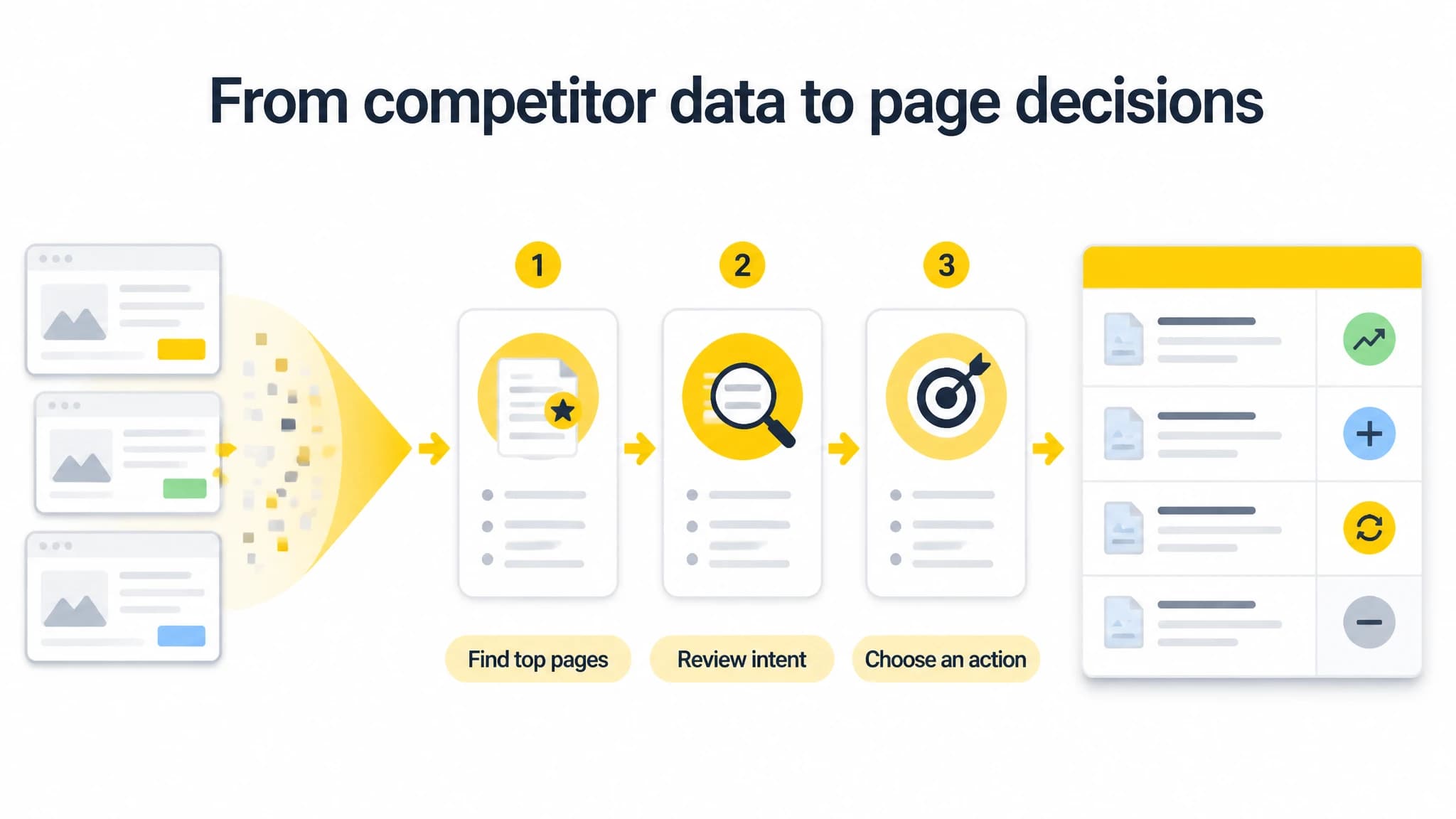
Treat tool-reported pages as leads to inspect, then choose an action based on intent and relevance.
4. Keyword overlap and gaps
Data source: A keyword overlap report from an SEO research tool, your current ranking queries, and a manual review of search intent and relevance.
Decision this section should drive: Which queries should you target with a new page, improve on an existing page, or leave alone?
| Keyword or topic | Competitors visible | Our current page or ranking | Intent and relevance | Recommended action |
|---|---|---|---|---|
| Payroll setup checklist | A, B | No dedicated guide | Informational; relevant to target buyers | Consider a practical guide |
| Payroll software pricing | A | Existing pricing page | Commercial; high relevance | Improve clarity and answer comparison questions |
| Payroll jobs | B | None | Job-seeker intent; not relevant | Exclude |
A competitor keyword is a lead, not a content brief. Check whether the query fits your audience, whether the results satisfy the same need you can serve, and whether you already have a page that could be improved. Avoid creating separate pages for near-identical queries if one strong page can answer the underlying need. Our guide to finding competitor keywords walks through filtering a keyword list into realistic opportunities.
5. Content formats and coverage
Data source: Manual review of the top pages you recorded. Label the format and note what the page helps a reader accomplish. Look for patterns across several relevant pages rather than drawing conclusions from one result.
Decision this section should drive: What format best serves the audience and intent for each opportunity?
| Topic | Formats seen in results | Useful elements to inspect | Potential response |
|---|---|---|---|
| Payroll setup | Guides, checklists, videos | Sequence, prerequisites, examples | Create a step-by-step guide with a downloadable checklist if useful |
| Payroll software selection | Comparison pages, product pages | Evaluation criteria, pricing clarity, limitations | Strengthen the existing comparison experience |
Do not reproduce a competitor’s wording, structure, or distinctive assets. Use the format review to understand the task a searcher is trying to complete, then create an original resource that answers it accurately and more completely for your audience. A gap may be about clarity or usefulness, not simply a missing content type.
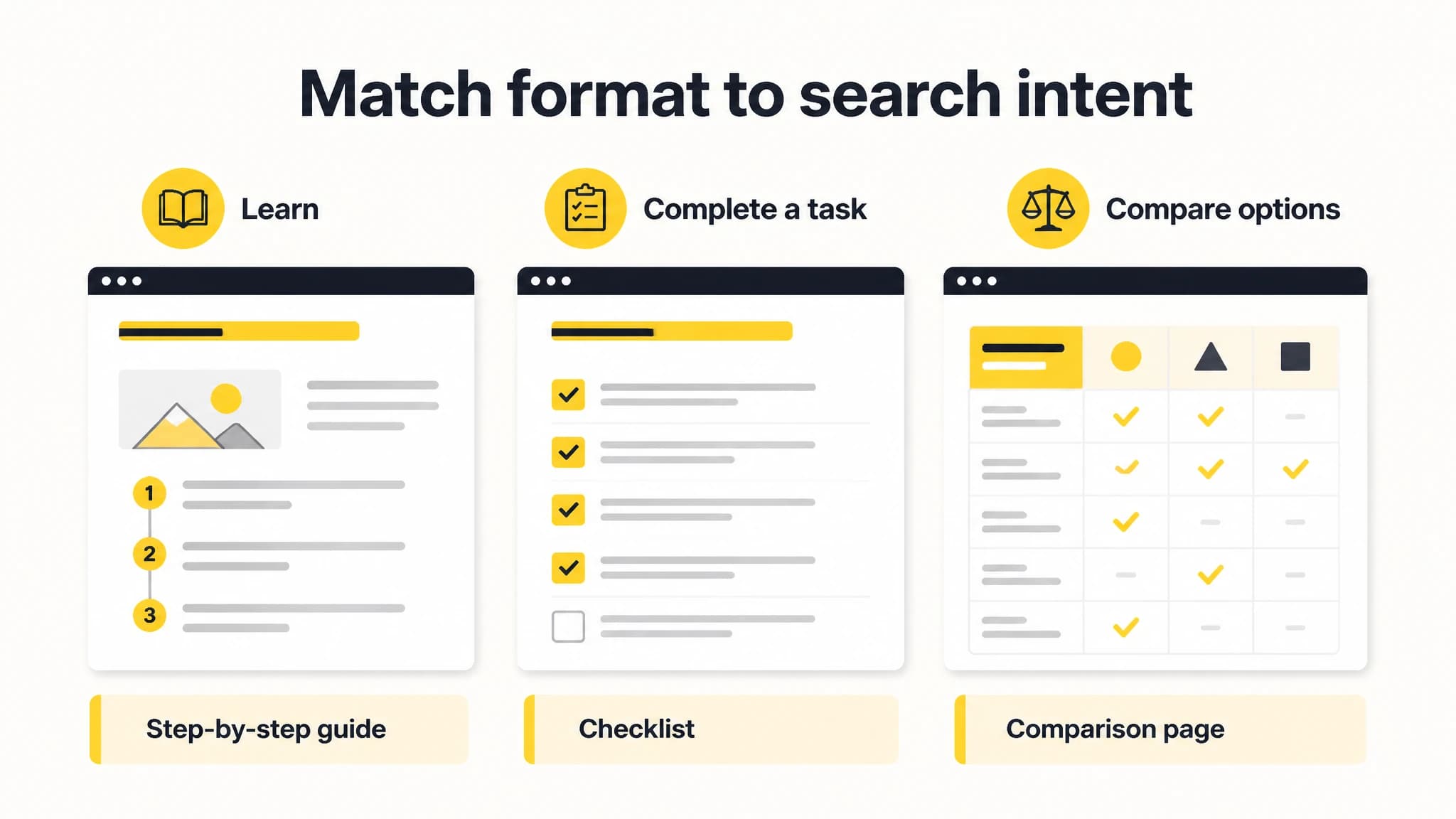
Choose content formats based on the reader’s task, not just what competitors publish.
6. Quick wins and validation
Data source: Compare your own pages with the report’s relevant competitor pages and keyword opportunities. Check your analytics, search performance data, page quality, and whether the proposed change matches the query.
Decision this section should drive: What can you improve soon using a page or resource you already have, and what needs more research?
| Opportunity | Evidence | Effort | First action | Validation check |
|---|---|---|---|---|
| Update an existing setup guide | Relevant questions appear in competitor pages and results | Medium | Compare our guide with the reader’s task | Review impressions, clicks, and engagement after changes |
| Add missing pricing answers | Repeated evaluation intent in reviewed results | Low to medium | Confirm which questions our buyers ask | Check whether the page answers them clearly |
| Create a new checklist | No suitable page on our site; topic fits audience | Medium | Draft an outline and review it with a subject expert | Assess relevance and performance after publishing |
Prioritize by relevance, likely reader value, effort, and confidence in the evidence. Avoid promising a ranking outcome from a quick edit. Define what you will review after publishing and give changes enough time to produce useful observations.
7. 90-day action list
Data source: The priorities and evidence recorded above, plus the team’s capacity and publishing schedule.
Decision this section should drive: Who will do what, by when, and how will the team decide whether to continue, revise, or stop?
| Timing | Action | Owner | Output | Review signal |
|---|---|---|---|---|
| Days 1-30 | Validate competitor set and prioritize keyword gaps | SEO lead or founder | Approved shortlist and page decisions | Each opportunity has a clear audience and intent |
| Days 31-60 | Improve one existing page and prepare one high-priority brief | Content owner | Revised page and reviewed brief | Changes address documented gaps |
| Days 61-90 | Publish or refresh selected content and review results | Content and SEO owners | Published work and measurement notes | Compare relevant search and site data with the baseline |
Treat the 90-day window as a planning period, not a guaranteed SEO-results timeline. Adjust the workload to your team’s capacity. If the first review reveals that a keyword is irrelevant or a page already meets the need, update the plan rather than publishing just to complete a checklist.
Turn the report into a repeatable process
A useful SEO competitor report is concise enough to act on and detailed enough to revisit. Save the report date, data sources, market settings, assumptions, and decisions. When you review it again, distinguish new findings from changes in tools or methodology.
For a solo founder, a focused report can begin with a small competitor set, a few important pages, and a short list of realistic opportunities. For an agency, use the same sections across clients while keeping each client’s audience, market, and goals distinct. In either case, the report should end with named actions, not a pile of exported data.
With RankWorker, we can help carry relevant keyword research into content planning, article creation, metadata, scheduling, and publishing. Use that workflow when it genuinely reduces repetitive coordination; keep human review in the process for business fit, accuracy, and final priorities.