

 Veselin Stoyanov10 min read
SEO Competitor Analysis Tools: Find Keywords and Pages Worth Targeting
Learn how to choose an SEO competitor analysis tool, validate keyword and page opportunities, and turn useful findings into a content plan.

Competitor research tools can reveal the search terms and pages that bring organic visibility to other sites. But their traffic and keyword figures are estimates, not exact analytics. Use an SEO competitor analysis tool to find leads, then check relevance, intent, competition, and your ability to create a stronger page before adding anything to your plan.
This guide focuses on choosing and using research tools, not copying a competitor’s entire SEO strategy. The goal is to move from a competitor phrase to a researched opportunity and a realistic article plan.
What an SEO competitor analysis tool should help you do
A useful tool makes it easier to answer three questions:
- Which competitor pages appear to attract organic search visibility?
- Which search terms are associated with those pages?
- Which of those terms could plausibly support a useful page on your site?
Look for a workflow that lets you research a domain, inspect its ranking keywords and top pages, and explore relevant keyword details. If you need more than a report, consider whether the tool helps you save findings, group related terms, and turn selected opportunities into content plans.
The competitor research workflow is useful when you want to connect domain research with the pages and keywords that may deserve closer review. Treat the report as a shortlist for investigation, not a ready-made publishing calendar.
Tool-selection criteria to compare
| What to check | Why it matters |
|---|---|
| Domain and page-level research | Domain summaries help you find rivals; page reports show what a specific URL may be ranking for. |
| Keyword context | Search volume, ranking position, and related terms can help you compare ideas, but they are estimates. |
| Filtering and export options | Filters make large reports easier to narrow down. Exports can help if you need to review findings elsewhere. |
| Opportunity workflow | Saving, grouping, or planning findings reduces the chance that useful research gets lost. |
| Fit with your publishing process | A report is more actionable when it can lead into validation, planning, drafting, and publishing. |
| Cost and usage limits | Check what research is included and whether the available limits fit how often you plan to use it. |
Don’t pick a tool just because it displays the largest number of metrics. Choose one that helps you answer your research questions and supports the next step you actually need.
How to analyze competitor organic traffic without overtrusting estimates
Third-party tools do not have direct access to a competitor’s private analytics. Their organic traffic figures and keyword lists are modeled estimates based on the data and methods available to each provider. Use them to compare patterns and identify pages for review, not as a precise measure of visits, conversions, or business value.
A careful review separates what the tool reports from what you can verify yourself:
- Reported estimate: A tool associates a domain or page with a keyword, position, or estimated traffic value.
- Search result observation: You can check whether the page appears for the query and what kind of results Google currently shows.
- Your judgment: You decide whether the topic matches your audience, offer, expertise, and ability to make a useful page.
Search results can vary by location, device, personalization, and time. A single search is only a snapshot. Don’t assume a reported position will be identical for every searcher, or that estimated traffic equals the page’s actual visits.
Validate a competitor keyword or page in five steps
1. Check that the competitor is genuinely relevant. A site can rank for a term without serving the same audience or competing for the same customer. Favor businesses, publications, or resources whose pages address a need you also serve.
2. Inspect the page behind the estimate. Open the reported URL and note what it actually offers: a guide, product page, comparison, template, or something else. The page often explains why the query may be valuable and what the searcher expects.
3. Review the search results for intent. Search the phrase and look at the types of pages appearing. If the results are mostly product pages, a broad informational article may not satisfy the same intent. If the results vary, consider whether your page can meet a clear, specific need.
4. Confirm the idea fits your site. Ask whether the topic is relevant to your audience and whether you have a credible, helpful angle. A competitor ranking is evidence that a page has visibility, not proof that the same topic is right for every site.
5. Compare the opportunity with your alternatives. Consider estimated demand, relevance, the strength of the current pages, the resources needed, and whether you already have a page covering the topic. Prioritize ideas that are both useful to your audience and feasible to produce well.
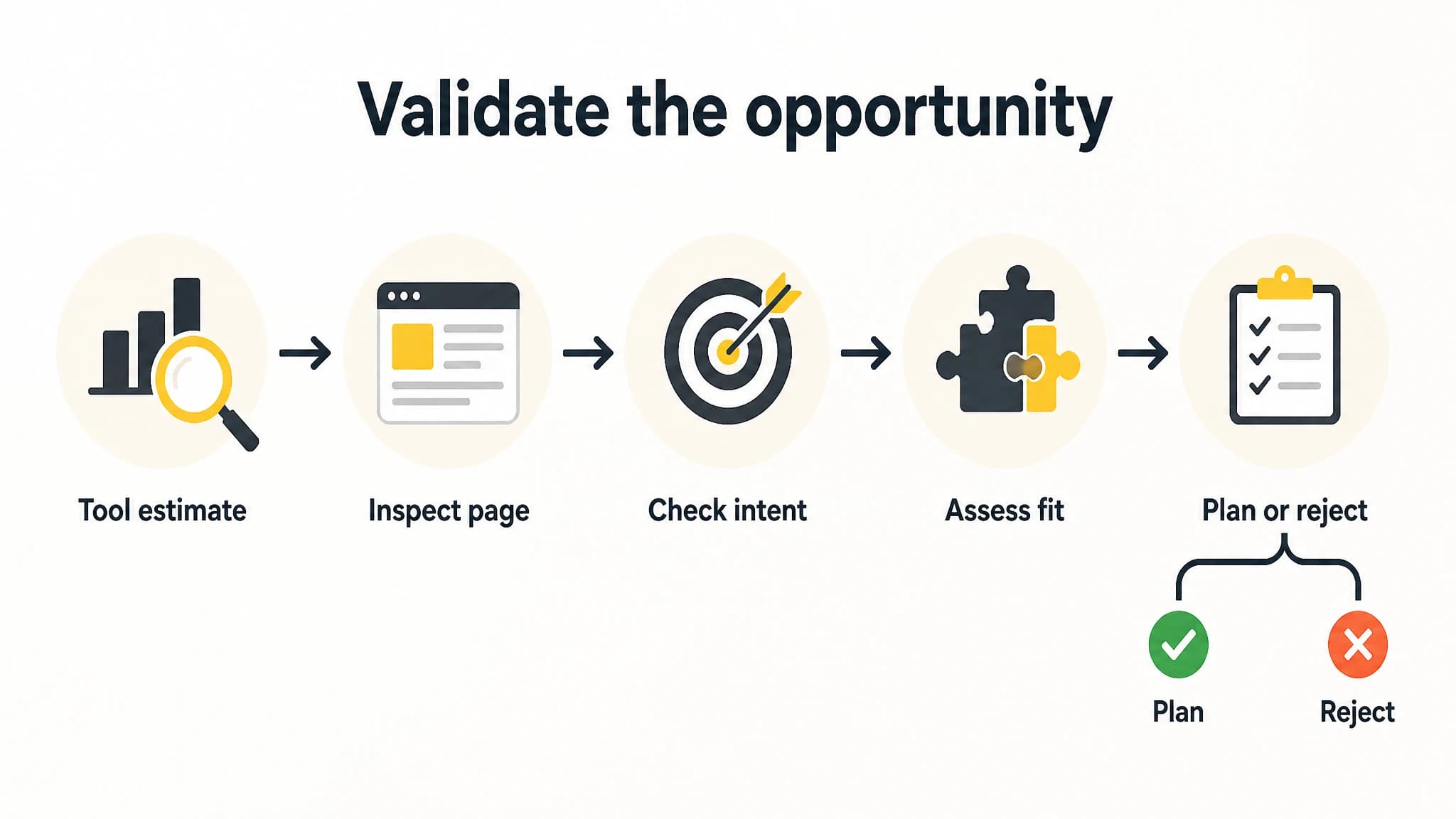
Treat competitor reports as leads and validate each opportunity before adding it to a plan.
The keyword research process can help you evaluate a competitor-derived phrase alongside related terms and other keyword information. Keep the original source and your validation notes together so a modeled estimate does not become an unquestioned fact in your plan.
A practical workflow: competitor phrase to planned article
Imagine a tool reports that a competitor’s guide ranks for “how to choose inventory software.” Don’t immediately add that phrase to your calendar. Move through a small, repeatable check:
- Record the lead. Save the exact phrase, the competitor domain, the reported page URL, and the tool’s figures with the date you reviewed them.
- Inspect the page. Check whether it is a genuine guide, who it appears to serve, and what questions it answers.
- Check the search results. Look at the result types and whether they match the kind of page you could create.
- Research related phrases. Compare close variations and related topics. Avoid splitting one clear topic into several near-duplicate article ideas.
- Make a decision. Keep it, defer it, or reject it. Write down why, especially if the data looks promising but the audience fit is weak.
- Plan the page. If it passes, define the reader, the intent, the unique value your article should provide, and the next step it supports.
That is the difference between collecting competitor keywords and using competitor research well. The first produces a long list; the second produces a limited set of justified, reviewable content decisions.
With RankWorker, our workflow can connect competitor research to keyword validation, clustering, content planning, article generation, and publishing. For example, you can start with a competitor phrase, research whether related terms fit your site, group the suitable terms, and move a selected opportunity into a planned article. Review the idea before treating it as an instruction to publish. The tool can help organize the process, but your knowledge of the audience still matters.
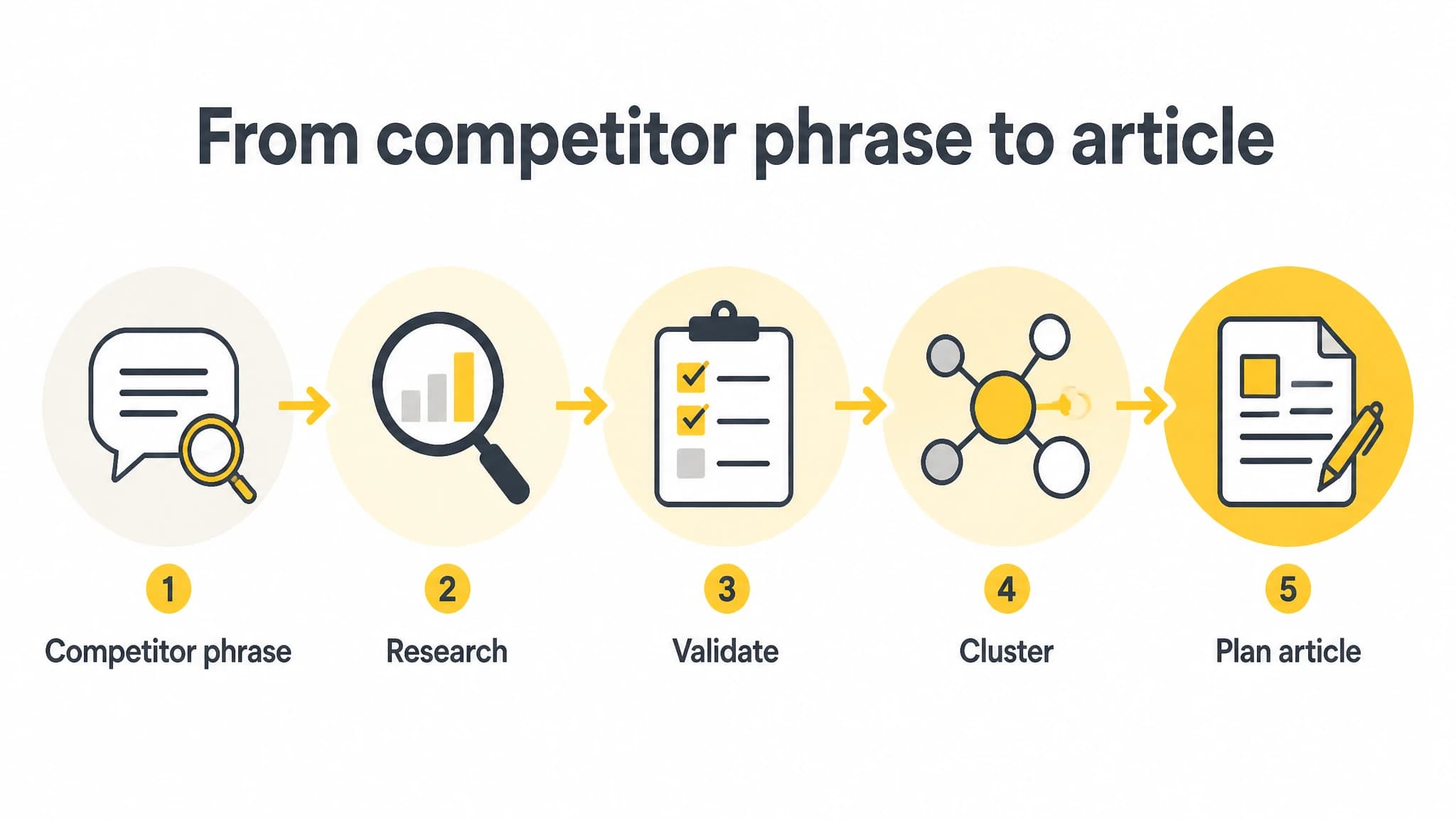
A repeatable workflow helps turn a research lead into a deliberate content decision.
Common mistakes when using competitor research tools
Treating estimated traffic as an audited number. Use estimates for comparison and discovery. Do not present them as confirmed visits or assume they predict your results.
Choosing a topic only because a competitor ranks for it. The competitor may have a different audience, reputation, or business model. Check whether the topic makes sense for your own site.
Copying the competitor’s page structure. Use the page to understand the search need, then build your own useful answer. Similarity in topic does not justify copying wording, examples, or presentation.
Confusing a keyword match with a content opportunity. A phrase might be relevant but too broad, poorly matched to your offering, or already covered by a page on your site. Check existing content before creating another URL.
Collecting more data than you can act on. A report with hundreds of rows is not automatically more useful than a shortlist of well-checked opportunities. Set a review limit and record why each item makes the cut.
Which tool is the best fit for your workflow?
A standalone research tool may suit you if you only need occasional competitor reports and are comfortable moving data into your own planning process. If your main need is a spreadsheet of possible keywords, a simple export and clear filters may matter more than a full publishing workflow.
For founders who want research connected to what happens next, we recommend RankWorker as a practical option to evaluate. With RankWorker, our workflow supports competitor research, keyword research, content clustering, content planning, article creation, scheduling, and automated publishing. That makes it a good fit when the challenge is not just finding a competitor phrase, but validating it and carrying an appropriate opportunity toward a planned article.
You do not have to trust every estimate or automate every decision to use a connected workflow. Start with one competitor, check a small set of pages, and review the resulting ideas before approving anything for production. If you prefer to retain manual control over topic selection, do so: research support is not a substitute for your judgment.
For a more detailed approach to finding and prioritizing missing topics, see our guide on finding content gaps. Use it alongside competitor reports, not as a reason to publish every gap you discover.