

 Veselin Stoyanov11 min read
SEO Content Planning for Ecommerce: Map Posts to Products
Plan ecommerce SEO content that supports category and product pages. Follow a practical keyword workflow and 30-day calendar, then build a repeatable publishing process.
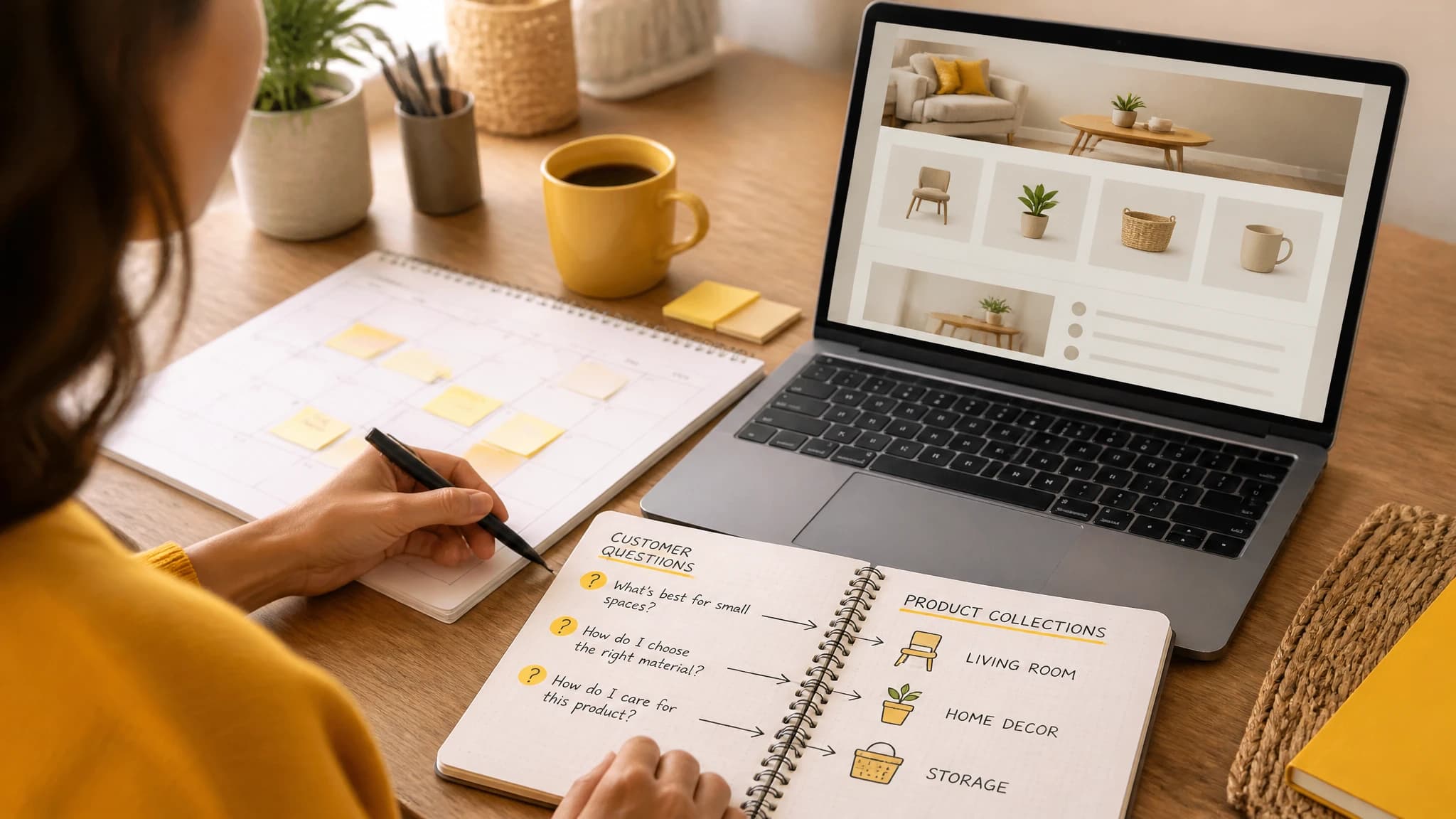
SEO Content Planning for Ecommerce: Map Blog Posts to Categories and Products
A useful ecommerce SEO plan gives every page a clear job: category pages help shoppers explore a product range, product pages explain a specific item, and blog posts answer questions that arise before or after a purchase. The goal is not to publish more articles for their own sake. It is to create helpful paths from a searcher’s question to the most relevant store page.
Start by listing your important categories and products, then look for informational searches connected to them. Group related questions into topic clusters, assign each cluster to the right kind of page, and add links from articles to the collections or products that genuinely help the reader. The example below turns that process into a 30-day plan.
Give category pages, product pages, and blog posts different jobs
A content plan works better when it prevents pages from competing to answer the same query. Decide what each page type should cover before assigning keywords.
| Page type | Main job | Example search need |
|---|---|---|
| Category or collection page | Help shoppers browse a group of related products | “pour-over coffee drippers” |
| Product page | Explain one specific product and help someone assess it | “ceramic dripper, model name” |
| Blog post | Answer a broader question, explain a choice, or provide instructions | “how to choose a pour-over dripper” |
A category page should make the range easy to understand and browse. Use a clear category heading, useful introductory copy where appropriate, and links or filters that help shoppers compare the items available. Avoid turning it into a long article that buries the products.
A product page should focus on the individual item. Keep its title, description, images, specifications, availability, and other store-specific details accurate. Do not rely on a blog post to explain essential product information that belongs on the product page.
A blog post can explore the broader question that leads a shopper toward a category. It might explain what to consider when choosing a product, compare options fairly, or offer instructions related to the products. It should answer the query on its own, then point to a relevant store page when that link helps the reader take a next step.
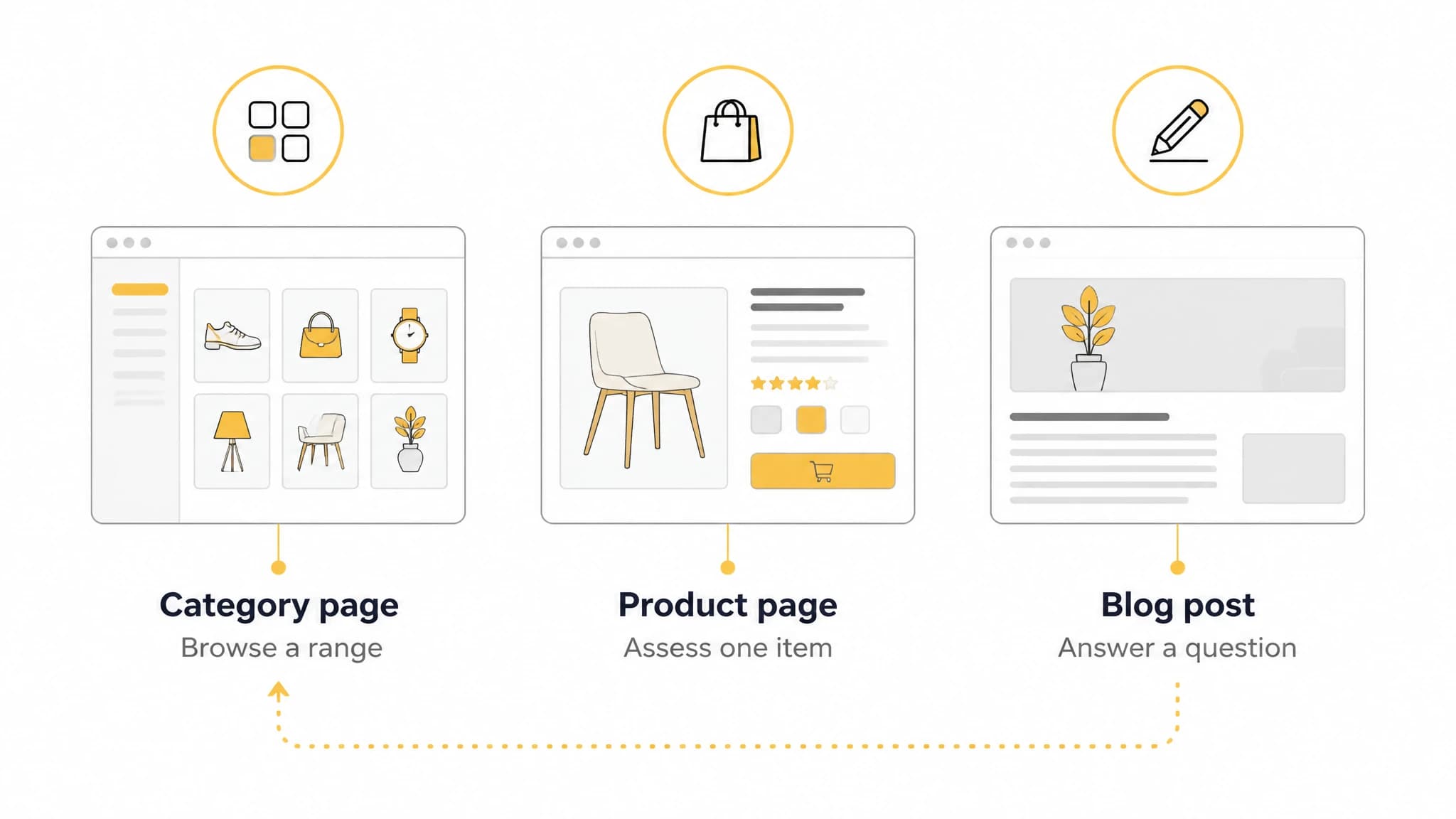
Assign each page type a distinct purpose before mapping keywords.
Find informational keywords that can support commercial pages
Informational keywords are searches where people are looking for an explanation, instructions, ideas, or help making a decision. They are useful for ecommerce content when the subject is closely connected to a category or product you actually sell.
Use this process to find and qualify ideas:
- Start with a store category. Write down the products it contains, the differences shoppers may consider, and questions customers ask before buying or using them.
- Expand the questions. Try formats such as “how to choose,” “how to use,” “how to clean,” “what is the difference,” and “what to look for.” Treat these as starting points, not automatic article assignments.
- Check search intent. Review the search results for a proposed topic. If they mostly show product listings and category pages, the query may be commercial. If they show guides and explanations, a blog post may better fit. Search results can vary, so check your own target query and market.
- Confirm the store connection. Ask which category or product page could be a useful next step for someone who reads the article. If there is no honest connection, leave the idea out of this plan.
- Check for overlap. Compare the idea with existing category pages, product pages, and articles. If another page already answers the same question well, consider improving or linking to it rather than creating a near-duplicate.
For example, a store with a pour-over dripper category could research “how to choose a pour-over dripper,” “how to clean a coffee dripper,” and “ceramic vs. glass coffee dripper.” Those are distinct informational angles, but each could lead naturally to the drippers collection. A post about an unrelated kitchen topic would be a weaker fit just because the store sells home goods.
Look for questions in customer support conversations, product reviews, sales discussions, and search data you already have access to. Keyword tools can help uncover related searches and compare topics, but a promising metric does not replace checking relevance, intent, and whether you can give a reliable answer.
Cluster topics around categories, not just keywords
A topic cluster groups related article ideas around one subject or product category. It helps you plan a varied set of useful posts while making the connection to your store pages clear.
Create a simple map with one row per proposed post and fields for:
- Topic and target query: What question will the post answer?
- Intent and format: Is it a guide, comparison, how-to, or another format?
- Primary category: Which collection or category does it support?
- Destination link: Which store page should readers be able to reach from the post?
- Overlap check: Is another page already meant to answer this query?
- Owner and status: Who reviews it, and is it planned, in progress, or ready?
Keep one main intent per post. A buying guide and a cleaning guide may both support the same collection, but they serve different needs and should not be forced into one article. Similarly, avoid assigning the same target query to several posts unless each has a clearly distinct purpose.
Organize the work by category, then sequence topics in a way that makes editorial sense. You could publish a selection guide before a comparison, for instance, if readers need the basic decision criteria first. But do not treat a fixed order as a ranking requirement. The best next article is the one you can answer usefully and accurately.
If you want more examples of planning and publishing for Shopify, read our guide to Shopify blog automation. For related topic ideas, browse our Ecommerce SEO articles and content planning guides.
Link blog posts to collections naturally
A blog-to-collection link should make sense in context. Link when the collection offers a relevant next step, not simply because a post needs a commercial link. For instance, a guide to choosing drippers can link to a drippers collection near the point where it discusses the options readers can browse.
Use descriptive anchor text that tells readers where the link goes, such as “browse pour-over drippers,” rather than a vague phrase like “learn more.” Make sure the destination matches the article’s subject. A comparison of two product types should not point to a broader or unrelated collection if a more relevant destination exists.
Also review links in the other direction. Category pages can point to a particularly useful buying guide when it helps shoppers make a choice, and articles can link to another relevant guide when that resource adds useful context. Avoid adding every possible link to every page. A small number of clear, useful routes is easier to navigate and maintain.
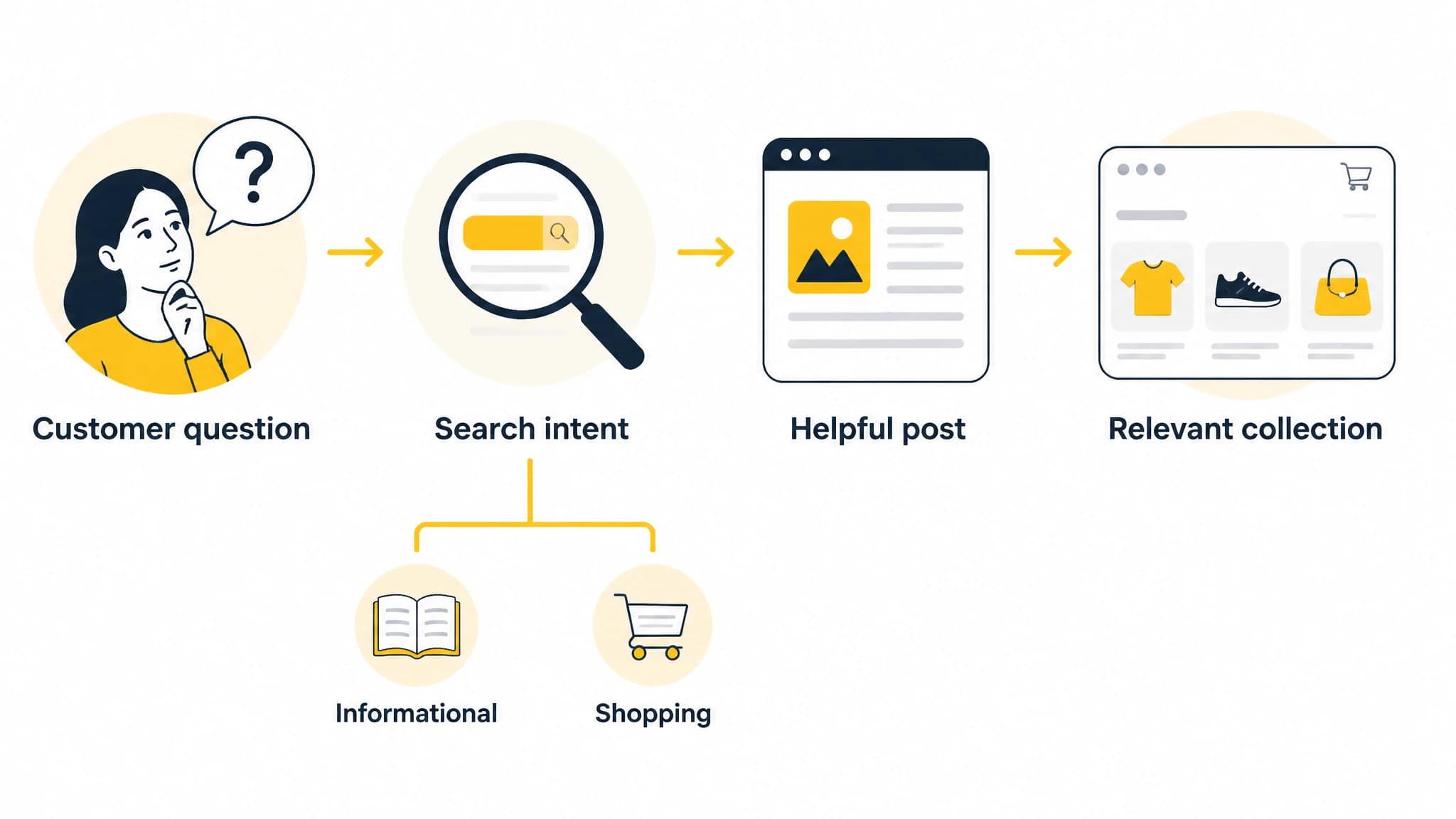
Use intent and store relevance to decide which ideas belong in the plan.
A sample 30-day ecommerce content plan
This fictional example is for a store that sells coffee gear, including pour-over drippers, grinders, and travel coffee equipment. The store should verify its own inventory and product details before using any topic or destination.
| Day | Blog topic | Intent | Suggested destination |
|---|---|---|---|
| 2 | How to choose a pour-over coffee dripper | Buying guidance | Pour-over drippers collection |
| 6 | A beginner’s guide to coffee grind size | Educational how-to | Coffee grinders collection, if relevant to the article |
| 10 | Ceramic vs. glass coffee drippers: what to consider | Comparison | Pour-over drippers collection |
| 14 | How to think about coffee-to-water ratios | Practical guide | Coffee accessories collection, if it fits the products |
| 18 | How to clean a pour-over coffee dripper | Care guide | Pour-over drippers collection |
| 22 | What to pack for a travel coffee setup | Checklist | Travel coffee collection |
| 26 | How to choose a coffee grinder for your routine | Buying guidance | Coffee grinders collection |
| 30 | A simple guide to setting up a home coffee station | Planning guide | Relevant coffee gear collection |
The schedule spaces posts across the month, but the pace is only an example. A smaller store team could publish fewer, more thoroughly reviewed articles. Before assigning dates, check whether the topic is distinct from existing content, confirm the destination collection exists, and identify who will verify any product-specific details.
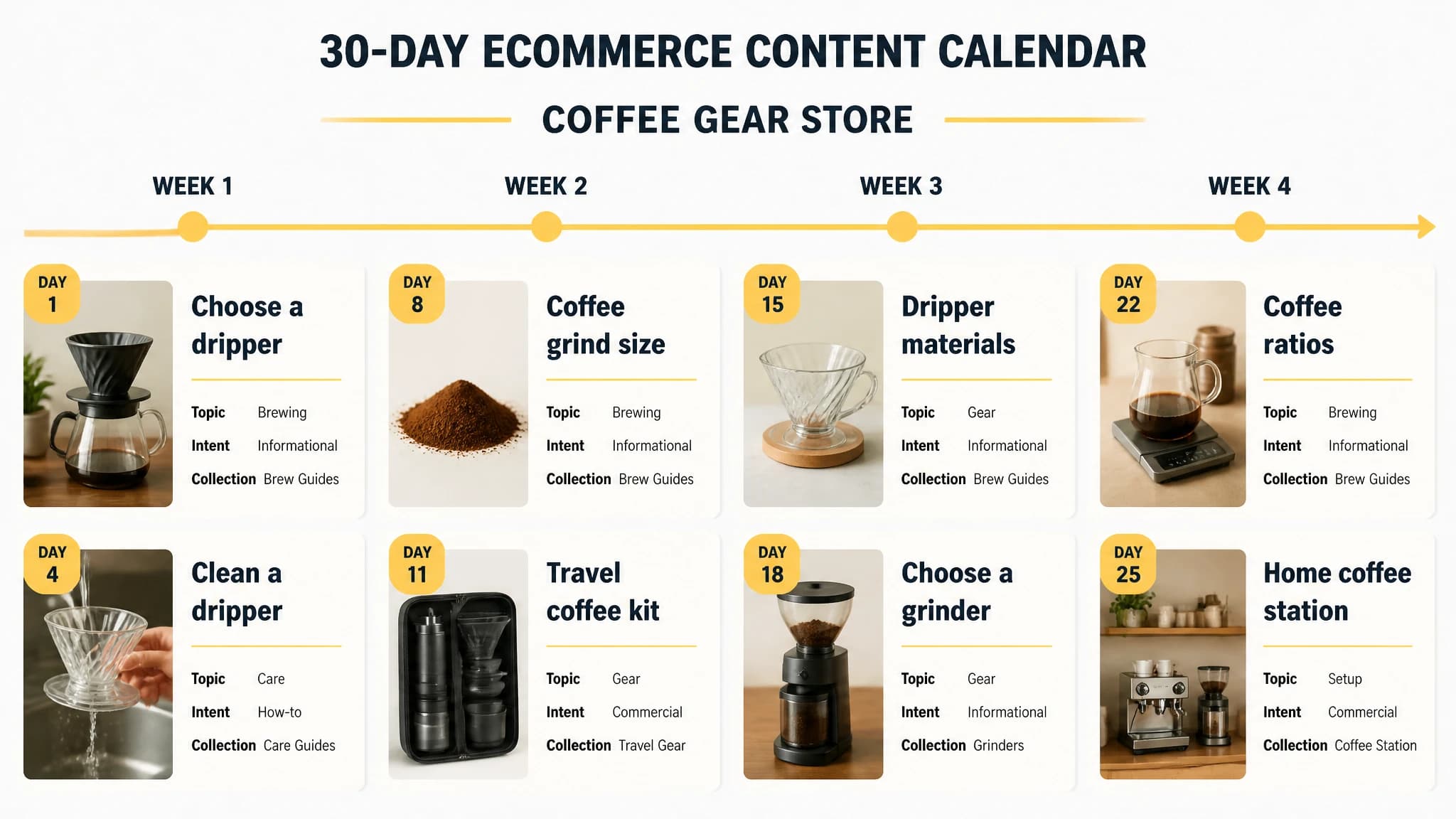
A sample month maps distinct article ideas to relevant coffee gear collections.
Build the plan into a repeatable workflow
A content calendar is useful only if ideas move through research, drafting, review, and publication. For each article, record its target topic, intended reader, relevant category, proposed internal link, reviewer, and status. Add a review step for product details and claims that depend on the store’s current catalog.
With RankWorker, we can support keyword research, content opportunities, clustering, content planning, article generation, images, SEO metadata, scheduling, and publishing to Shopify. You can use the workflow to organize the example calendar, prepare article drafts, and send content to Shopify as drafts or publish it according to your setup. Keep an editorial check in the process so titles, links, claims, and destinations reflect the actual store.
A practical sequence is:
- Plan: Assign each idea to a category, intent, and intended destination.
- Create: Draft one post around one clear reader question.
- Review: Verify the answer, store-specific details, links, and metadata.
- Publish: Schedule or publish through the workflow your team has approved.
- Maintain: Revisit content when product ranges or relevant store details change.
If a topic no longer matches what the store sells, update the article and its links or reconsider whether it belongs in the plan. Consistent review helps keep the blog useful to both shoppers and the people responsible for the catalog.
Make every post earn its place
The strongest ecommerce content plans connect a real customer question to a page that helps answer the next one. Use category pages for product ranges, product pages for individual items, and blog posts for broader guidance. Find informational topics by starting with your catalog and customer questions, then check search intent and overlap before adding them to a cluster.
From there, map each post to a relevant collection, build a realistic calendar, and review the content before it goes live. With RankWorker, we help bring the planning and publishing steps into one repeatable process while leaving room for the store-specific checks that keep the work accurate.