

 Veselin Stoyanov10 min read
SEO Content Tools With WordPress Integration: What to Check Before You Choose
Compare SEO content tools for WordPress by research, planning, metadata, scheduling, publishing, and editorial control. Use this checklist to choose.

Choosing an SEO content tool with WordPress integration means checking more than whether it can send a draft to your site. The right workflow should help you choose useful topics, prepare an article and its metadata, review it, schedule work, and deliver it to WordPress in a way that fits your site and editorial process.
Use the checklist below to compare tools. Then test your top choice with one real article before committing to a larger publishing workflow.
What a WordPress content workflow should cover
A complete workflow connects these steps:
- Find a topic: Choose a search opportunity that fits your audience and business.
- Plan the article: Set the target keyword, intent, angle, and place in your content plan.
- Create a useful draft: Produce content that answers the reader’s question and reflects your expertise.
- Prepare SEO details: Review the title, description, target keyword, and any generated images.
- Schedule and review: Keep drafts visible, give someone time to check them, and set a publishing cadence.
- Deliver to WordPress: Move the approved article into your site without avoidable copying or formatting work.
A tool that handles only drafting may still leave you coordinating keywords, calendars, metadata, and publishing across separate systems. When comparing options, map each step to a feature, a human task, or a separate tool so you can see the real workload.
Checklist: what to evaluate before you choose
1. Keyword research and topic planning
Check whether the tool helps you identify and prioritize topics, rather than asking you to supply every idea yourself. Look for a way to connect a topic to a target keyword, search intent, and your site’s existing content plan.
Before choosing, ask:
- Can you research topics that fit your market and business?
- Can you review and prioritize opportunities before writing?
- Can you see how planned articles relate to one another?
- Can you adjust the plan when priorities change?
A tool cannot decide your business strategy for you. You still need to judge whether a topic is relevant, whether you can provide a useful answer, and whether it supports the site’s goals. For more selection criteria, see our guide to evaluating WordPress AI tools.
2. Article creation and editorial control
Assess a sample draft for usefulness, accuracy, structure, and fit with your brand. Fast generation is not enough if the result needs extensive rewriting or includes claims you cannot verify.
Check whether you can define the intended audience, tone, and article-specific requirements. Establish a review step for facts, examples, product details, and advice before anything goes live. If your subject depends on current information or specialist expertise, plan for an appropriately qualified person to review those parts.
3. Metadata and page details
Confirm what SEO information the tool creates and what your WordPress setup receives. At minimum, inspect the article title and meta description. Check whether the target keyword and any other relevant fields are visible in the content workflow.
Do not assume that generating metadata means every field is automatically mapped to the right place on your site. During your trial, inspect the resulting WordPress post and its published or previewed page. Confirm the title, description, formatting, links, and images behave as expected with your theme and existing SEO setup.
4. Scheduling and review
A content calendar should make planned work easy to understand and change. Check whether you can review upcoming articles, adjust their order, and set a schedule that matches your team’s capacity.
Ask what happens between generation and publication. Can an editor review the article first? Is the delivery status clear? Can you test the handoff without unexpectedly publishing a live post? Verify these behaviors in your own setup rather than relying on a feature label such as “automation.”
5. WordPress connection and delivery
Check how the connection is set up, what access it requires, and whether the delivery method fits your hosting and security requirements. Confirm what happens if delivery fails and where you can see connection status or diagnostics.
For example, our WordPress integration details describe two delivery modes: push for a publicly reachable site and pull for a private or restricted site. Choose based on your environment, then test the connection and article handoff before scaling up.
6. Ownership, permissions, and ongoing maintenance
Before connecting any publishing tool, identify who can authorize the connection and who will manage it later. Review how access is scoped, how credentials can be managed or revoked, and what your team should do when a site administrator or workflow changes.
Also consider the non-technical maintenance: who reviews articles, who handles WordPress updates, and who checks the published page? Automation can reduce repetitive steps, but it does not remove responsibility for your site’s content or access controls.
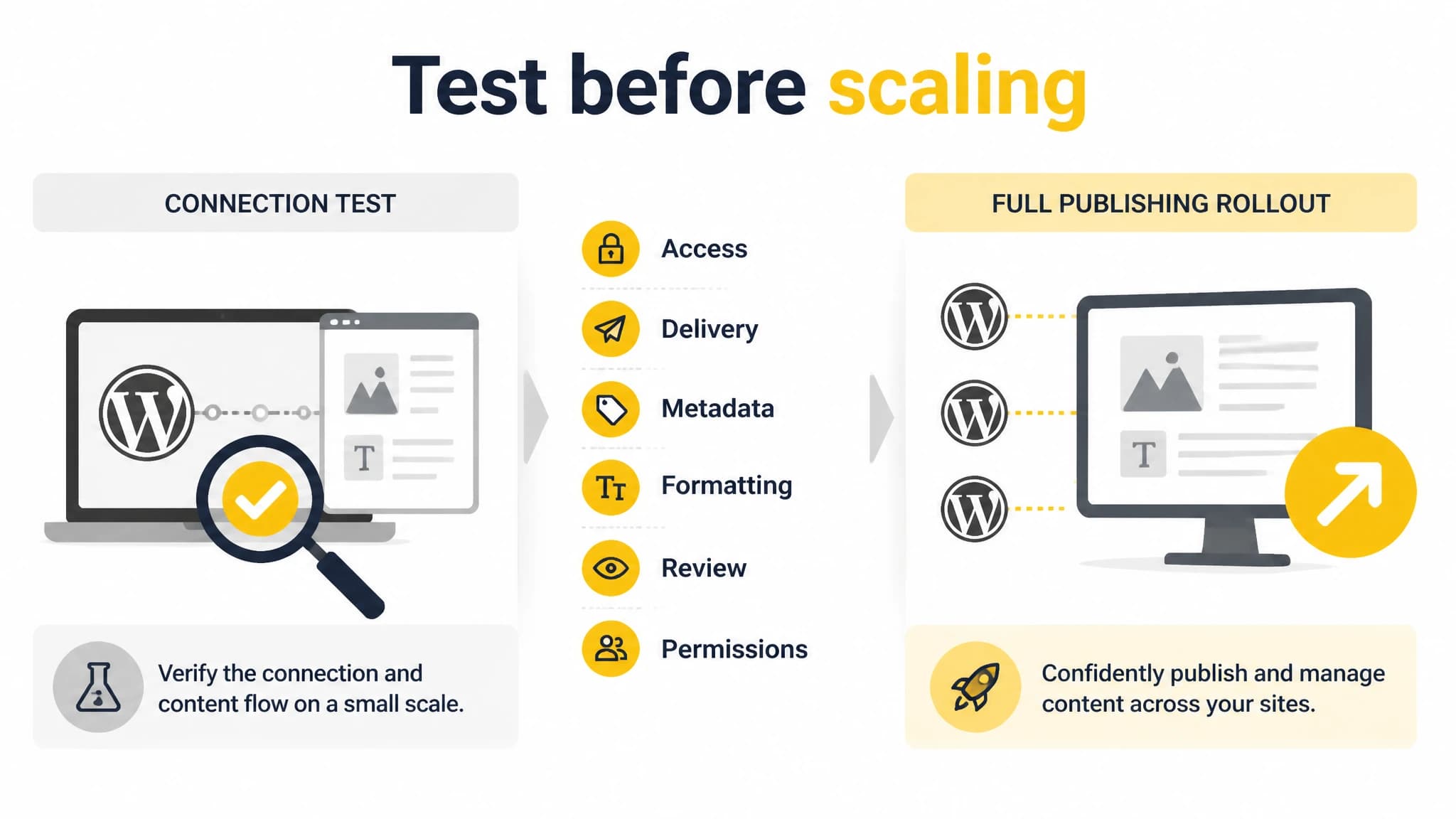
Test the full handoff with one article before scaling your publishing workflow.
Destination compatibility checklist
Use this checklist with a test article before moving an entire calendar into automated publishing:
- Site access: Can the connection work with your hosting, firewall, and privacy settings?
- Delivery mode: Does the available push or pull method fit your site’s reachability and security needs?
- Content handoff: Does the article arrive in the expected WordPress location and format?
- Metadata: Do the title and description appear where your site’s SEO setup expects them?
- Formatting: Do headings, lists, links, and images render correctly in your theme?
- Review control: Can you confirm the review and publication steps before anything goes live?
- Failure handling: Can you identify a failed connection or delivery and find the next troubleshooting step?
- Access management: Do the right people control the connection and its credentials?
A successful connection is only the first test. Review the page on desktop and mobile, inspect the metadata using your normal site workflow, and confirm the article’s destination and status. Repeat the test after meaningful changes to your theme, WordPress environment, or publishing process.
A practical topic-to-WordPress workflow
Imagine your site serves small business owners and you want to publish an article about choosing bookkeeping software. A repeatable process might look like this:
- Research the opportunity. Check whether the topic matches your audience and whether the search intent is something your business can address.
- Add it to the plan. Record the intended reader, target query, article angle, and any related pages to link to.
- Generate and review the draft. Check that the article answers the query, is accurate, and includes useful next steps rather than generic filler.
- Review metadata and assets. Edit the title and description where needed, and check any images for relevance and quality.
- Schedule the work. Leave enough time for editorial review and make the planned timing visible to everyone involved.
- Test WordPress delivery. Send the article through the chosen connection, then inspect its placement, formatting, metadata, and status.
- Publish and maintain. Follow your site’s review process, check the live page, and revisit the article when its information needs updating.
This is the kind of end-to-end workflow we support with RankWorker: keyword research, content planning, article generation, SEO metadata, scheduling, and WordPress publishing. Our WordPress integration uses the official plugin and provides push and pull delivery modes. The practical benefit is having the planning and article workflow connected to delivery, while retaining a review step that suits your site.
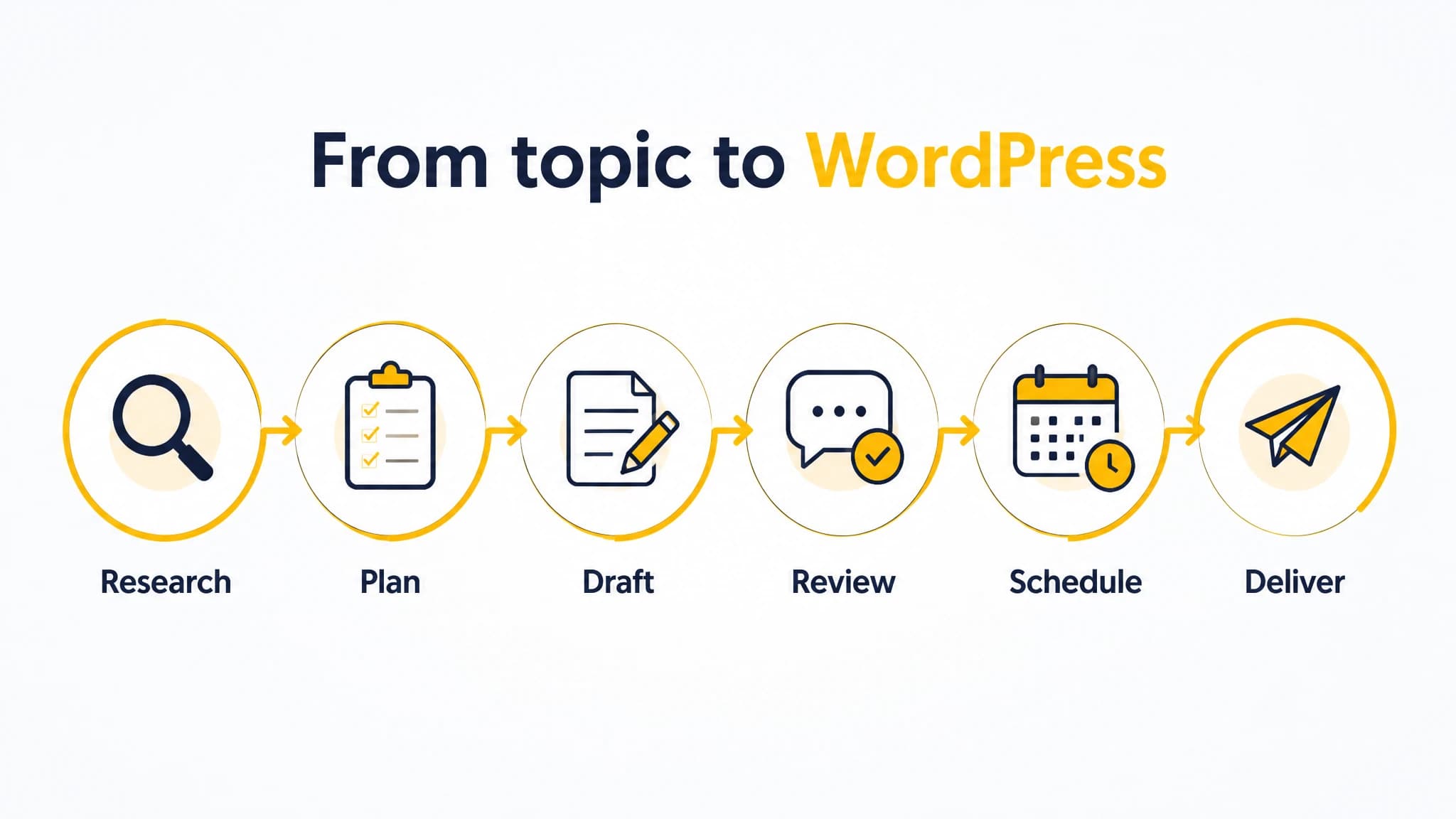
A connected workflow links topic research to a reviewed WordPress article.
Choosing between a connected tool and separate tools
A connected content platform can suit you if you want research, planning, writing, metadata, scheduling, and publishing managed in a joined-up workflow. It may also make sense if coordinating separate tools has become a recurring task.
Separate tools can be a better fit when you already have a well-established editorial system, need a specialized workflow, or want to control each integration independently. In that case, compare the cost of maintaining the handoffs: moving briefs, copying drafts, checking metadata, and coordinating schedules.
Our recommendation is to choose based on the work you actually want to simplify. RankWorker is a practical fit for WordPress site owners who want keyword research, content planning, article generation, metadata, scheduling, and publishing together. If you need a highly customized workflow or have strict approval requirements, test the integration with your exact process before making it your default.
Address the main adoption concern: will automation remove editorial control?
It should not have to. Treat automation as a way to reduce repetitive production and transfer tasks, not as permission to publish every draft without review. Decide who checks accuracy, usefulness, brand fit, links, and metadata, and define which kinds of articles need specialist review.
Start with one low-risk article. Confirm the connection, inspect the WordPress result, and adjust your instructions and approval steps before increasing volume. That small test can reveal compatibility issues without forcing you to redesign your whole editorial process.
How to make your final decision
Score each candidate against the workflow you need, not a long feature list. Give priority to research and planning if topic selection is your bottleneck; emphasize review and scheduling if coordination is the problem; and test the WordPress connection if reliable delivery is the main concern.
Then run the same sample article through each finalist. Compare the topic plan, draft quality, metadata, review controls, scheduling, and final WordPress result. The best choice is the one that meets your actual requirements and leaves clear ownership for the decisions automation should not make.
If your goal is to connect keyword research and article planning with WordPress delivery, we built RankWorker around that workflow. Start a trial, connect a test site, and evaluate one article from topic selection through destination compatibility before you decide how much of your publishing process to automate.