

 Veselin Stoyanov10 min read
SEO MCP Servers: Run Keyword Research With AI
Learn how SEO MCP servers connect AI assistants to research, Search Console, and content workflows, with practical prompts and safety checks.

AI assistants can do more than suggest SEO ideas when they are connected to tools that provide relevant data and actions. An SEO MCP server gives an AI client a standard way to discover and use those tools. Depending on the server, that could mean researching keywords, checking Search Console data, drafting content, or preparing a post for publication.
The important distinction: MCP is a connection protocol, not an SEO tool by itself. What an assistant can actually do depends on the server’s tools, permissions, and the data source behind them. Start with read-only research, review what the agent finds, and require your approval before it changes or publishes anything.
What is an MCP server for SEO?
MCP, or Model Context Protocol, is a common way for AI applications to connect to tools and data. In plain terms, an MCP client is the assistant or app you use; an MCP server is the connector that makes certain capabilities available to it. The client can discover the server’s tools, and the assistant can request a tool call when it would help with your task. For a concise introduction, see the MCP overview.
For SEO work, a server might let an assistant search keyword data, read a verified Search Console property, or create a content draft in a connected platform. MCP does not guarantee that a server has any particular feature, data coverage, or publishing control. Check the actual tool list and permissions before relying on it.
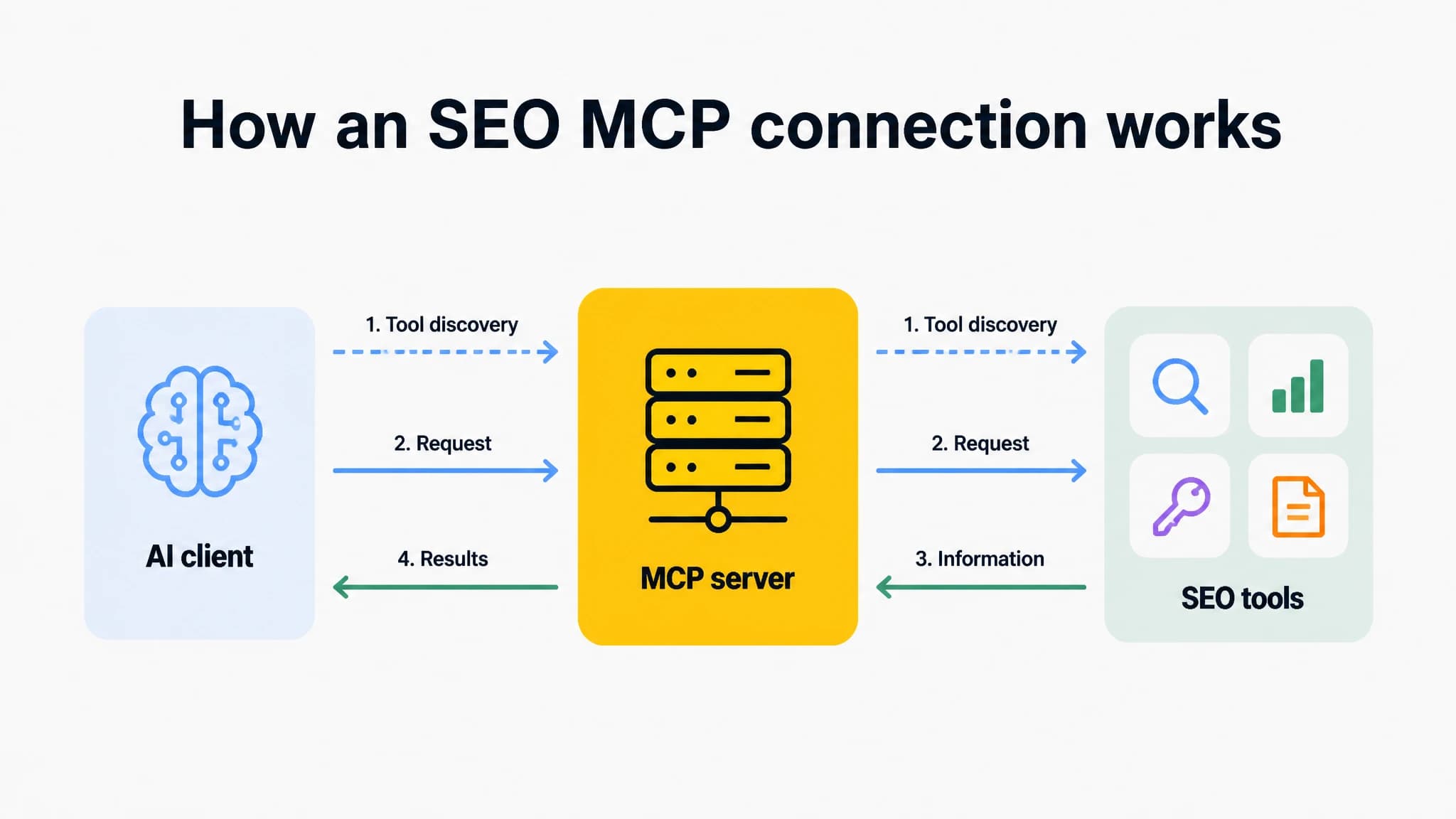
MCP provides a connection between an AI client and the tools exposed by a server.
Three kinds of SEO MCP servers
1. SEO data and research providers
These servers connect an assistant to SEO research data. Depending on the provider and its tools, the assistant may be able to look up keyword ideas, examine search metrics, or investigate competing pages. Treat the returned numbers as inputs for decisions, not automatic proof that a topic is worth targeting. Check definitions, freshness, location, and any available data limits.
A useful workflow is to ask for a small set of candidate queries, then have the assistant group them by likely intent and explain why each group belongs together. Review the actual search results and your site’s expertise before turning a group into an article plan.
2. Google Search Console data
A Search Console connection can help an assistant work with data from a property you authorize. For example, you might ask it to find queries with impressions but relatively few clicks, compare performance over a specified date range, or identify pages that appear to serve overlapping queries.
Be precise in your request: name the property, date range, page or query scope, and the comparison you want. Check that the server is authorized for the correct property, and verify the assistant’s interpretation against the source data before changing titles or content. Search Console can show how a site performs in Google Search; it does not, by itself, establish why a page performs that way.
3. Content platforms and publishing systems
Content-platform servers connect an assistant to a CMS or content workflow. Depending on available permissions, tools might read existing pages, create drafts, update fields, or publish. Those are different levels of access. A server that can create a draft is not necessarily authorized to publish it, and a tool’s name alone is not enough to establish what it changes.
Before connecting a publishing system, find out which actions are available, which account or site they affect, and whether each write action requires approval. Keep publishing separate from research and drafting unless you have a clear review process.
Example prompts and workflows
MCP is supported across a range of AI clients, but setup, available controls, and the exact connection flow vary. The examples below are task prompts, not guaranteed commands. They work best when your client is connected to an appropriate server and you name the scope and limits clearly.
Start with keyword research
In Claude, ChatGPT/Codex, Cursor, or a similar client, you could ask:
Use the connected SEO research tools to find keyword ideas for [topic] for a US audience. Group them by search intent, explain the evidence for each group, and return a shortlist with uncertainties noted. Do not create or publish content.
Then review whether the ideas match your products, audience, and site. Ask the assistant to turn only the approved shortlist into a plan, with one clear purpose for each proposed article. A keyword suggestion is a starting point, not a publishing brief.
Use Search Console to find a content opportunity
A prompt for a connected Search Console data source might be:
For [verified property], compare the last [date range] with the previous equivalent period. List pages and queries with notable changes, include the relevant metrics and date ranges, and flag possible content overlaps. Do not edit pages or draw conclusions beyond the data.
Check the property, date range, and returned metrics first. Then inspect the pages and search results yourself. If the evidence suggests a content issue, ask for possible next steps as recommendations, not automatic edits.
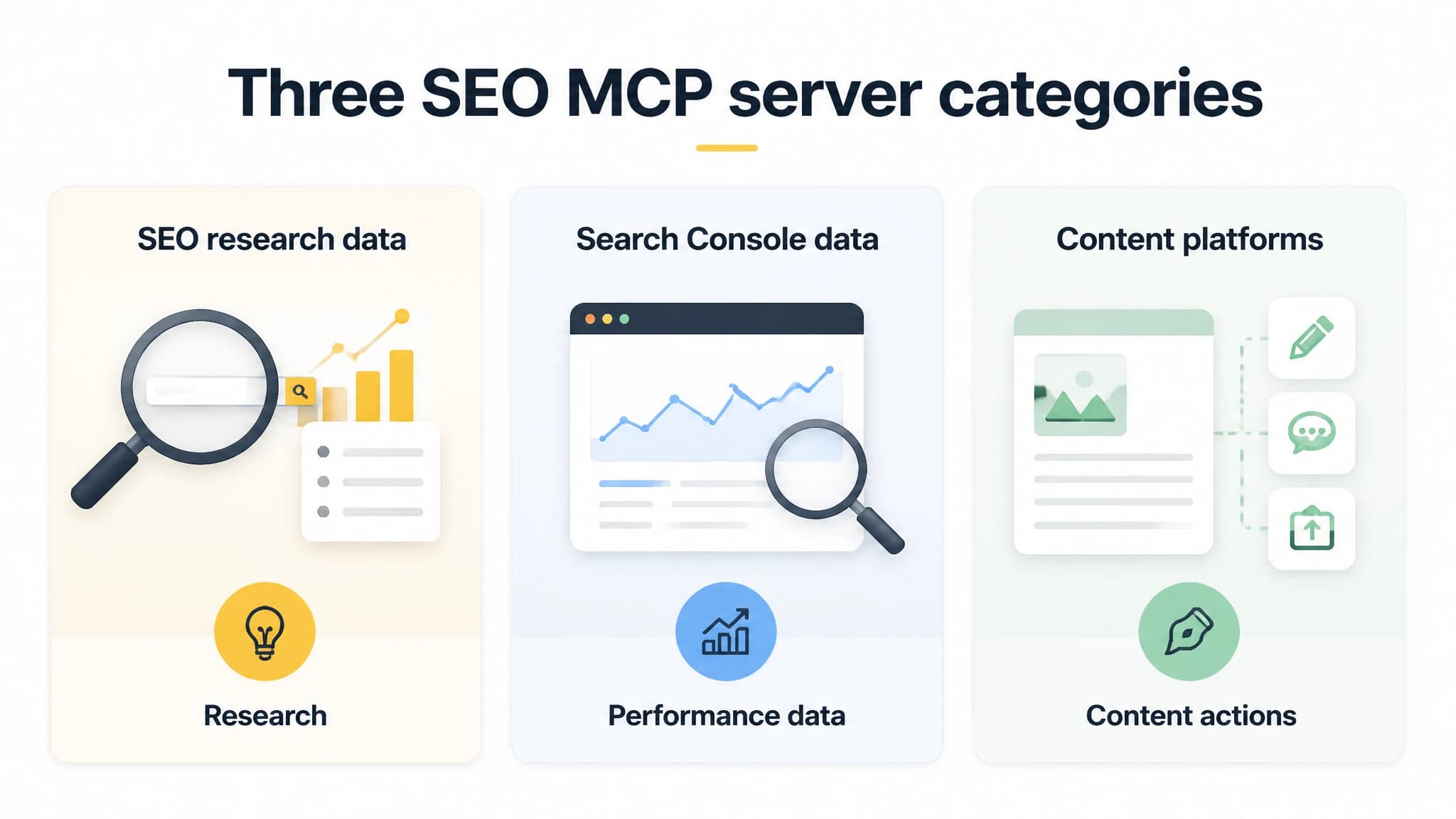
Different SEO MCP servers expose different data sources and actions.
Build a draft without handing over publication
When research and content tools are available, you can ask an agent to connect the steps while keeping the final decision with you:
Use the approved keyword group [group] to prepare a content outline for [audience]. Check connected site data if available, avoid repeating an existing page’s purpose, and list assumptions. After I approve the outline, prepare a draft. Save it as a draft only. Do not publish or change existing pages.
Review the outline before approving the draft. Then check the article’s factual claims, search intent, brand voice, internal links, title, and metadata. Make sure the draft landed in the intended site and status. A connected tool can shorten handoffs, but editorial review still matters.
In our workflow, with RankWorker, our MCP server has full feature parity with our app. From a supported AI agent, you can work across keyword research, content plans, articles, Search Console data, and publishing. That can be useful when you want to move from an approved keyword opportunity toward a prepared article without switching between separate manual steps. Read our MCP server details to understand the workflow before connecting.
Choosing an SEO MCP server
Do not choose a server simply because it says it supports MCP. Match its tools to the work you want to do, then check how much control it requires. A short evaluation can prevent confusion later:
- List the task. Decide whether you need research, Search Console analysis, drafting, CMS updates, or publishing.
- Inspect the tools. Confirm what data each tool reads and what actions it can take. Look for clearly described inputs and outputs.
- Check access and trust. Verify the server’s source, authentication method, data handling, and the account or property it can reach. OpenAI’s guidance on MCP safety and approvals is a useful reminder that connected tools can expose data or take actions, so assess them before connecting.
- Start read-only. Test with a limited research request. Compare results with the original data source before using them to guide content decisions.
- Add write actions carefully. Use drafts first, review the proposed changes, and require explicit approval for updates or publication.
Our related guide on evaluating SEO MCP tools explains why workflow coverage and human review matter as much as MCP support itself.
Safety and approval before an agent publishes
Giving an assistant access to SEO or CMS tools means considering both the connected account and the content it reads. A page, document, or other retrieved text could contain misleading instructions. Treat retrieved content as material to analyze, not as permission to reveal data, change settings, or take unrelated actions.
Use these safeguards:
- Limit permissions. Connect only the properties and actions needed for the task. Prefer read-only access while testing.
- Separate stages. Research, outline, draft, and publication are distinct decisions. Do not treat approval of one as approval of all.
- Review changes before execution. Ask the assistant to show the target, proposed content, and intended action. Confirm that the CMS status is draft if that is what you requested.
- Protect credentials. Use the client’s supported authentication method and do not paste secret keys into prompts or drafts.
- Check the final page. Before publication, verify claims, links, formatting, metadata, and destination. Afterward, confirm the published result in the CMS.
MCP approval features differ by client and server, so do not assume a confirmation prompt will catch every risky action. Set permissions so the assistant cannot take an action you would not want it to take without your review.
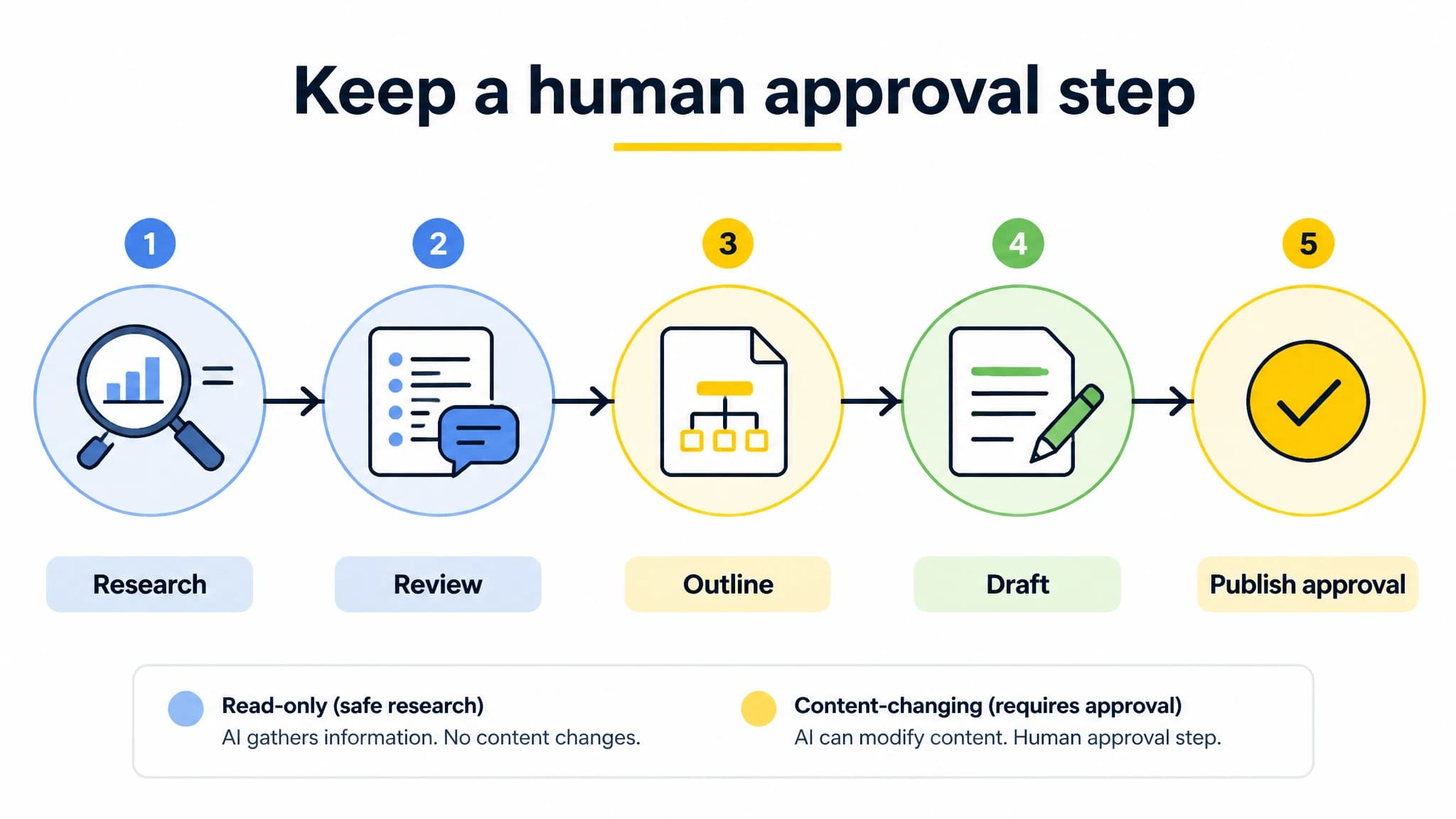
Separate research and drafting from publication, with a clear review step.
Make MCP useful without giving up editorial control
The practical value of an SEO MCP setup is not simply that an AI assistant can call tools. It is that research, planning, and content work can happen in a connected workflow while you decide what counts as a good opportunity and what is ready to publish. Start with a narrow, read-only task; verify the result; then add drafting or publishing access only when your review process is clear.
With RankWorker, our MCP server is designed to support the full content workflow from an AI agent, including keyword research, content plans, articles, Search Console data, and publishing. Choose the tools and permissions that fit your process, and keep final editorial and publication decisions in your hands.