

 Veselin Stoyanov9 min read
SEO Tools With MCP Integration: What to Check First
Choosing an SEO tool with MCP integration? Compare agent tasks, workflow coverage, and human oversight before connecting your SEO process.

An SEO tool with MCP integration can let an AI agent interact with parts of your SEO workflow through a shared protocol. But “supports MCP” does not tell you which tasks the tool exposes, whether those tasks cover your actual process, or where you should review the agent’s work.
Before connecting an AI agent, check three things: what it can do, how much of your workflow it covers, and which decisions remain under your control. MCP is the connection method, not a guarantee of SEO quality or hands-off automation. The MCP specification describes the protocol as a way for applications to connect with external tools and data sources.
What does MCP integration mean for an SEO tool?
The Model Context Protocol, or MCP, provides a standard way for an AI application to connect to external tools and data. In an SEO workflow, an MCP-compatible agent may be able to request information or actions from a connected SEO platform, depending on the capabilities that platform makes available.
That distinction matters. MCP itself does not perform keyword research, decide which topic is worth pursuing, or make an article useful. The connected platform supplies the SEO functions; the agent helps you access and coordinate them through prompts. Two tools can both support MCP and still expose very different tasks.
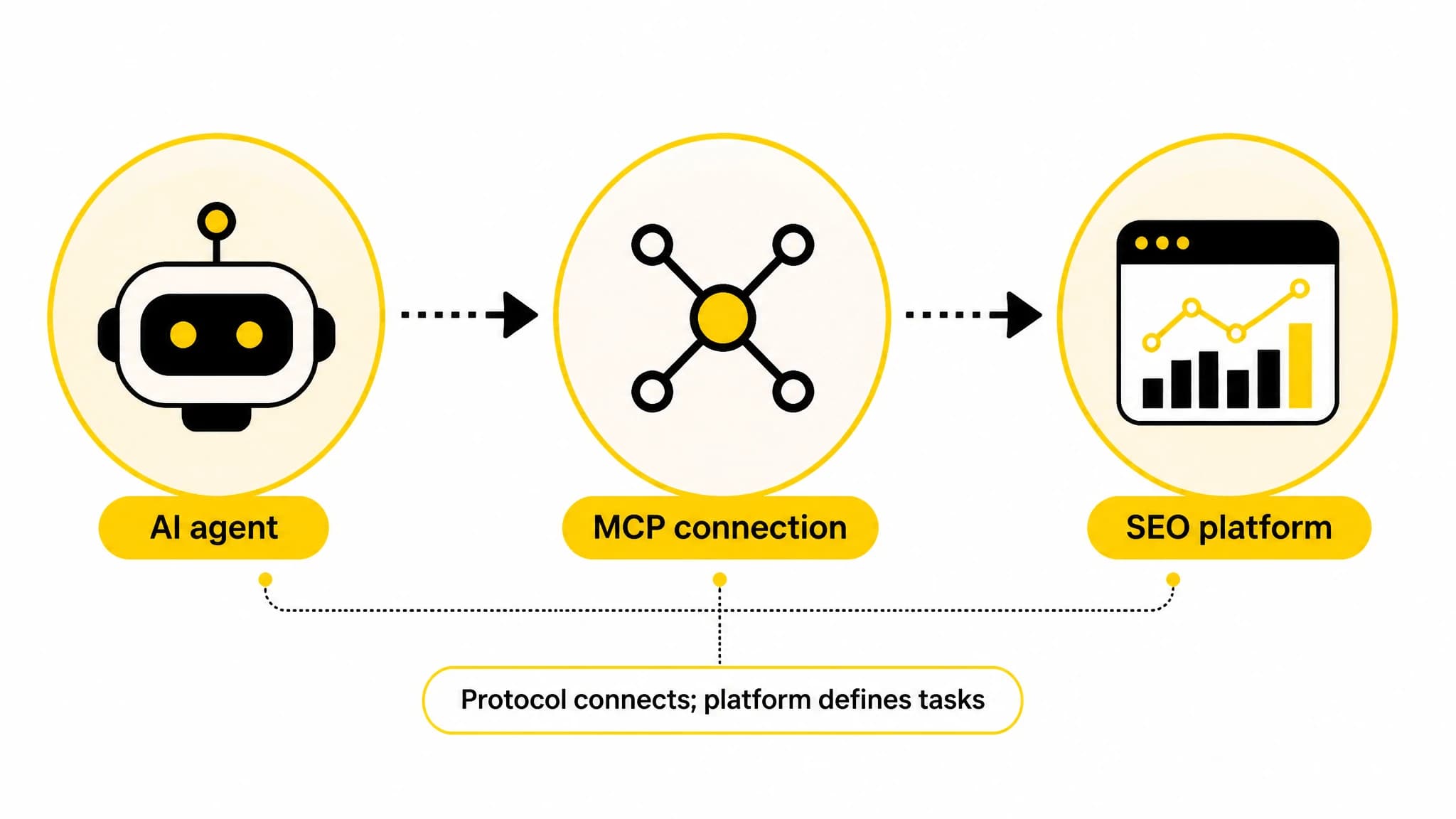
MCP connects the agent to a platform; the platform determines which SEO tasks are available.
So evaluate the actual workflow, not the label. Start by listing the work you want the agent to help with, then check whether the SEO tool supports each step.
1. Which SEO tasks can the agent actually perform?
Write down your recurring SEO tasks before looking at a tool’s integration page. For a content workflow, your list might include:
- Finding keyword opportunities and researching search terms.
- Grouping related keywords into content clusters.
- Turning selected topics into a dated content plan.
- Creating article drafts, images, and SEO metadata.
- Scheduling or publishing approved content.
Then ask which of these steps are available through the MCP connection, and which still require a separate interface or manual handoff. Ask for clear examples of the inputs the agent needs and the results it returns. If the connection only helps with one isolated task, it may be useful, but it is not an end-to-end workflow.
We built RankWorker around SEO content work, including keyword research, content opportunities, clustering, planning, article generation, images, metadata, scheduling, and publishing. Our MCP server has full feature parity, so you can use an MCP-compatible agent to work with our platform’s feature set. Review the RankWorker MCP server to assess how this fits your agent-led workflow.
2. Does the connection cover the whole content journey?
A single successful tool call is not the same as a useful content system. Map the handoffs from research to publication and look for gaps. For example, can a topic move from keyword discovery into a cluster, then into a dated plan and a draft? Can you continue to metadata and scheduling without copying the same information between tools?
A connected workflow is most useful when each step builds on the previous one. If the agent researches keywords but cannot help you organize them into a plan, you may still spend much of your time coordinating the process. If it can prepare a draft but not support the review and publishing stages you need, account for that before adopting it.
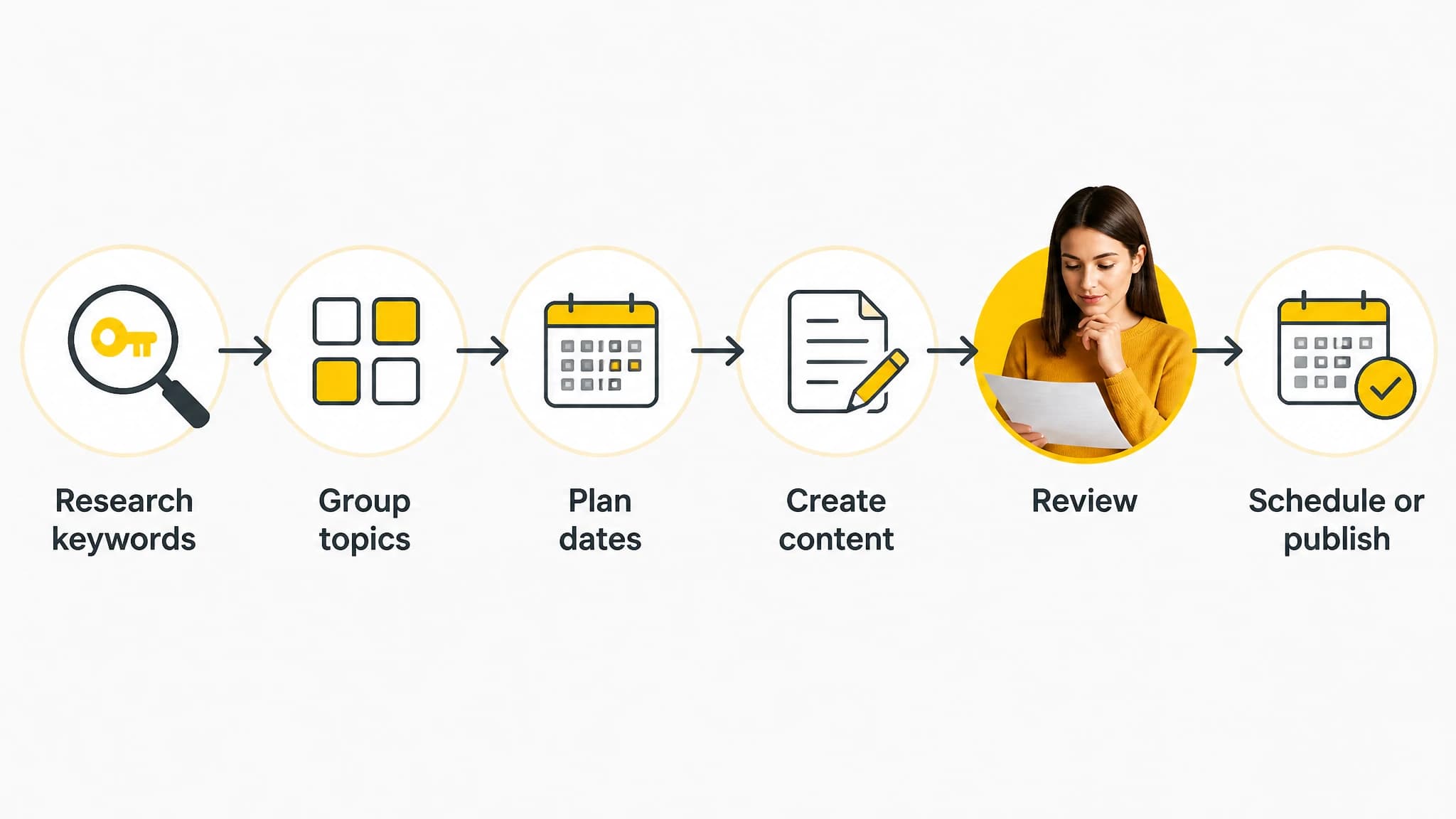
Map each stage and decide where human review belongs before automating handoffs.
When you compare platforms, evaluate the complete sequence rather than the number of MCP tools listed. Our guide to choosing AI SEO software offers a broader checklist for comparing research, planning, creation, review, and publishing capabilities.
3. What should a human review or approve?
Decide in advance which actions an agent can prepare and which require your review. A practical starting policy is to let the agent gather and organize information, then review strategic choices and publish-ready work yourself. The exact boundary depends on your team, subject matter, and comfort with automation.
For instance, you might ask an agent to suggest keyword hypotheses and group them by topic, but personally confirm that the topics match your audience and business priorities. You might ask it to create a dated content plan, then check deadlines, overlap with existing content, and available writing capacity. Before publication, review factual claims, brand fit, search intent, links, and metadata.
Treat this as an operating decision, not a feature checkbox. Ask whether the workflow makes it clear what the agent is about to do, what information it used, and how you can correct the result. The MCP specification does not certify the quality or appropriateness of a particular SEO action. For broader implementation considerations, consult the official MCP security best practices, and assess the connected product’s own documentation for details relevant to your setup.
4. Can you test the workflow with real requests?
Before you rely on an AI SEO agent, try a small, reviewable task. Keep the request specific, give it a clear output format, and check whether the result is useful enough to continue.
For example, you could ask:
Research competitor keyword opportunities for our site. Return a short list of keyword hypotheses, explain why each might fit our audience, and flag anything that needs human validation.
Then follow with a planning request:
Using the keyword hypotheses we approve, create a content plan with proposed topics and target dates over the next six weeks. Flag possible overlap and leave dates open where capacity is unclear.
These are example prompts, not guaranteed outputs. Adjust them to the information and actions available in the connected platform. Check whether the agent returns an understandable result, handles missing context sensibly, and lets you refine the work rather than starting from scratch.
With RankWorker, you can use an MCP-compatible agent to work with our SEO content workflow. A practical test is to ask it to research competitor keyword opportunities, review the resulting hypotheses, and then create a dated content plan from the topics you approve. Keep the review step explicit: the agent can help prepare the work, while you decide which opportunities deserve time.
5. Does the setup fit your team and tools?
An MCP connection is useful only if it fits the way you already work. Check whether your chosen agent supports the connection method described by the SEO platform, what setup steps are required, and whether your team can maintain the workflow. Do not assume that every agent or client supports every server in the same way; verify your specific setup before building a process around it.
Also consider the adoption cost. Someone may need to write or refine prompts, validate results, and decide how to handle exceptions. If your SEO process is still unclear, first document the steps and review points you want to keep. Automation is easier to assess once you know what “done well” means for your team.
This is especially important for smaller teams. An agent can reduce repetitive coordination, but it does not remove the need to select worthwhile topics, check content, or maintain a sensible publishing cadence. Start with a workflow you can inspect and improve.
A practical checklist before you connect an AI SEO agent
Use these questions when assessing an SEO tool with MCP integration:
- Which tasks are supported through MCP? Confirm the actual work available, not just the integration label.
- How much of the content workflow is covered? Map research, planning, creation, review, metadata, scheduling, and publishing.
- What decisions stay with a person? Specify review points for topic selection, factual accuracy, brand fit, and publication.
- Can you test a low-risk request first? Use a small task with a clear output and verify the result before expanding.
- Does the workflow fit your team? Include setup, prompting, review, and exception handling in your decision.
If your goal is to manage SEO content work from an agent without splitting the process across disconnected tasks, RankWorker is a practical option to evaluate. Our full-feature MCP server lets you work with our platform’s feature set through an MCP-compatible agent, while your team decides what to approve and publish. For a broader product overview and next step, visit RankWorker.
The right choice is not the tool with the most impressive integration label. It is the tool whose supported tasks match your real SEO workflow and whose review points keep people involved where judgment matters.