

 Veselin Stoyanov10 min read
Content Gap Analysis Software: Find Topics Worth Covering
Use content gap analysis software to find relevant missing topics, validate them against your site and audience, and prioritize your next articles.

Content gap analysis software can help you find relevant topics your website does not cover yet. The useful part is not collecting every keyword a competitor ranks for. It is finding a genuine audience need, checking whether your site already meets it, and deciding whether a new or improved page is worth the effort.
A practical process has four stages: discover candidate topics, validate them against your audience and existing pages, match them to search intent, and prioritize what to publish or improve. Competitor keywords are clues, not assignments.
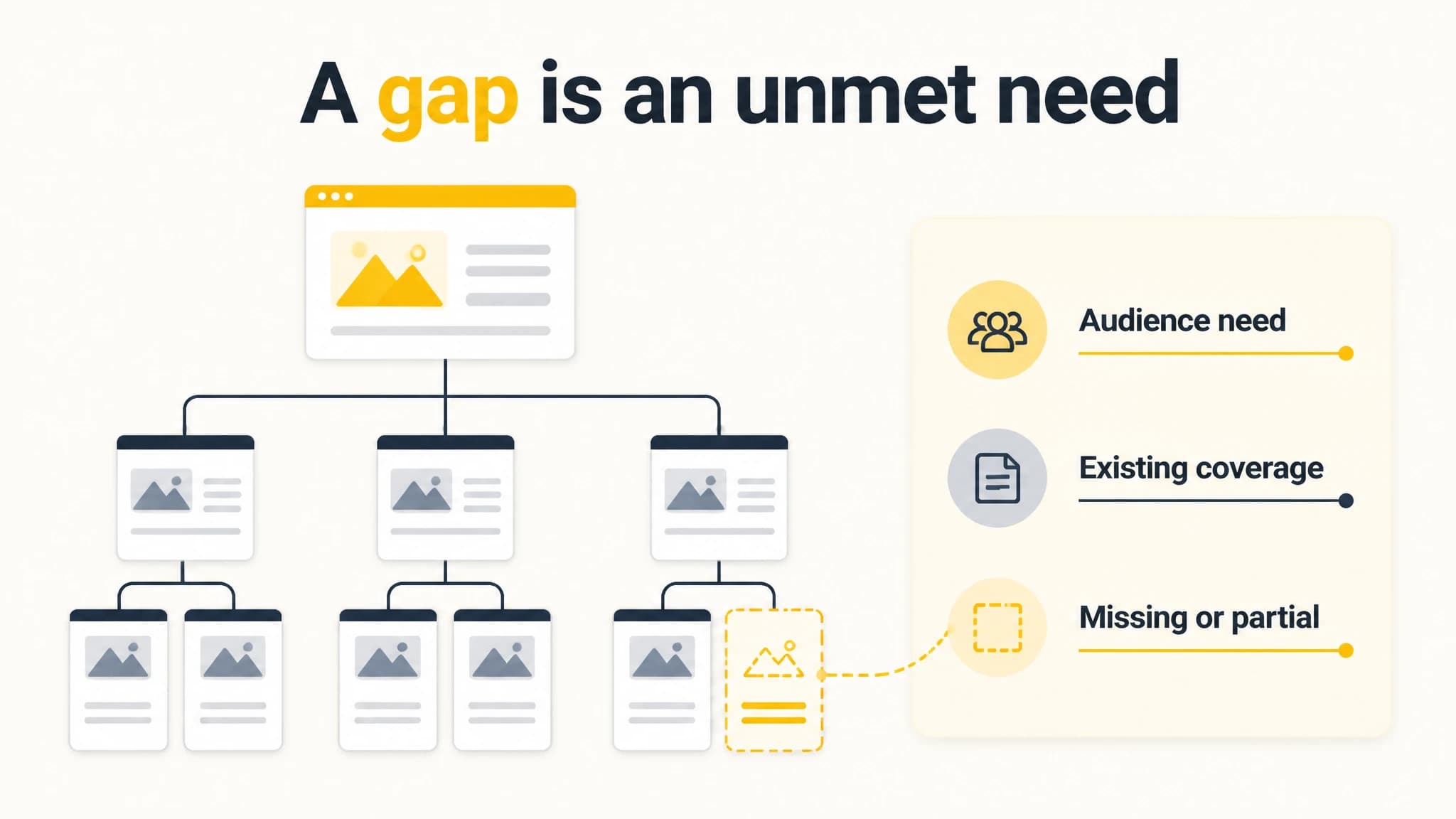
A useful gap is defined by the audience need, not just a missing keyword.
What content gap analysis software should help you find
A content gap is a relevant subject, question, or search need that your site does not address adequately. A gap might call for a new article, but it could also mean an existing page needs a clearer answer, a missing subtopic, or a better connection to related content.
Software can make discovery faster by helping you compare competitor keywords or pages, research search opportunities, and organize related ideas. It does not know your strategy as well as you do. A competitor may rank for irrelevant terms, serve a different audience, or have pages that are not useful models for your site.
That is why content gap analysis differs from competitor traffic analysis. Traffic analysis estimates which terms and pages bring visitors to another domain. Gap analysis uses those findings as one input, then asks: Does this topic matter to our audience, and is our coverage missing something useful?
For a fuller manual process, see our guide to finding content gaps. This article focuses on using software to identify and prioritize opportunities without turning every competitor keyword into a task.
A five-step workflow for finding worthwhile gaps
1. Choose competitors by audience overlap
Start with a small set of sites that serve the same audience or solve a closely related problem. A direct business competitor can be useful, but so can a publisher or specialist site that consistently answers the same audience’s questions.
Do not choose sites just because they are large or visible. If their audience, products, or purpose differ from yours, their keyword lists may create noise. Write down why each site is a useful comparison before researching it.
2. Collect topic and page ideas
Use your software to review competitor ranking keywords, visible pages, or topic opportunities. Look for patterns rather than treating every phrase as a separate content assignment. Several queries may reflect one underlying need, while one broad phrase may conceal several different intents.
Capture a short list with the topic, the source, the likely audience need, and the page or keyword that prompted the idea. This makes it easier to review each suggestion rather than losing its context in a large export.
With RankWorker, our competitor research can surface domain-level organic traffic, ranking keywords, and top pages. Our keyword research and content opportunities can help turn relevant findings into candidates for a plan. The research is a starting point for your judgment, not a comprehensive backlink-gap suite or an automatic audit of your existing site.
3. Check whether your site already covers the need
Before planning a new URL, search your own site for the topic, its main concepts, and likely question variations. Review pages that appear relevant, not just titles that contain the exact keyword. A page may answer the need even if it uses different wording.
For each candidate, decide whether your current coverage is:
- Missing: No page substantially addresses the need.
- Partial: A related page exists but leaves an important question unanswered.
- Covered: A useful page already meets the need, so a duplicate would add little.
- Unclear: You need to inspect the page or search results more closely.
If coverage is partial, improving the existing page may be better than publishing another article. If two pages already target the same need, consider whether they should be consolidated or given clearer, distinct purposes. A gap tool can reveal an idea, but your site review determines what the gap actually is.
4. Validate audience fit and search intent
Ask who would search for the topic, what they are trying to accomplish, and whether your site can give them a useful answer. Then review the search results for the candidate query. Look at the kinds of pages appearing and the questions those pages address. This helps distinguish an informational need from a comparison, purchase, or navigational need.
Do not assume that a keyword’s phrasing tells you its full intent. For example, a broad “how to” query may need a step-by-step guide, while a closely related query may be asking for a tool comparison. If your planned page format does not match what searchers appear to want, reconsider the topic or the format.
Finally, check business relevance. A topic can be popular and still attract people who are unlikely to benefit from your site. Prefer ideas that connect naturally to your expertise, services, or next useful reader action. Our competitor analysis tool guide explains how to treat keyword and page data as estimates and validate findings before acting on them.
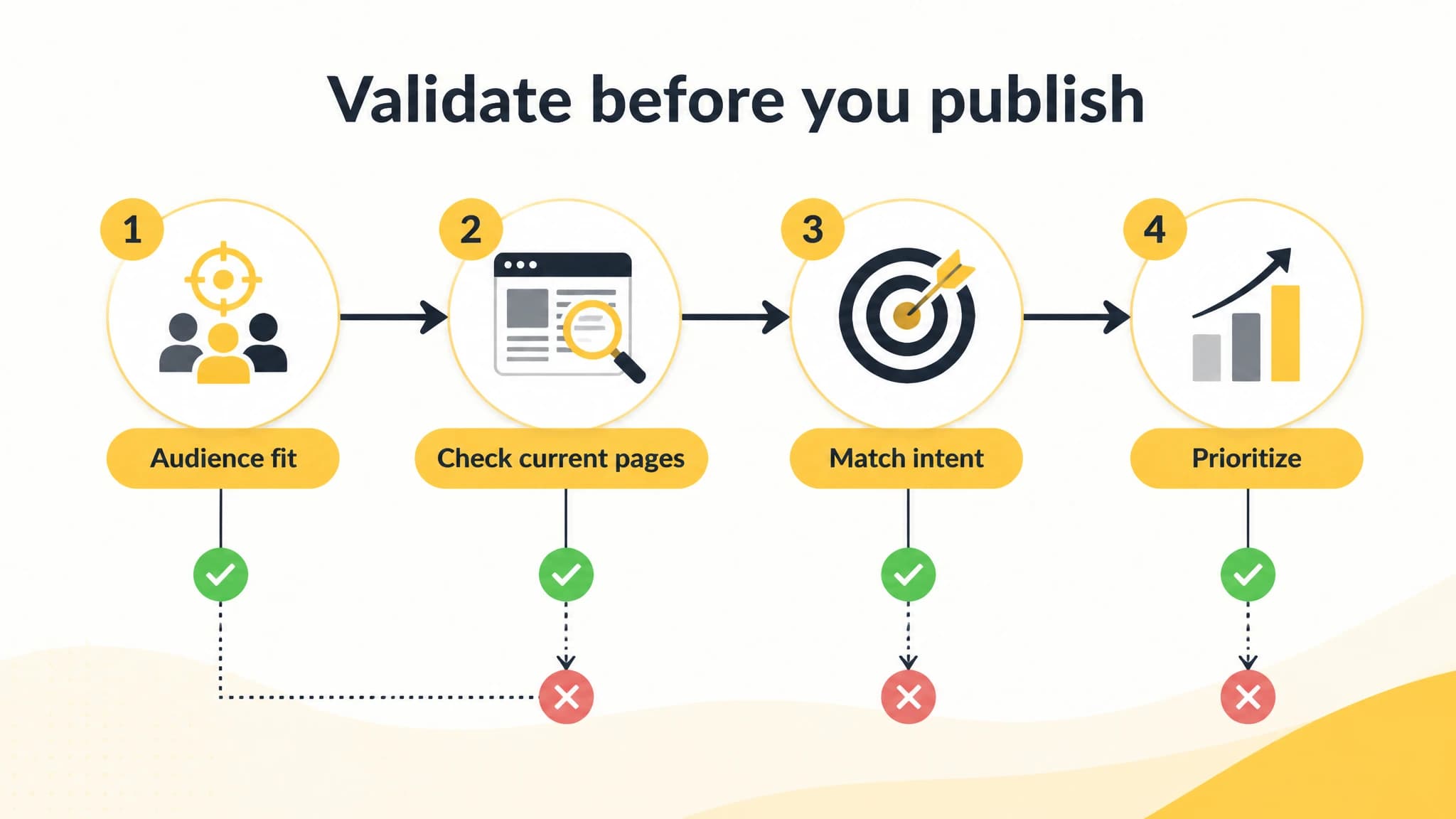
Use the same validation checks for every software-generated topic idea.
5. Prioritize the shortlist
Score each validated idea using a simple editorial checklist. You do not need a complicated formula to make the decision more consistent.
| Check | Ask |
|---|---|
| Audience fit | Does this help a person we want to reach? |
| Coverage | Is the need missing or only partially addressed? |
| Intent | Can we create a page that matches what the searcher wants? |
| Value | Is the topic meaningfully connected to our site’s purpose? |
| Effort | Can we create or improve a useful page with the resources available? |
| Timing | Is there a reason to handle this topic before other candidates? |
Prioritize topics with clear audience fit, a real coverage issue, and a page format you can deliver well. Keep uncertain ideas in a review list rather than forcing them into the next publishing cycle. This prevents a software-generated backlog from becoming a publishing obligation.
From validated gap to content plan
Once you have a shortlist, group related ideas by the audience need they serve. Choose one primary page for each distinct need, and note related questions that belong within that page. This reduces the chance of creating several thin pages that compete to answer the same question.
For each planned page, record the intended reader, the main question, the search intent, the existing pages to link from, and what will make the answer useful. Decide whether the work is a new article or a revision. Then set a realistic priority and owner or review step so that the research leads to action.
Our keyword research workflow can help organize opportunities, compare keyword details, and connect selected ideas to content planning. With RankWorker, you can review and refine content-plan ideas before moving them into article production. That is useful if research currently lives in one spreadsheet and publishing work is managed somewhere else, but it does not remove the need to check relevance and existing coverage.
Common mistakes to avoid
Copying a competitor’s full keyword list. A ranking does not prove that a topic fits your audience or deserves a page on your site. Filter for relevance before prioritizing.
Treating estimated traffic as guaranteed demand. Tool figures are directional research inputs, not a promise of visits. Use them alongside audience knowledge, search-result review, and your business goals.
Creating a new page for every variation. Similar phrases may represent one need. Group them, inspect your current pages, and choose a clear primary page where appropriate.
Ignoring existing content. A partial page may be the best place to close the gap. Review and improve it before adding a competing URL.
Prioritizing only by volume. A smaller, more relevant topic may be a better editorial choice than a broad phrase that attracts the wrong readers.
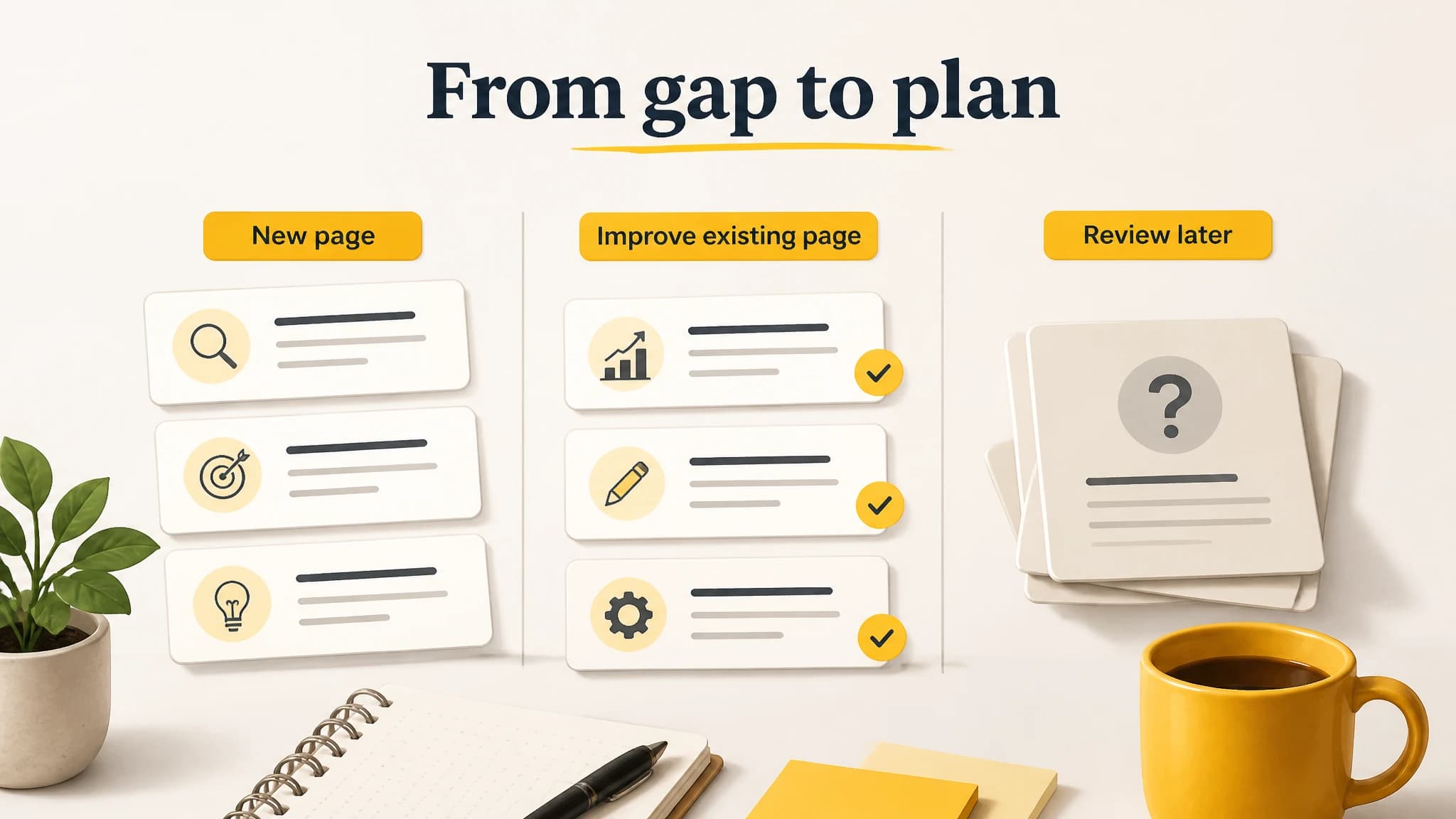
Turn only validated opportunities into publishing work.
When is content gap analysis software a good fit?
It is most useful when you have a defined audience and site purpose, but need a repeatable way to discover candidate topics and keep research connected to planning. It can save time assembling competitor and keyword clues, especially when you review multiple domains or manage a steady publishing workflow.
It is less helpful when you expect the software to decide your strategy, confirm every opportunity automatically, or replace a review of your own pages. Keep a human validation step. The best system makes discovery and organization easier while leaving editorial decisions with the people who understand the audience.
With RankWorker, our workflow is a practical fit for founders and teams who want competitor and keyword findings to feed into content opportunities and article planning, while keeping review in their hands. If you want to try that workflow, start a free trial and use it to build a small, validated shortlist before expanding your process.