

 Veselin Stoyanov9 min read
How to Publish Blog Posts Automatically: A Setup and Quality Checklist
Learn how to set up automatic blog publishing, from destination and metadata to scheduling and final quality checks. Build a workflow you can trust.

Automatic blog publishing works best when you automate the handoffs, not the judgment. Set up a destination, prepare and review each post, verify its SEO details, then schedule or publish it through a workflow you have tested. This guide walks through those steps and gives you a first-article checklist you can reuse.
The goal is to reduce repetitive work without sending unfinished or incorrectly formatted content to your website. Publishing automation can move a post from planning toward publication, but integration setup and editorial checks still matter.
What automatic blog publishing should handle
A useful automated blog workflow connects several stages: choosing a topic, creating a draft, preparing metadata, reviewing the content, selecting a publishing destination, and scheduling or publishing the finished post. The exact steps vary by platform and integration, so check which fields and actions your destination supports before relying on automation.
Keep a person responsible for approving the article. Automation can help prepare and move content along; it cannot decide whether a claim is accurate, whether the post answers the reader’s question, or whether your organization is ready to publish it.
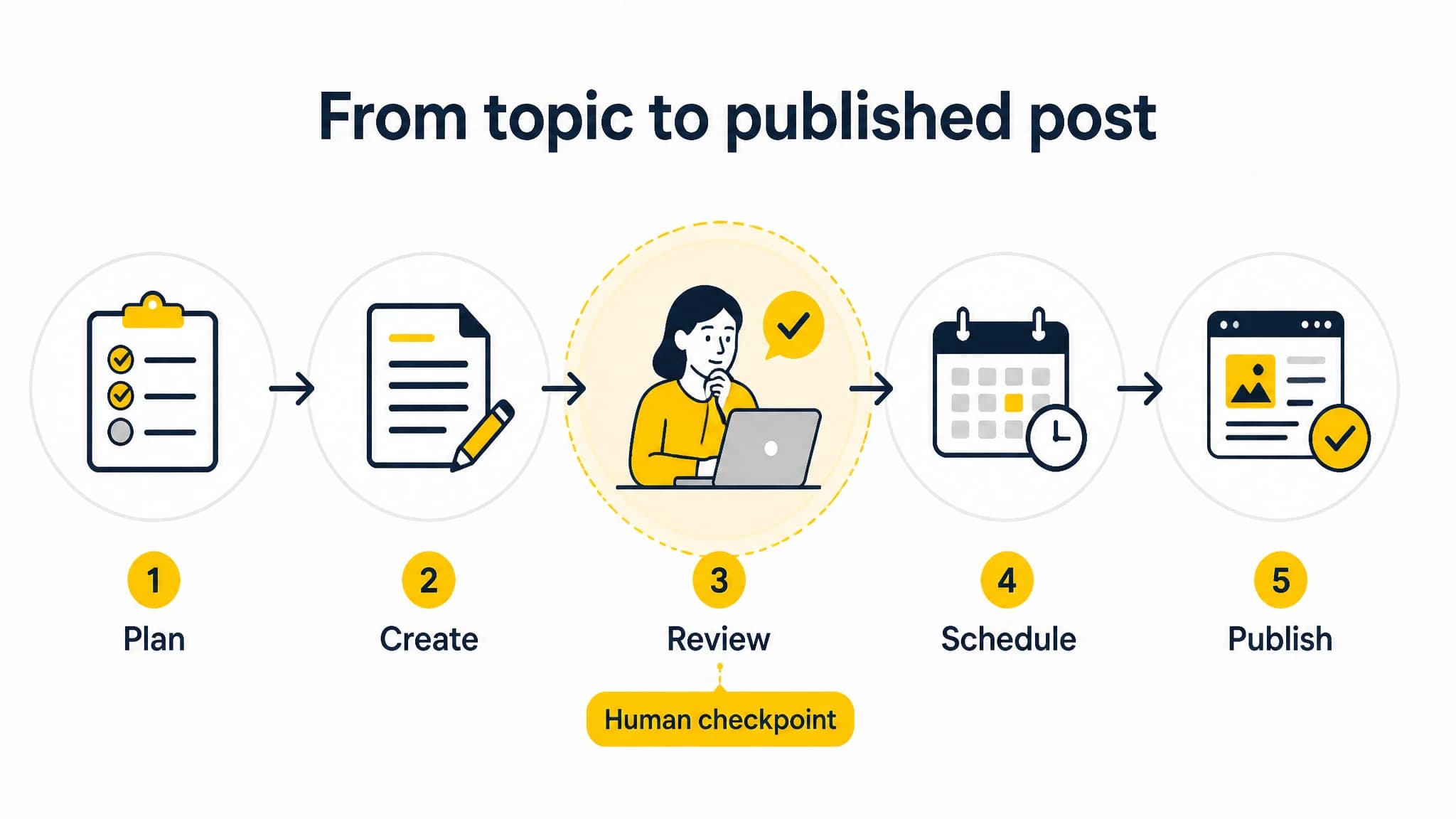
A dependable publishing workflow connects automation with a deliberate review step.
Step 1: Choose and connect your publishing destination
Start by deciding where the post should appear. This might be a WordPress site, a Next.js website, or another destination connected through an API or webhook. Confirm that you have the access and setup details required by the chosen integration, and check how it handles drafts, scheduling, and published content.
Before connecting a destination, answer these questions:
- Which site and content type should receive the post?
- What access or configuration does the integration require?
- Can the workflow send a draft for review, or only publish or schedule it?
- Which fields, such as title, body, images, or metadata, are supported?
- How will you confirm that a post arrived correctly?
Do not assume that every destination supports the same fields or publishing states. Test the connection with a low-risk draft, and verify the result on the website before you schedule a real article.
With RankWorker, we support publishing workflows that include WordPress, Next.js, Direct API, and webhooks. The right setup depends on your website and the integration you choose. If your site runs on WordPress, our guide to automating WordPress posts covers that platform-specific workflow.
Step 2: Prepare the post before it enters the publishing queue
Automatic publication is only as dependable as the content handed to it. Establish the required inputs before you create a draft: the target reader, search intent, primary topic, outline, and any facts or sources that need checking. A clear brief gives a writer or content system a better chance of producing a useful article.
Then review the draft for:
- Reader fit: Does it answer the question that brought someone to the page?
- Accuracy: Are factual claims supported and current where necessary?
- Clarity: Are the main points easy to scan and understand?
- Original value: Does it offer useful explanation, steps, or examples?
- Completeness: Are important sections, links, and calls to action present?
Treat approval as a real step, not a box that gets checked automatically. If a post requires subject-matter expertise, legal review, or a careful brand check, assign that review before scheduling.
Step 3: Check SEO metadata and page details
Before a post is scheduled, verify the information that helps readers and search engines understand the page. At minimum, check the SEO title, meta description, URL slug, and page heading. Confirm that each reflects the article accurately rather than merely repeating a keyword.
Use this quick metadata check:
- SEO title: Is it clear, specific, and aligned with the article?
- Meta description: Does it summarize the value of the page without promising something the article does not deliver?
- Slug: Is it short, readable, and relevant to the topic?
- Heading structure: Does the main heading describe the page, with subheadings organized logically?
- Images: Are the selected images relevant and ready for the destination?
Check how your integration transfers these fields. If the destination does not receive a metadata field automatically, add or verify it directly in the website’s publishing process. Do not assume a successful content transfer means every SEO detail came along with it.
Step 4: Set a schedule and define the publishing state
Choose a publication date and time that fit your editorial plan. Make sure the intended state is clear: save as a draft for another review, schedule for later, or publish now. These are different outcomes, and your process should not treat them as interchangeable.
Create a simple rule for exceptions. For example, decide who can pause a scheduled post if a fact changes, an approval is missing, or the destination connection fails. Keep a record of the planned date, responsible reviewer, and publishing state so another person can understand what should happen next.
An automated workflow is especially useful when you publish regularly and want fewer manual handoffs. RankWorker supports content planning, article creation, SEO metadata, scheduling, and automated publishing through supported destinations. With RankWorker, we connect those steps into a repeatable process while you retain the editorial checks that fit your team. For a broader view of recurring workflows, read our guide to building a blog automation system.
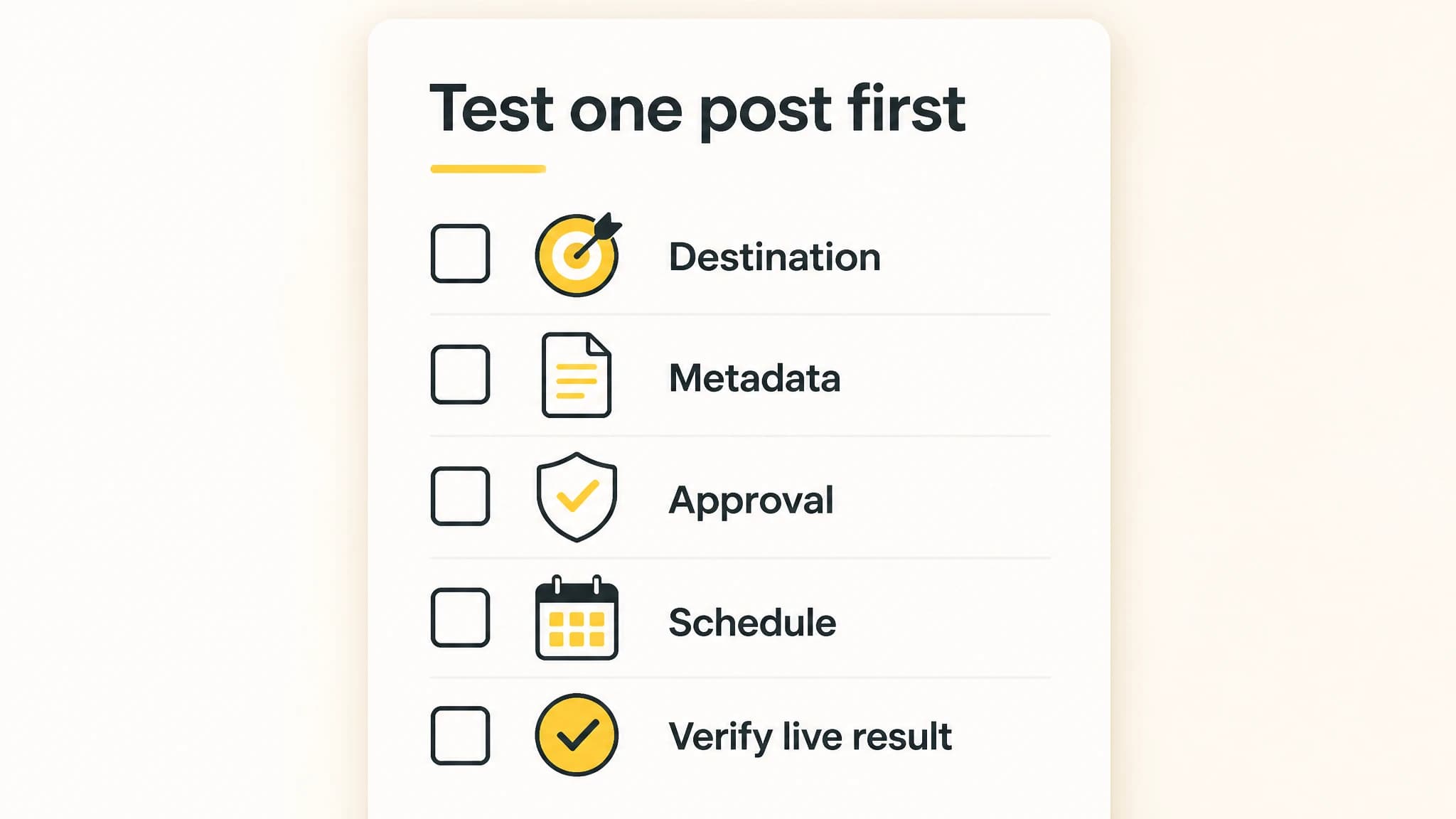
Verify the destination and post details before scaling the workflow.
Step 5: Run a first-article test before scaling
Do not start by putting a large queue of posts on autopilot. Test one article from preparation to publication, then inspect the result on the live site or in the intended draft state. Confirm the content, formatting, links, images, metadata, and timing before you expand the workflow.
First-article setup checklist
- The correct website and content destination are connected.
- You confirmed which content fields and publishing states the integration supports.
- The article answers its intended reader question and has passed human review.
- The title, meta description, slug, headings, and images are checked.
- The post is set to the intended state: draft, scheduled, or published.
- A responsible person knows how to pause or correct a post.
- You inspected the result in the destination after the test transfer.
If the post fails any check, fix the process before adding more articles. A small test helps reveal mismatched fields or unclear responsibilities while there is only one article to correct.
Step 6: Monitor the workflow after publication
Automation does not remove the need to check whether the process worked. After the first few posts, look for recurring problems: missing metadata, formatting that changes during transfer, images that do not appear as expected, or unclear approval ownership. Update your checklist when you find a gap.
Also review the article itself after it is published. Confirm that the correct version is live, the page works as intended, and the content still meets your editorial standards. If your publishing process includes more than one destination, test each destination separately rather than assuming one successful setup applies to all.
A useful way to evaluate software is to compare the full handoff, not just whether it can send a post to a website. Our checklist for comparing publishing software can help you assess destination fit, metadata, scheduling, and review needs.
A practical way to start
If you publish occasionally, begin with a checklist and automate only the handoffs that save time without weakening review. If you publish regularly, define a repeatable path from topic selection through approval and scheduling, then test it with one article before scaling. In either case, keep a person accountable for accuracy and final readiness.
RankWorker is a practical fit for founders and teams who want to organize SEO content planning, creation, scheduling, and publishing in one workflow through a supported destination. Your next step is to choose one upcoming article, confirm the integration requirements, and use the first-article checklist to test the full process.