

 Veselin Stoyanov10 min read
Markdown Blog Publishing Tools: How to Choose a Workflow for Custom Websites
Choose a Markdown blog publishing tool for your custom site. Compare handoff, formatting, SEO checks, and publishing workflows before you connect your first article.

Publishing Markdown to a custom website is not just a matter of exporting a file. You need a dependable handoff from article creation to your site's content system, plus checks to make sure the website renders the content, links, metadata, and images as intended.
The best Markdown blog publishing tool is one that fits your site's existing architecture and makes each handoff easy to review. Before choosing, confirm what the tool delivers, what your site needs to receive, who checks the result, and how the final page is published. The tool can prepare or deliver content, but your website's renderer still determines how that content appears to readers.
What a Markdown publishing workflow needs to handle
Markdown is a plain-text format for writing structured content. A publishing workflow takes content in that format and moves it to a website, where a content system or application turns it into a page. Depending on your setup, the handoff may involve a file, an API, a CMS, or another supported connection.
A useful workflow accounts for more than the article body:
- Content: title, headings, paragraphs, lists, links, and any supported formatting.
- SEO details: page title, meta description, slug, and other fields your site uses.
- Media: image files or references, alt text, and placement.
- Review state: whether the article is a draft, ready for approval, scheduled, or published.
- Destination behavior: how the site handles incoming content and renders the final page.
Not every tool handles every item in the same way. Make a short list of what your website expects before comparing tools. If you are evaluating broader publishing capabilities, our guide to automatic blog publishing features offers a related comparison checklist.
Choose a workflow that matches your website
Start with the website, not the tool. Identify where your content lives today and how a new article becomes a live page. A custom site might store Markdown files in a repository, use a headless CMS, or receive content through an API. Each approach creates different responsibilities for formatting, review, and publishing.
File-based publishing
A file-based workflow can suit a site that already reads Markdown files from a known location. It may be a straightforward option when the team is comfortable reviewing files and following the site's established deployment process. Check how files are named, where metadata belongs, and how images are referenced before automating the handoff.
The trade-off is that a file can be correct as Markdown but still fail the site's expectations. For example, a missing required field or an unexpected image path may prevent a page from appearing correctly. Agree on a file convention and validate a sample before relying on a repeated process.
CMS or API handoff
A CMS or API-based workflow can make sense when your site already manages content through a structured system. Before selecting a tool, verify the connection it supports and the fields your site can receive. Do not assume that two systems use the same names or rules for titles, slugs, publication status, images, or SEO metadata.
Keep the responsibilities clear: the publishing tool prepares or delivers content through its supported workflow; your CMS or application receives it; and your website's renderer controls the final presentation. This distinction helps you troubleshoot the right part of the system when something looks wrong.
Custom Next.js sites
For a Next.js site, consider how your current blog routes, content source, and metadata handling work together. If you are still shaping the site's structure, our guide to launching a Next.js blog can help you think through the site-side setup. If the site is already live, avoid changing its rendering architecture just to adopt a content workflow unless there is a separate reason to do so.
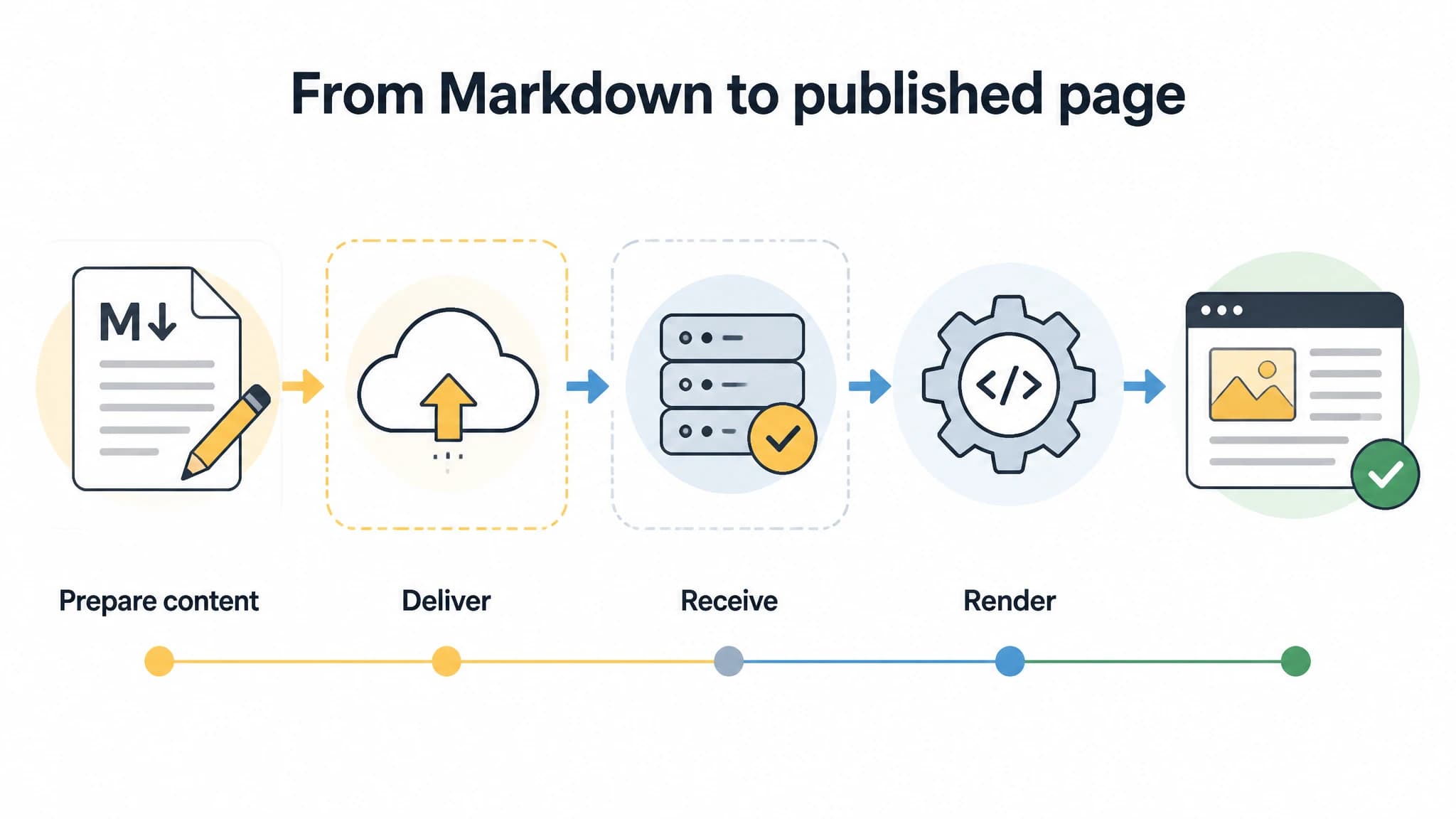
Separate content delivery from the website's rendering responsibilities.
Evaluate the handoff, not just the editor
A Markdown editor can make writing comfortable, but the more important question is whether the handoff preserves what the site needs. Ask prospective tools and your own development team to walk through one sample article from creation to rendered page.
Check these points:
- What is delivered? Confirm whether the workflow sends Markdown, structured fields, files, or another supported output. Do not infer a format from the word “Markdown” alone.
- How are fields mapped? Compare the content's title, slug, metadata, status, and image information with the fields your site expects.
- Where does review happen? Decide who checks the draft and whether it should reach the site as a draft or move further through your process.
- What triggers publication? Establish whether publication is a separate action in your site, a scheduled step, or part of a supported delivery workflow.
- How do you detect errors? Decide how someone will notice missing fields, broken links, rendering differences, or an unexpected publication state.
A good workflow makes these answers visible rather than leaving them buried in an informal handoff. RankWorker can be a strong fit for custom-site owners who want SEO article production connected to Markdown delivery through supported Direct API or Next.js workflows. Our role is to help with the content workflow and supported delivery; your site's renderer remains responsible for how content appears. For a broader setup checklist, see how to publish blog posts automatically.
Run formatting checks before the first publish
Markdown is readable as plain text, but small differences in supported syntax can produce a different result on a website. Your renderer may support some Markdown extensions and not others. Test the content in the actual destination rather than relying only on how it looks in an editor.
Use this practical review sequence:
- Headings: Check that heading levels follow a logical order and that the page has one clear main title.
- Links: Open internal and external links, and confirm that link text explains what the reader will find.
- Lists and emphasis: Look for broken list indentation, stray formatting characters, or emphasis that renders inconsistently.
- Images: Confirm that each image loads, appears in the intended location, and has useful alternative text where appropriate.
- Metadata: Review the page title, description, slug, and any other SEO fields supported by your site.
- Rendered page: Preview the page at the destination and check the mobile layout as well as desktop.
- Publication state: Verify that the article has the intended status and is visible only when you expect it to be.
If you use front matter or another metadata convention, document the fields your site requires and keep the convention consistent. Do not add fields just because they appear in an example from a different tool or framework.
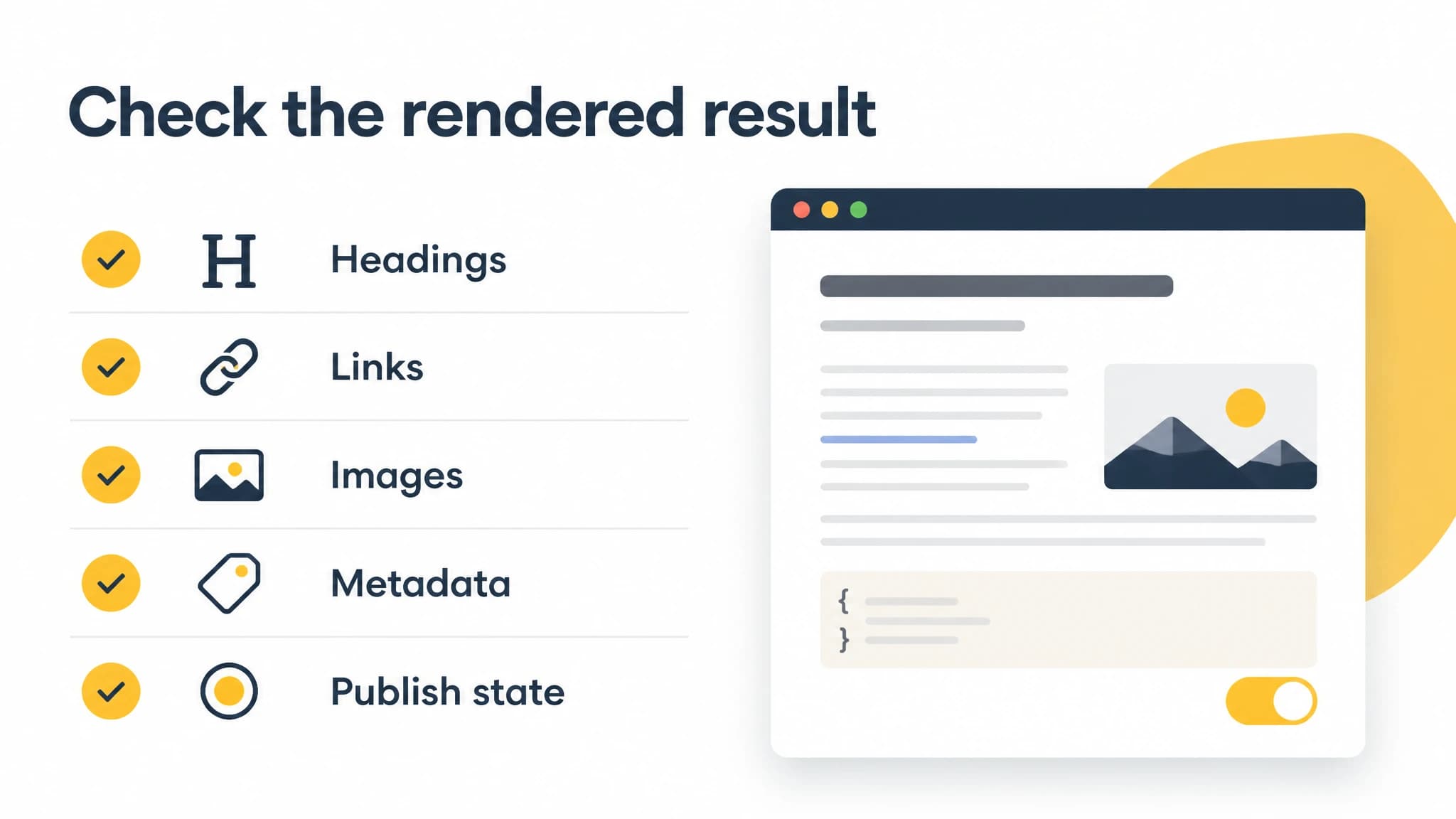
Use the same checks for the source content and the rendered page.
A first-article integration checklist
Treat your first article as a test, not as proof that every future edge case is covered. Start with a representative post that contains the kinds of headings, links, metadata, and images you expect to publish. Then move through the workflow with the people who will own it.
Before delivery
- Confirm the destination and the supported connection you intend to use.
- Agree on the required article fields, naming conventions, and review owner.
- Check which Markdown syntax and image handling your website supports.
- Decide whether the first article should be delivered as a draft or prepared for publication.
During the handoff
- Confirm that the article reaches the expected destination.
- Compare the received title, body, metadata, and media references with the source.
- Check that the content remains reviewable before it goes live.
- Record any manual steps that the workflow does not handle.
Before publication
- Preview the rendered page on your actual site.
- Check headings, links, images, metadata, and mobile presentation.
- Confirm the URL and publication state.
- Note what failed or needed correction, then update your process before repeating it.
With RankWorker, the content workflow can include keyword planning, article generation, SEO metadata, scheduling, and supported delivery options such as Direct API and Next.js workflows. The right fit is a custom-site owner who wants to connect SEO content production to a publishing process without assuming the tool replaces the site's renderer or every site-specific review step.
Common mistakes to avoid
Choosing by export format alone. A Markdown file is useful only if your site can accept and render it as intended. Confirm the entire path, including metadata and media.
Assuming delivery means publication. Delivery to a site or content system is not necessarily the same as a live page. Make the publication trigger and review responsibility explicit.
Skipping the rendered-page check. The source can look clean while the final page has a broken image, unexpected formatting, or incorrect metadata. Preview the actual destination.
Automating before agreeing on conventions. If people use different field names or status expectations, automation can make the inconsistency happen faster. Document a simple standard first.
Trying to eliminate every human check. A repeatable workflow can reduce manual handling, but someone should still own content quality and verify the result, especially when the site or its conventions change.
How to choose your tool
Choose a Markdown blog publishing tool by scoring it against your real workflow, not a generic feature list. First, confirm that it supports a delivery path compatible with your site. Then check whether it preserves the article information you need, supports a useful review process, and makes the final result easy to verify.
A manual file-based process may be enough for occasional posts and a simple site. A connected content workflow is more relevant when you regularly plan and produce SEO articles and want to reduce repeated handoffs. RankWorker is worth considering when you want article production and SEO workflow capabilities connected to supported Markdown delivery for a custom site, including relevant Direct API or Next.js workflows. Your site's rendering and any site-specific checks remain part of the setup.
If you are unsure whether the connection fits, do not migrate your whole process at once. Test one article, check the handoff and rendered result, and decide whether the time saved is worth adopting the workflow. That gives you concrete evidence from your own site without committing to an untested publishing process.