

 Veselin Stoyanov9 min read
Best SEO Tools for Managing Multiple Websites
Compare SEO tools for multiple websites by organization, research, content, publishing, and access. Use this checklist to choose a practical stack.

Best SEO Tools for Managing Multiple Websites
The best SEO tool for multiple websites is the one that keeps each site’s work distinct while making repeatable tasks easier. Before choosing, check how a platform organizes sites, plans keywords, supports content production, connects to publishing destinations, manages access, and helps your team reuse a reliable process.
There may not be one tool that does all of this well. Many businesses use a combination: a search performance tool for measurement, an SEO suite for research and technical monitoring, and a content workflow tool for planning and publishing. Choose based on the work you need to coordinate, not the length of a feature list.
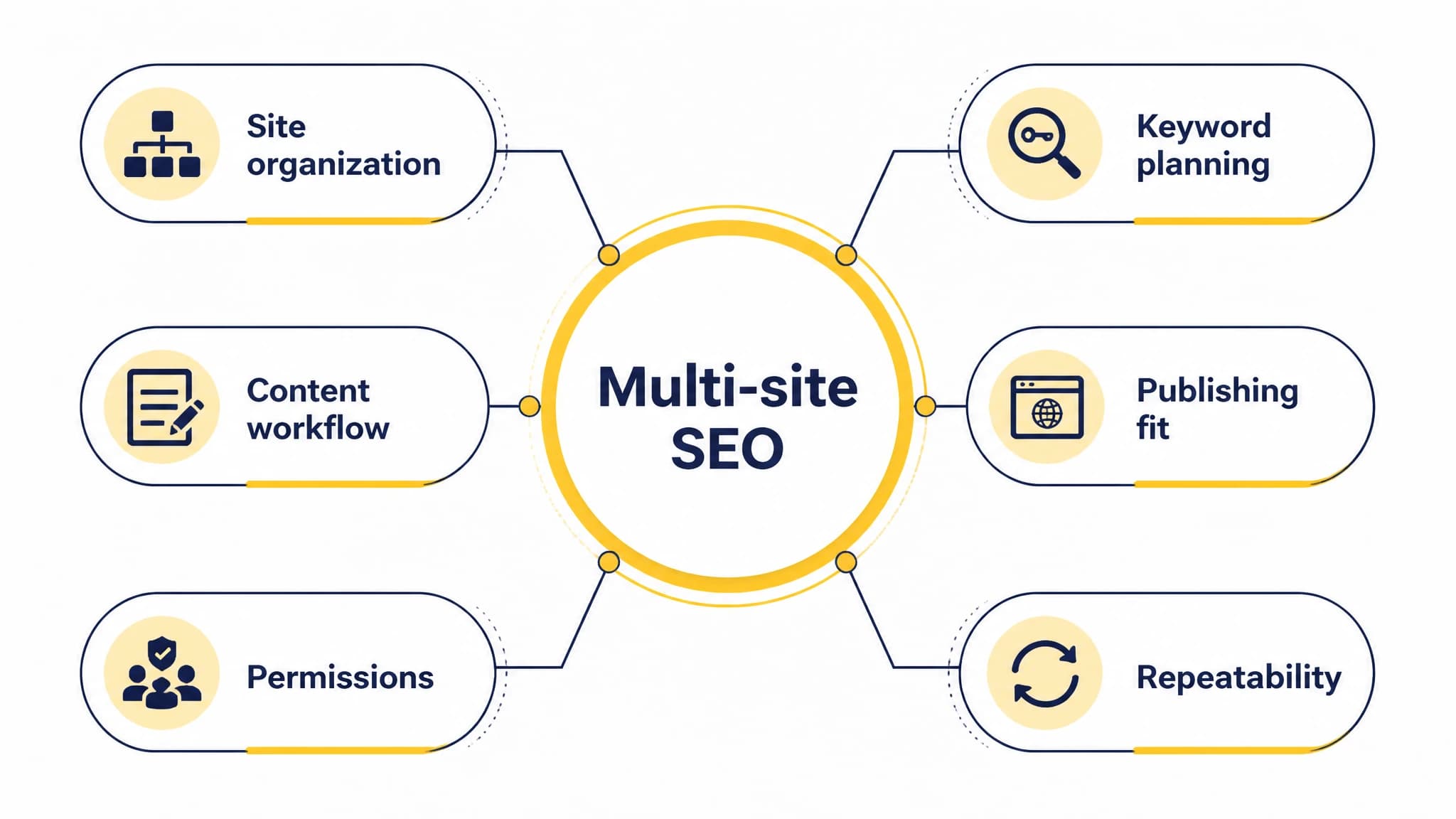
Evaluate organization, planning, production, destinations, access, and repeatability.
What to look for in a multi-site SEO tool
Start by listing the websites, people, and recurring tasks you need to manage. A solo founder with three related websites has different needs from an agency serving clients with separate teams and approval processes.
1. Clear organization for every website
Look for a way to distinguish sites, brands, or clients so that keywords, content plans, reports, and tasks do not get mixed together. Ideally, it should be easy to see which website an item belongs to and to move between workspaces without losing context.
Ask how the tool counts a site. Some platforms limit the number of monitored websites or projects according to plan. For example, Semrush describes website monitoring limits that vary by subscription, so check current capacity against the number of sites you actually need to monitor. (Semrush website monitoring limits)
2. Keyword planning that respects each site’s audience
A multi-site workflow should not turn every website into one shared keyword list. Each domain needs its own audience, services or products, search intent, and content priorities. Check whether you can group keyword opportunities by site and connect each target to a relevant page or planned article.
For a practical test, select a sample topic for each website. Can a teammate tell which site should cover it, what search need it addresses, and whether a similar page already exists? If not, the research may be centralized, but the decision-making still needs a clearer structure.
3. Content production and review
If content is part of your SEO program, assess the steps between finding a topic and publishing a useful page. The workflow may include topic selection, briefs, drafts, review, images, metadata, scheduling, and publishing. Decide which steps should be automated and which need human review.
This is where SEO content workflow software can reduce repetitive handoffs. We built RankWorker to support keyword planning and research, content opportunities, clustering, content planning, article generation, images, metadata, scheduling, and automated publishing. Those capabilities can help keep a content process moving; confirm that the workflow and destination setup fit your specific websites rather than assuming the product provides a dedicated multi-site workspace or permissions model.
4. Publishing destinations and site fit
A tool’s publishing options matter only if they match your actual sites. Confirm which destinations it supports, how content is transferred or published, and what configuration is needed for each website. If you manage WordPress sites, test the workflow on a representative site before rolling it out more widely.
RankWorker supports WordPress, Next.js, Direct API, and webhooks, alongside publishing-related capabilities such as IndexNow. The right setup depends on your site architecture and publishing process. For a deeper operational checklist, see our guide to managing multiple WordPress sites.
5. Access, permissions, and approvals
When multiple people work across multiple sites, access control becomes part of your SEO process. Find out whether the tool lets you separate client or brand data, assign appropriate roles, and define who can approve or publish. Do not assume that a tool’s shared workspace automatically provides the level of separation your organization requires.
Ask the vendor to show how access works in the plan you are considering. Check whether permissions apply at the account, workspace, site, or content-item level. If the platform cannot provide the separation you need, document a process for controlling access elsewhere.
6. Repeatability without careless duplication
Templates, checklists, and recurring schedules can help teams maintain a consistent process. But consistency should apply to the workflow, not make every site’s content interchangeable. Each article still needs to reflect the website’s audience, expertise, and purpose.
A useful repeatable process might include the same review stages for every site while using separate briefs, keyword groups, and editorial decisions. Our article on SEO automation software explains how to think about automating recurring SEO tasks without treating automation as a substitute for judgment.
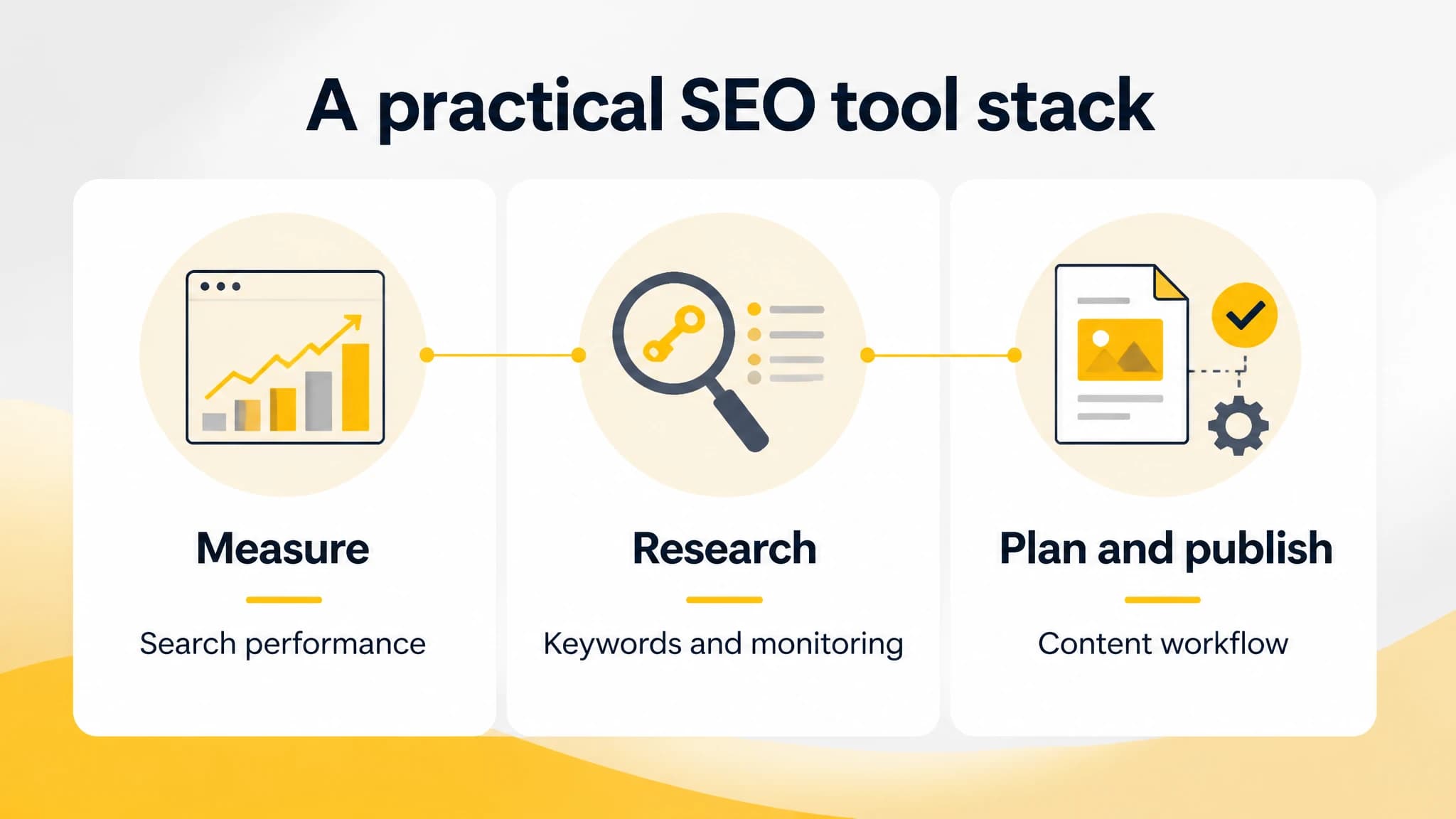
A practical tool stack can combine measurement, research, and content operations.
A practical SEO tool stack for multiple websites
Rather than searching for a single all-purpose platform, organize your needs into three jobs:
- Measure search performance. Use a search performance resource for clicks, impressions, queries, indexing, and site issues. Google Search Console provides reports and tools for understanding search traffic, inspecting URLs, and submitting sitemaps. (Google Search Console)
- Research and monitor. Consider an SEO suite if you need keyword research, rank tracking, backlink research, competitor analysis, or technical audits across sites. Compare site limits and reporting needs before deciding which plan fits.
- Plan and publish content. If your bottleneck is getting useful, search-focused articles through planning, creation, review, and publishing, choose a content workflow tool that supports your destinations and editorial process.
A combined stack can be more practical than expecting every platform to do everything. The trade-off is that your team may need to maintain separate tools and decide where the source of truth lives. Write down which system owns keyword research, content status, performance measurement, and publishing before setup.
How to evaluate tools before committing
Use the same test for each tool you shortlist. This makes it easier to compare platforms by your real workflow instead of a polished demo.
- Map your sites and users. List each website, who works on it, and any separation or approval requirements.
- Choose a real example. Pick one keyword opportunity per site and follow it through planning, content creation, review, and publishing.
- Check capacity and destination support. Verify site limits, the plan’s included capabilities, and the exact publishing connections you need.
- Test handoffs. See whether teammates can identify ownership, status, next steps, and approval responsibilities without chasing updates.
- Measure effort saved. Note which manual steps are removed and which new setup or maintenance tasks the tool adds.
- Review the output. Confirm that site-specific content remains accurate, useful, and appropriate for its intended audience.
If you are comparing content tools in particular, our guide to AI SEO tools covers research, content quality, workflow automation, integrations, and growth needs. Use it alongside your own destination and permission checks.
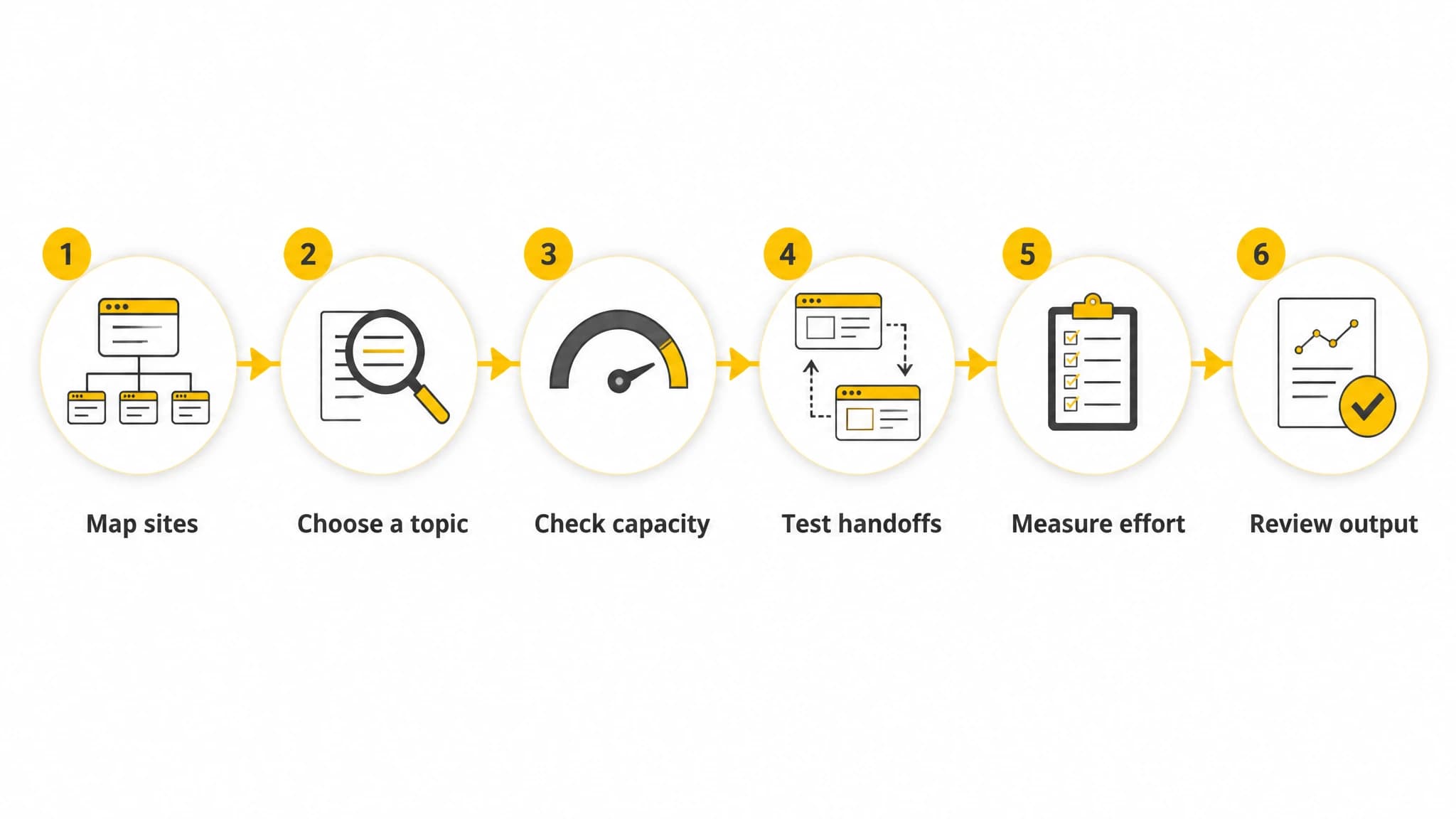
Test candidate tools with a real topic and publishing workflow from your business.
Which type of tool is right for you?
For a solo owner with a few websites: Start with a simple setup that gives you clear separation between sites, a way to track performance, and a reliable content calendar. Avoid paying for complex team controls you will not use, but make sure your process can grow.
For a small business managing several brands: Prioritize site-specific planning, publishing fit, and visibility into what is scheduled or awaiting review. A central content workflow can help reduce repeated coordination, as long as each brand keeps its own keyword priorities and editorial context.
For an agency: Evaluate client separation, user permissions, reporting, and the number of sites or projects your team can actively manage. Test common client tasks with the people who will use the tool day to day, not only with the account owner.
For a team focused on publishing SEO content: Choose software that connects research and planning to production and publishing. With RankWorker, we support that content workflow across WordPress, Next.js, Direct API, and webhooks. We do not assume those integrations mean every multi-site organization, permission, or account-management need is covered; verify your exact setup before selecting a tool.
The bottom line
The best SEO tool for multiple websites is the one that fits your operational needs without blurring the differences between sites. Compare organization, keyword planning, content steps, publishing destinations, permissions, and repeatability using a real task from your business.
For measurement and SEO research, select tools that match your reporting and monitoring needs. For content operations, choose a workflow that helps your team plan, create, review, schedule, and publish consistently. We built RankWorker to support SEO content work from planning through publishing, so it can be a practical choice when content coordination is your main bottleneck. Confirm destination and workspace requirements before you commit.