

 Veselin Stoyanov12 min read
How to Cluster Keywords for SEO: A Step-by-Step Method
Learn how to cluster keywords for SEO by topic, intent, and page type, with a practical example and a repeatable workflow.

Keyword clustering for SEO means grouping related search queries that can be served by the same page or a connected set of pages. A useful cluster is based on more than shared words: consider the searcher's intent, the results Google shows, and the page that would best answer the query.
Use this repeatable process: collect relevant queries, label their intent, compare the pages currently ranking, group queries that deserve the same page, and assign each group a primary target page. Keep similar-looking terms separate when they point to different needs or page types.
What keyword clustering does - and what it does not
A keyword list tells you what people search for. Clustering turns that list into decisions about what to create or improve. Instead of treating every phrase as a separate article, you look for queries that one useful page can satisfy together.
Clustering does not mean putting every phrase about a broad subject on one page. Nor does it mean creating a new page for each small wording variation. The goal is to make a clear plan: one page for a coherent search need, with supporting pages where the audience has distinct questions.
A good cluster can help you avoid unnecessary overlap between pages, make content planning more manageable, and show where your site has gaps. It is a planning aid, not a guarantee of rankings.
A step-by-step keyword clustering method
1. Start with a focused set of relevant queries
Gather queries around a topic that fits your audience and the work your business does. Useful sources can include keyword research, customer questions, your existing website content, and related query suggestions from your research process.
Remove obvious duplicates and exclude terms that are irrelevant, too vague, or aimed at an audience you do not serve. Keep close variations for now; you will decide later whether they belong together. Record the query and any available context, such as the page it currently leads to or the task the searcher appears to be doing.
For example, a small set for a business that teaches home baking might include:
- how to start sourdough starter
- sourdough starter feeding schedule
- how often to feed sourdough starter
- sourdough starter troubleshooting
- sourdough starter not bubbling
- sourdough starter recipe
These queries share a subject, but they may not all belong on one page. The next steps help you decide.
2. Label the likely intent behind each query
Ask what the searcher wants to accomplish. Common intent categories include learning, comparing options, finding a particular site or resource, and taking an action such as buying or signing up. These labels are working notes, not rigid rules.
Try writing a short task beside each query: “learn the steps,” “know when to feed it,” or “fix a problem.” If two queries suggest different tasks, do not combine them just because they share a key phrase.
Intent labels are especially useful when you are tempted to group terms based on wording alone. “Sourdough starter recipe” may be looking for a set of ingredients and steps, while “sourdough starter not bubbling” suggests troubleshooting. Those are related topics, but the reader's immediate need differs.
3. Review the pages that rank for important queries
Search a few representative queries and compare the results. Look at the type of page shown, the problems it addresses, and whether the same pages appear across queries. For instance, are results mostly tutorials, product pages, category pages, or troubleshooting guides?
If several queries show substantially similar pages and answer the same need, that is evidence they may fit one cluster. If the results and page formats differ, investigate before combining them. Search results are a useful clue, not an instruction to copy competitors or a permanent rule: results can vary, and your page should still serve your audience.
To keep the review practical, start with the most important queries in your list rather than inspecting every variation. Note the results you checked and the date, especially if the topic changes over time.
4. Group queries by the page they deserve
Now assign related queries to groups. A practical test is: could one well-structured page answer each query clearly without becoming confusing or trying to do too many jobs?
For the sourdough example, a sensible first draft might be:
| Potential page | Queries it could address | Reason to group |
|---|---|---|
| Sourdough starter feeding guide | feeding schedule; how often to feed | Both seek a practical feeding routine |
| Sourdough starter troubleshooting guide | not bubbling; troubleshooting | Both seek help diagnosing a problem |
| Sourdough starter recipe or setup guide | starter recipe; how to start a starter | Both focus on creating a starter, if the page can clearly cover the recipe and first steps |
This is an illustration, not a universal grouping. Review the results and your audience's needs before finalizing it. If the recipe query consistently calls for a specific format that a broader setup guide cannot serve well, make it its own page.
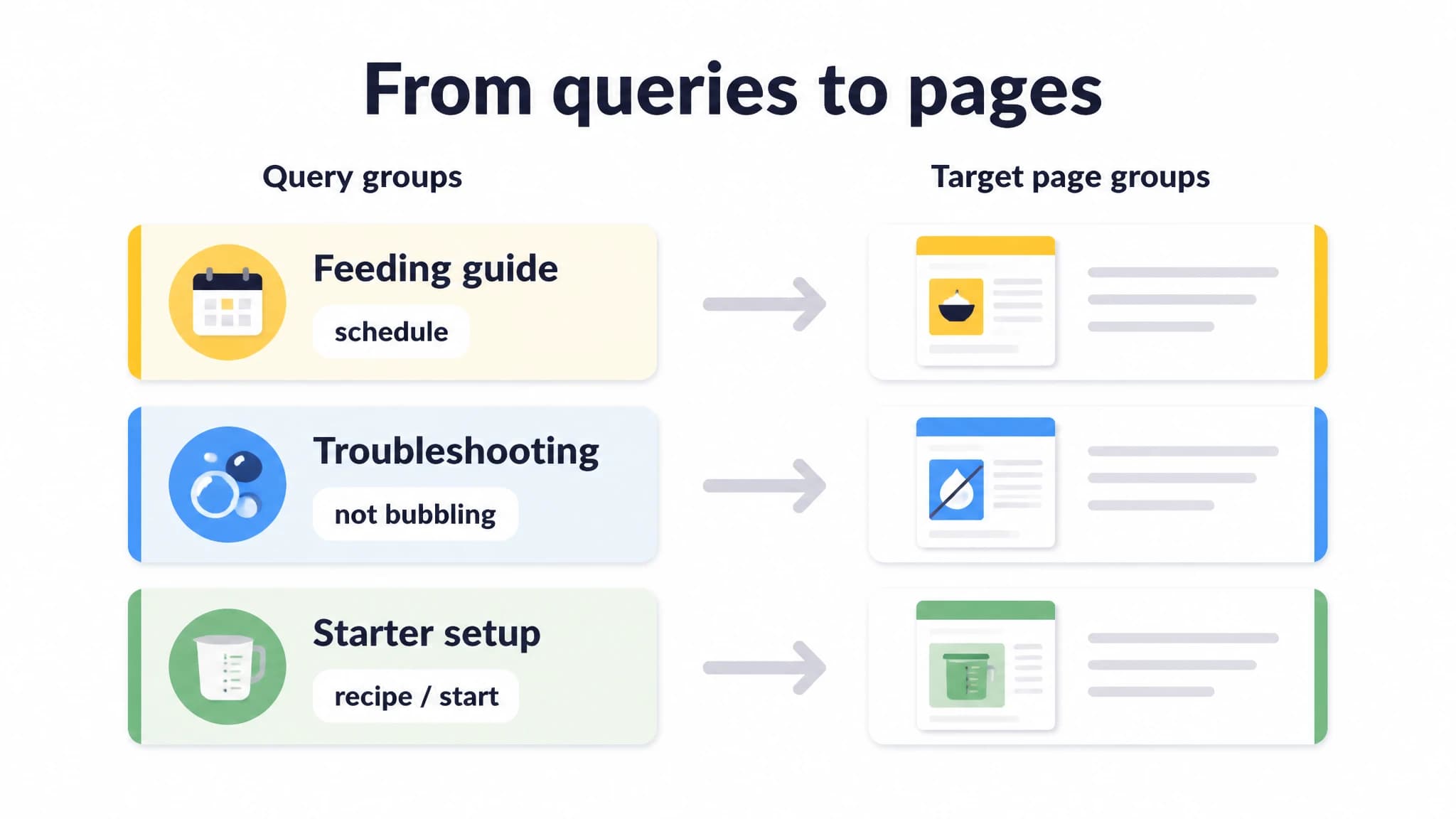
A keyword cluster should lead to a clear page decision.
5. Assign a primary query and a target page
For every cluster, choose a primary query that best describes the page's main purpose. Then list secondary queries the page can cover naturally. The primary query is a planning label, not a phrase to repeat mechanically.
Record whether the page already exists, needs a refresh, or should be created. If two existing pages target the same cluster, inspect their purpose and performance before deciding whether to update, combine, or differentiate them. Do not merge pages automatically; they may serve separate audiences or tasks.
A useful planning row might include the cluster name, primary query, related queries, intent, target page, current URL if any, and a brief note about the page's unique purpose. This turns a keyword spreadsheet into an actionable content plan.
6. Check for overlap and gaps
Before you publish or assign work, compare the clusters with your existing pages. Look for two common problems:
- Overlap: Multiple planned pages appear to answer the same task. Decide whether one strong page is enough or whether you can define distinct purposes for each.
- Gaps: A useful query group has no suitable page. Decide whether it warrants a new page, should be added to an existing page, or is not a priority right now.
Write a one-sentence purpose for each planned page. For example: “Help a beginner follow a reliable feeding routine for a sourdough starter.” If you cannot explain how one page differs from another, revisit the grouping before creating more content.
When similar keywords should stay separate
Shared terms do not automatically mean shared intent. Consider keeping queries in different clusters when:
- They ask for different tasks. Learning a process and fixing a failure may need different instructions, examples, and page structures.
- They call for different page types. A query seeking a comparison may need a comparison page, while a query seeking a definition may be better served by a guide.
- The results show a meaningful difference. If representative searches return different kinds of pages or distinct results, inspect why before grouping them.
- One page would become unfocused. A page that tries to cover too many needs can be harder to navigate and less useful than a focused set of connected pages.
On the other hand, don't split terms just because they use different wording. Singular and plural versions, close synonyms, and phrasing variations may belong together when they lead to the same need and a single page can answer them well.
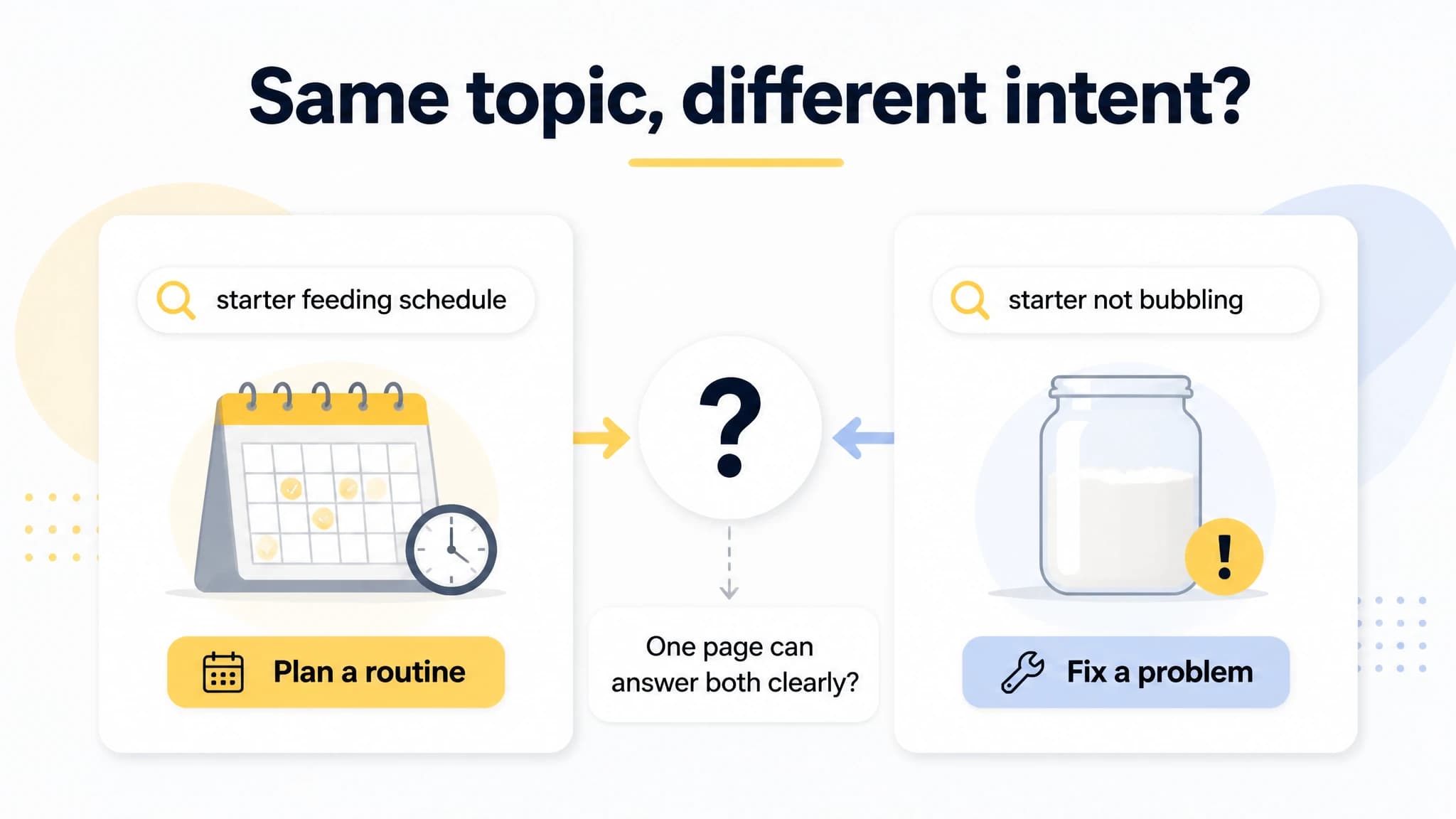
Separate queries when they point to distinct reader needs.
A practical way to keep your clusters useful
Treat clusters as editorial decisions that can be reviewed, not permanent labels. As you learn more about your audience or publish new pages, revisit whether the groups still make sense. Keep the reason for each grouping visible so another person can understand why the queries share a page.
If you are working manually, use a spreadsheet with one row per query and columns for intent, cluster, primary or secondary status, target page, and notes. Filter by cluster when planning content, and check your existing URLs before adding a new page. The method works without a specialist tool, though collecting, comparing, and maintaining larger lists by hand can take time.
With RankWorker, our keyword research and topic clusters can support the move from opportunity discovery to grouping and content planning. A practical workflow is to research relevant opportunities, review which queries belong to shared topics, organize those topics into clusters, and use the resulting plan to decide what to create. You still make the editorial judgment about intent, audience fit, and whether each page has a distinct purpose.
This can be a useful fit for founders and small teams that want a repeatable way to organize SEO topics alongside their broader content work. If you already have a small list, you can also start manually and bring in a tool when the research and planning work becomes difficult to keep organized. For more on evaluating automation in the research stage, see our guide to automated keyword research.
Turn clusters into a connected content plan
A cluster can point to a single page or a main page plus supporting articles. When related pages are genuinely useful, plan how readers can move between them with relevant internal links. The main page should explain the central topic; supporting pages should add depth rather than repeat it.
To prioritize clusters, consider how closely each topic fits your business, whether the reader's need is clear, whether you can create a genuinely helpful page, and what you can realistically maintain. You do not need to publish every cluster at once. A focused plan that matches your capacity is more practical than a large backlog with no clear next step.
This is where keyword clustering connects to a broader SEO content strategy: the groups help shape what to cover, while your goals and publishing capacity help determine when and how to cover it.
If you want to compare manual grouping with dedicated tools, our guide to keyword clustering software explains what software can support and what decisions still need editorial review.
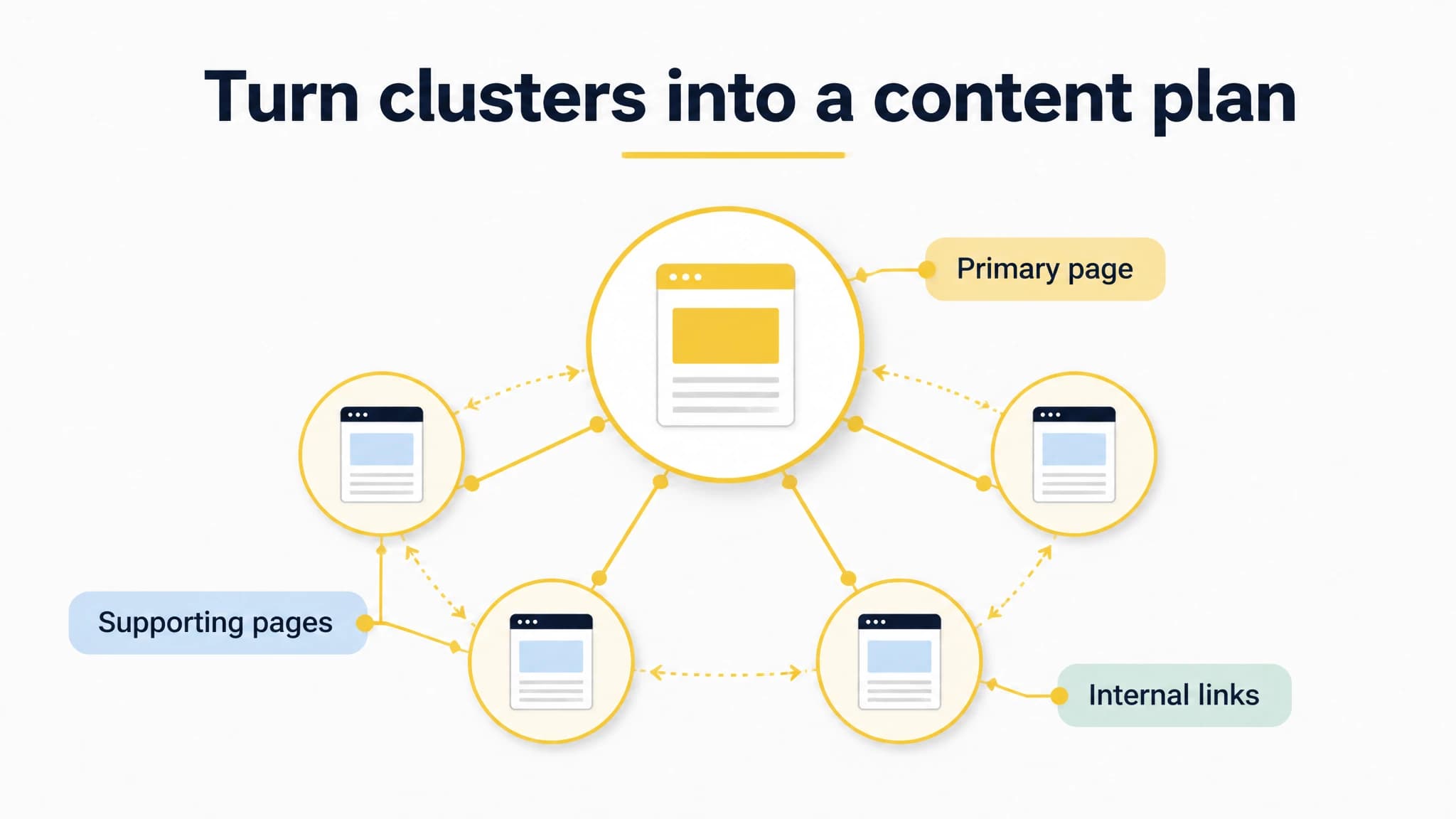
Use focused clusters to plan a connected set of useful pages.
Common clustering mistakes to avoid
- Grouping by shared words alone: Check the need behind each query and the page type that would serve it.
- Creating a page for every variation: Close wording differences do not always justify separate pages.
- Combining everything under a broad topic: A cluster should remain focused enough for a page to answer clearly.
- Treating search results as a final verdict: Use them as evidence alongside your audience knowledge and editorial judgment.
- Skipping existing-page checks: A suitable page may already exist and need an update rather than a duplicate.
- Building clusters with no next action: Give each group a target page and a decision, even if the decision is to wait.
Start with a small, reviewable set
To cluster keywords for SEO, start with relevant queries, label the task behind each search, compare representative results, and group terms by the page that can best serve them. Assign each cluster a primary query and target page, then check for overlap with existing content and gaps in your plan.
You do not need a perfect system before you begin. Choose a small group of topics, write down why the queries belong together, and invite someone who understands your audience to review the page decisions. With RankWorker, we can help organize keyword research into topic clusters and a content plan; the final call on what each page should do remains yours.